Why Mobile Browser Friendship Test Links Beat Native Apps
Dropping an App Store link into an active group chat usually kills the banter instantly, leaving you with zero downloads and awkward silence. Group chats lose momentum immediately when an activity requires leaving the messaging app for an external store download. Everyone wants instant rivalry, not a multi-step installation hurdle requiring device storage approvals and password verifications.
Running a lightweight friend quiz directly inside mobile browsers solves this friction by keeping every interaction right inside WhatsApp, Snapchat, or iMessage. In this guide, you will learn why tap-first web links consistently beat native trivia applications, how eliminating account sign-ups protects group participation, and which surprising browser behavior can still derail your challenge.
Consider how this zero-friction web workflow operates in practice:
- Situation: A quiet group chat needs fast entertainment without forcing members to download native software.
- Action: You visit a speed-run friendly quiz maker, enter your name, answer personal habit prompts in under two minutes, and post the generated custom link.
- Outcome: Friends tap the URL directly, submit their guesses in seconds without creating profiles, and spark immediate chat banter.
This analysis applies specifically to casual friendship trivia challenges distributed through mobile messaging platforms, rather than standalone native software designed for persistent offline play.
Why Mobile Browser Friendship Tests Outpace Native Apps in Group Chats
Mobile browser friendship tests outperform native applications in group chats because they remove download barriers and account creation hurdles, enabling instant participation directly inside chat threads. A mobile browser friendship test is a zero-install interactive trivia challenge that renders dynamically within mobile browsers through a single shared URL.
What makes mobile browser friendship tests superior in group chats is their elimination of participation friction. Google Play store benchmarks show that native friendship trivia apps regularly impose 40MB or larger file downloads alongside mandatory profile registrations before players can view a single prompt. In contrast, zero-account browser links open instantly inside native in-app web views across WhatsApp, iMessage, and Snapchat. Anyone in the chat can enter their name, submit answers to personal prompts, and record scores without installing files or verifying email credentials. This zero-friction web experience prevents casual players from dropping off before completing the quiz.
Demanding that your circle download a dedicated mobile application for trivia is like requiring everyone to sign a lease just to sit on a park bench. Group chats thrive on immediate, low-stakes entertainment. When casual banter gets interrupted by app store redirects, momentum collapses.
This dynamic forms the Group Chat Friction Index, which charts how technical hurdles destroy spontaneous viral engagement:
- App Store Handoff: Redirecting someone from a chat to an app listing breaks user context, causing immediate abandonment.
- Storage and Network Overhead: Forcing a 40MB cellular data download creates instant resistance for users with limited bandwidth or device storage.
- Profile Verification: Demanding passwords or social logins turns a fast game into administrative work.
Browser-based links bypass this entire funnel by loading custom challenge parameters directly into the messaging client's internal browser view. Creators configure questions in minutes, and recipients tap, answer, and exit without leaving a digital footprint on their operating system.
To see how frictionless quiz links keep digital circles active without app store clutter, try sharing a personalized Friendship Dare Quiz directly to your favorite messaging thread.
How to Build and Share a Zero-Install Friendship Dare Link
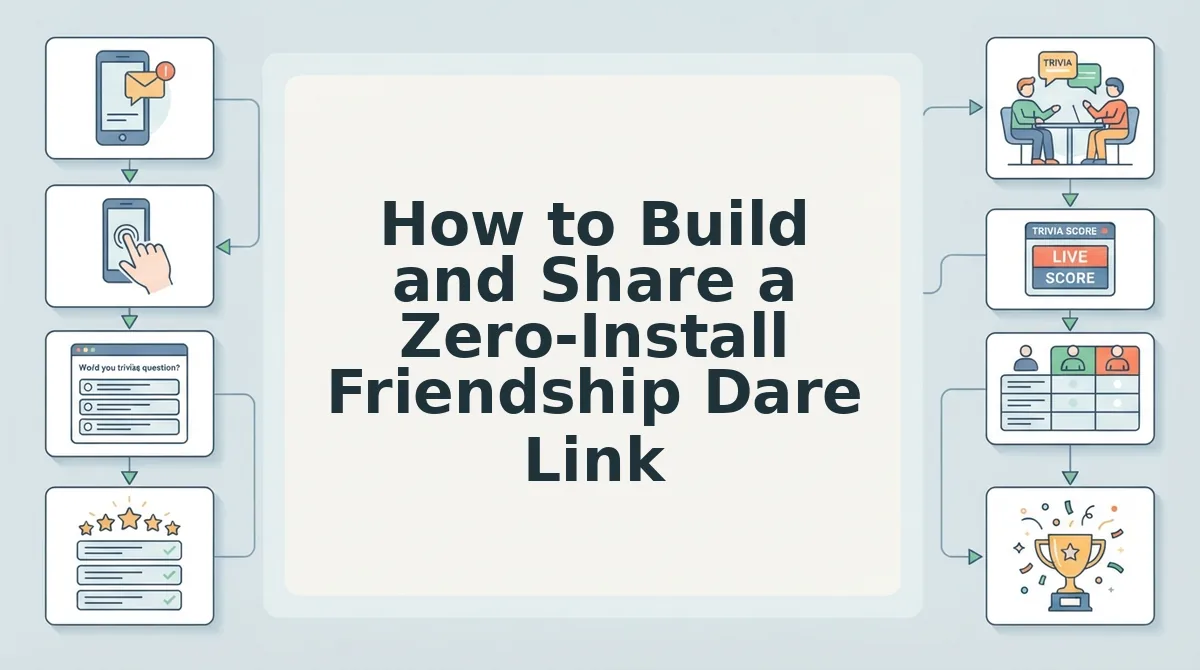
Building and sharing a zero-install friendship dare link requires typing your name into a mobile browser, selecting answers across a series of personal trivia prompts, and distributing the generated URL directly into a group chat. The entire setup completes in under two minutes without account creation, app downloads, or email verifications.
A friendship dare link is a lightweight, web-hosted challenge URL that lets friends test their knowledge of a creator's personal habits directly within mobile browsers. Much like how Itch. io web demos demonstrate lightweight mobile interaction without background tracking or permission prompts, browser-based quiz links remove device installation friction completely.
Before starting, you need a mobile web browser and an active messaging app such as WhatsApp, iMessage, or Snapchat.
Imagine standing in line waiting for coffee with ninety seconds to spare. You want to wake up a quiet group chat before your order is ready. Instead of asking friends to install software, you can spin up a challenge on the fly.
Can a trivia challenge really deploy that quickly?
- Open the quiz maker: Navigate to the web application homepage on your mobile browser. You should see the main entry screen with a name field ready for input (estimated time: 5 seconds).
- Type your creator name: Enter your display name into the designated text box and tap the start button. You will see the first personal habit question load instantly on your screen (estimated time: 10 seconds).
- Select your trivia answers: Cycle through the sequential prompts covering your daily habits, likes, dislikes, and quirks by tapping your preferred option for each item. You can configure a personalized best friend quiz with ten questions, watching the progress bar fill until the final question completes (estimated time: 45 to 60 seconds).
- Generate your custom URL: Tap the complete button once all selections are saved. The platform immediately packages your responses into a live web challenge and displays your shareable link alongside a one-tap copy button (estimated time: 5 seconds).
- Paste the link into your chat: Copy the generated URL to your clipboard, open your chosen group chat in WhatsApp, iMessage, or Snapchat, and send the message. Your friends will see an immediate preview card they can tap to play without installing anything (estimated time: 10 seconds).
Worked Example: A creator opens the platform on a phone browser to challenge an inactive group chat. The creator enters their name, selects options across ten personal trivia prompts regarding everyday routines, and taps the generate button. The application outputs an instant web challenge link. The creator copies the URL, drops it into a WhatsApp thread, and recipients begin tapping through questions within seconds directly inside their chat browsers.
Mobile Browser Links vs Native App Downloads and Ad-Cluttered Sites
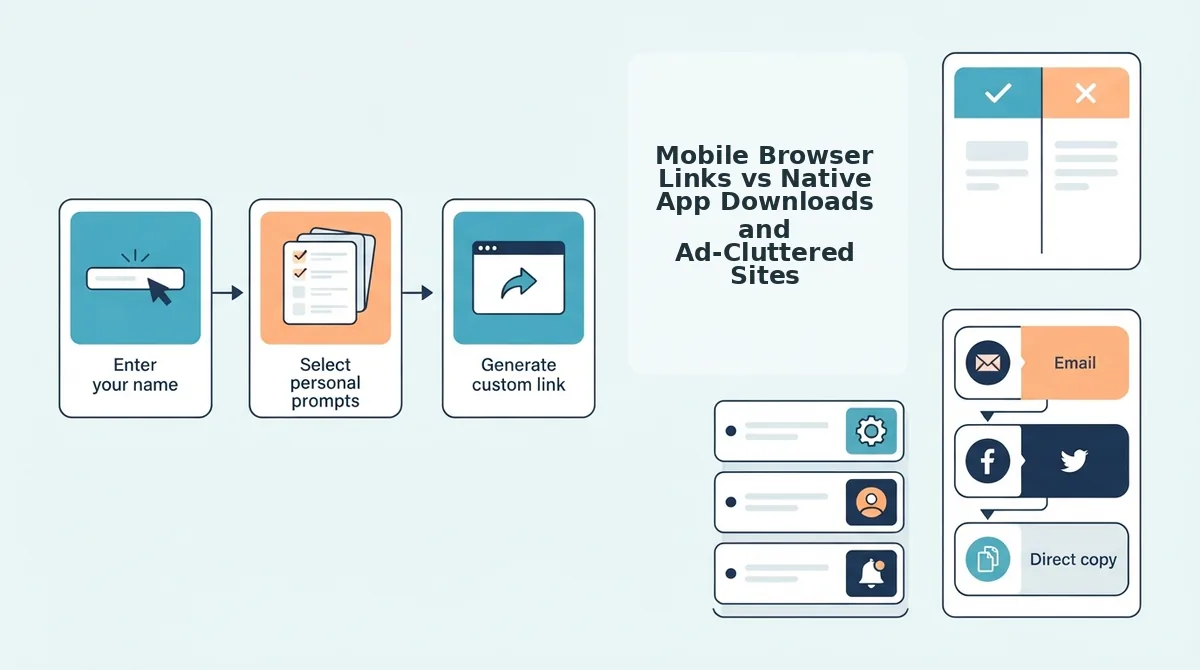
Mobile browser friendship test links outperform native apps and legacy websites because direct web URLs eliminate app store installs, account registrations, and layout-shifting banner ads directly inside messaging chats. A zero-account friendship test is a lightweight web challenge accessible via a single URL that runs immediately on mobile browsers without profile setup or software downloads.
Why do legacy quiz websites with shifting banner ads fail just as badly as heavy native apps? Both formats create drop-off barriers that disrupt fast group chat conversations. Native apps demand device storage, platform permissions, and app store verification just to answer a short trivia quiz. Meanwhile, legacy platforms disrupt mobile web browsers with multi-page reloads and shifting ad banners that obstruct buttons. A lightweight mobile browser challenge loads seamlessly inside WhatsApp, iMessage, or Snapchat, letting friends submit answers in seconds without bouncing.
| Quiz Format | Access Friction | Interface Experience | Best For |
|---|---|---|---|
| Native App Downloads | High: Requires app store search, device storage, and account permissions. | Smooth offline performance, but locked behind installation walls. | Best for ongoing solo games where players want persistent push notifications and offline device access. |
| Legacy Web Platforms (e.g., Buddy Meter) | Medium: Direct URL access, but slow multi-page form reloads. | Ad-heavy layouts with display banners that can misalign tap targets. | Best for desktop users who do not mind dated form interfaces or slower page navigation. |
| Zero-Account Mobile Web (Friend Quiz) | Zero: Instant link opening in mobile browsers with no login required. | Clean, touch-friendly question sequence with answer privacy and live friendboards. | Best for group chat instigators who want instant participation and immediate bragging rights. |
Native mobile apps excel if you want dedicated utilities stored permanently on your home screen. Legacy platforms offer functional trivia mechanics, but multi-page reload delays and intrusive banners slow mobile responses, as outlined in our detailed Friend Quiz vs Buddy Meter teardown.
Use this decision framework to match your group chat's dynamic:
- Choose native apps if your entire circle already shares the same platform and prefers local device notifications.
- Choose legacy web tools if your friends take quizzes on desktop browsers where layout shifts do not disrupt mobile taps.
- Choose zero-account mobile links if you need immediate, under-two-minute participation across WhatsApp, iMessage, and Snapchat.
Our recommendation is zero-account web links. Group chats thrive on momentum, and eliminating download requirements ensures every friend can jump straight into the challenge.
Ready to spark banter in your group chat? Type your name to set up your custom trivia dare in under two minutes, share your link, and track the live friendboard rankings in real time.
How to Check Quiz Results and Track Live Friendboard Rankings
To check quiz results and track live rankings, creators reopen their unique quiz link in any mobile browser to inspect scores updated in real time without requiring participants to submit email addresses. A friendboard is a closed micro-leaderboard that ranks contacts based on personal trivia accuracy. Friend groups engage up to 3x longer when scores appear on private, closed friendboards rather than public leaderboards, because micro-leaderboard rankings fuel friendly peer rivalries inside messaging threads.
Unlike legacy platforms reliant on static pages, modern tracking keeps rivalries fast and private. Follow these steps to monitor your live friendboard and verify standings:
- Access your administrative link directly: This private dashboard URL generates automatically when you create a challenge without login requirements. It keeps score tracking restricted to the creator while offering zero-friction mobile entry. Reopen the link from your browser history or saved notes to pull up the dashboard instantly.
- Monitor real-time scoreboard sync: This continuous data feed updates rankings the moment peers complete their challenge. Real-time scoreboard sync mechanics eliminate legacy static results pages that require tedious manual browser refreshes. Watch the live display as incoming guesses shift placements without leaving the page.
- Inspect individual answer breakdowns: This granular review screen reveals exactly which personal trivia prompts each friend answered correctly or missed. It separates genuine best friends who know your daily quirks from peers who guessed blindly. Tap any friend's name on your roster to evaluate their specific response sheet.
- Audit submission timestamps to settle ties: This chronological log records the precise completion time for every submitted entry. It offers a clear, objective tiebreaker when multiple friends achieve identical high scores. Compare the recorded submission minutes on your board to award bragging rights to whoever responded fastest.
- Share ranking snapshots into the group chat: This action involves sending updated score screens into messaging apps like WhatsApp or iMessage. Private leaderboards spark banter because participants immediately rush to challenge whoever sits in first place. Paste fresh standings into your chat thread whenever a new top score lands.
How to Verify Privacy and Avoid Spammy Mobile Quiz Links
You can verify mobile quiz link privacy by confirming that the platform requires zero personal contact details and displays responsive, stable tap targets that do not shift beneath your fingers. Safe friendship challenges run directly in mobile browsers without demanding email verification, social logins, or app permissions.
What data are you and your friends actually exposing when tapping an online friendship link?
A zero-account quiz architecture is a privacy-first web design where participants enter only an ephemeral display name to submit answers, without creating profiles, verifying email addresses, or sharing device contacts. Think of a zero-account quiz link like an anonymous ticket at a deli counter: you hold a temporary number just long enough to claim your order on the board, and the shop never logs your home address or phone number.
Clone sites, by contrast, frequently mimic trending friendship tests to harvest contact data or inject aggressive third-party ad scripts. These low-quality clones insert unexpected interstitial redirects and shifting display banners directly over the quiz buttons. When a webpage suddenly moves while you try to tap an answer, that layout shift is often engineered to trigger accidental ad clicks, leading to spam downloads or tracking scripts.
How do you audit a challenge link before dropping it into your WhatsApp, iMessage, or Snapchat group chats? Run this simple visual audit in mobile Safari or Google Chrome:
- Test the input barrier: Legitimate setups only ask for a display name and quiz answers. If a page requests your email address, phone number, or social media login, close the tab immediately.
- Audit tap targets: Inspect the touch areas on your mobile screen. Button elements must remain completely stationary as you cycle through prompts, without delayed banner loads pushing answers downward.
- Inspect redirect behaviors: Safe web links resolve immediately to the quiz screen inside the in-app browser without opening secondary promotional tabs or forcing app store installations.
Verifying these basic safeguards guarantees that your friends enjoy rapid, competitive trivia without surrendering their private data or dodging misclick traps.
Frequently Asked Questions About Mobile Browser Friendship Tests
Mobile browser friendship tests run natively inside messaging apps without software downloads, account registration, or device permissions. Setup takes under two minutes with zero downloads: why navigate app store friction?
Do friends need an app or account to take a friendship test?
No, friends do not need to install an app or create an account to take a mobile friendship test. The challenge opens directly inside standard browsers like Chrome or Safari when a link is tapped. Participants simply enter a nickname, answer the trivia prompts, and submit their score immediately.
Are mobile browser friendship quiz links safe to open?
Yes, mobile browser friendship quiz links are safe because they operate inside standard sandboxed web browsers. Unlike native apps that request device permissions, a browser quiz cannot access your contacts, storage, or photo library. Participants submit only their chosen quiz nickname and their answers to the challenge.
How do I share a friendship test on WhatsApp Status?
You share a friendship test on WhatsApp Status by copying your unique challenge URL and pasting it into a new text status update. Contacts tap the link directly from your status preview and play the game in their mobile browser, logging their scores without installing any third-party software.
How are friendship test scores tracked without an account?
Scores and friendboard rankings are tracked by tying submitted answers to the creator’s unique challenge link on the server. Quiz creators view their live scoreboard through their administrative URL or cached browser session, which stores a persistent device token for up to 30 days to display real-time participant names, answer breakdowns, and point totals without requiring email registration.
Can you see who viewed your friendship test without completing it?
No, friendship test scoreboards only record data after a participant clicks the final submit button. Visitors who browse questions and drop off before the last prompt leave no server log, meaning creators cannot view partial attempts or identify anonymous visitors.
Can participants retake a friendship test to improve their score?
Participants can retake a friendship test by accessing the original challenge link in an incognito window or clearing their local browser cookies. The backend treats each submission as a separate session, logging duplicate nicknames as distinct entries on the creator's live scoreboard.
Launch Your Instant Mobile Friendship Test Without App Friction
Browser-based friendship challenges consistently beat native apps because spontaneous group banter evaporates the moment someone demands an app store download, mandatory account registration, or phone storage permissions. The social momentum of an active thread relies entirely on instant access. Great group chat banter should take ninety seconds to start, not ten minutes of waiting on install bars and email verification links.
Lightweight web challenges solve this by turning casual scrolling into fast-paced competition directly inside WhatsApp, iMessage, or Snapchat without forcing your friends off their primary messaging apps.
Starting a challenge requires just three quick steps:
- Enter your name to initialize your personal trivia challenge.
- Pick your answers across everyday habits, pet peeves, and quirks.
- Drop the custom challenge link into your chat to launch the live friendboard.
When you create your own Friend Quiz, you eliminate app friction so your circle can focus on settling rivalries, checking the rankings, and reacting to wrong answers in real time.
The ultimate friendship test should measure how well your inner circle truly knows your habits, not how patiently they tolerate an app store download screen.