QuizYourFriends mobile usability review for fast group tests
You drop a challenge link into an active WhatsApp group to spark quick banter, but the conversation abruptly dies. Instead of instant score bragging, friends encounter mandatory sign-up forms and disruptive screen jumps. This quizyourfriends mobile usability review breaks down why legacy quiz builders fail inside messaging app webviews, and how modern trivia setups keep group momentum alive.
Casual trivia should ignite competition, not deliver technical friction. You will discover exactly where legacy test interfaces breakdown on mobile screens, how layout instability sabotages participation, and which lightweight alternatives preserve group engagement.
- Situation: A creator shares a personalized trivia URL across iMessage or Snapchat.
- Action: Friends tap the link, attempt to answer prompts, but face high cumulative layout shift from mobile banner ads causing mis-taps on small touch targets.
- Outcome: In-app browser bounce rates spike when casual mobile users face mandatory sign-up walls, abandoning the test before submitting a single answer.
One hidden interface element consistently drains mobile completion rates before participants even see question three. To avoid these drop-offs entirely, group instigators often turn to Friend Quiz to build zero-account trivia challenges in under two minutes.
Examining the technical hurdles of in-app browser engines reveals the root cause of these abandoned games.
Why QuizYourFriends Stalls Inside Mobile Group Chat Browsers
QuizYourFriends stalls inside mobile group chat browsers because its legacy architecture executes a full-page reload for every single prompt instead of updating the interface instantly. When opened through links shared on WhatsApp, iMessage, or Snapchat, these desktop-era web forms force mobile devices to repeatedly re-download redundant site code over fluctuating cellular connections.
An in-app browser is a sandboxed webview component that renders links directly within a messaging app without launching a standalone browser application. Think of legacy full-page reloads like clearing an entire dining table down to the bare wood after every single bite of food just to bring out the next fork.
Legacy friendship quiz forms fail in mobile messaging apps because in-app webviews lack the caching efficiency and memory headroom of dedicated desktop browsers. When a user answers a question on a legacy platform like QuizYourFriends, the system executes a full-page reload, downloading the entire HTML document, stylesheet assets, and external tracking scripts from scratch. On fluctuating cellular connections, this repetitive round-trip cycle causes severe screen freezes and dropped form submissions. Modern alternatives replace this overhead with a single lightweight payload, allowing participants to finish a friend quiz without account registration or network interruptions.
The breakdown escalates when monetization scripts compete for limited mobile memory:
- Input Displacement: Floating banner scripts trigger cumulative layout shifts that displace radio buttons during fast taps, registering accidental wrong answers right as the player touches the glass.
- Main-Thread Starvation: Heavy third-party ad tags monopolize the single-threaded JavaScript engine inside the webview container, freezing touch responsiveness and creating sluggish swipe latency.
- Session Eviction: Background network changes between cellular data and local Wi-Fi drop the server-side form session between page reloads, wiping out progress and forcing players back to question one.
What players mistake for a poor cellular connection is actually an architectural flaw of desktop-first web design. Friends routinely abandon shared links not because their smartphones lack computing power, but because multi-page form reloads cannot handle rapid-fire group chat momentum.
Eliminating these bottlenecks requires a modernized framework engineered specifically for zero-friction mobile delivery.

How to Run a Friction-Free Mobile Group Test in Four Steps
To run a friction-free mobile group test, enter your name on the setup screen, select your answers through sequential trivia prompts, generate a custom link, and share that URL directly to your messaging thread. This streamlined method lets you launch a complete challenge in under two minutes without requiring accounts, passwords, or app installations.
A friend quiz is a lightweight web challenge that tests peer knowledge through interactive, personal trivia prompts. Before starting, ensure you have a mobile web browser open and an active chat thread in WhatsApp, iMessage, or Snapchat.
- Type your display name into the primary input box on the creation page (Time: 10 seconds). Tap the start button to open the question workflow. You should immediately see the first trivia prompt appear on your screen without any account registration or email verification prompts.
- Select your personal answers by tapping your choices across the sequence of daily habit, preference, and lifestyle prompts (Time: 60 to 90 seconds). Advance through each question with a single tap. You should see each selection register cleanly without multi-page reloads or layout shifts.
- Generate your challenge URL by tapping the completion control once all trivia selections are locked (Time: 5 seconds). The web application packages your answers into a custom challenge. You should see a unique shareable link appear on your screen alongside an instant copy button.
- Paste the link into your group chat by copying the generated URL and sending it directly to your conversation thread (Time: 15 seconds). Group members tap the link to play immediately. You should see incoming guesses recorded in real time as friends complete their attempts.
Eliminating mandatory registration reduces participant drop-off across group chats. Furthermore, direct link pasting into iMessage and WhatsApp webviews bypasses app store installation friction entirely, keeping participation immediate.
Picture this scenario: you have a two-minute chat break between tasks while your group chat sits inactive. You open the builder, type your name, select ten answers covering your daily quirks, and copy the generated challenge URL. You paste the link into WhatsApp. Because your friends encounter zero registration gates or app downloads, three friends complete their attempts and post their scores before your break ends.
To start your own challenge right now, build a quick friendship test that delivers instant, zero-login trivia straight to your friends' mobile screens.
Evaluating how well alternative platforms deliver this zero-friction experience reveals dramatic differences in speed and responsiveness across mobile devices.
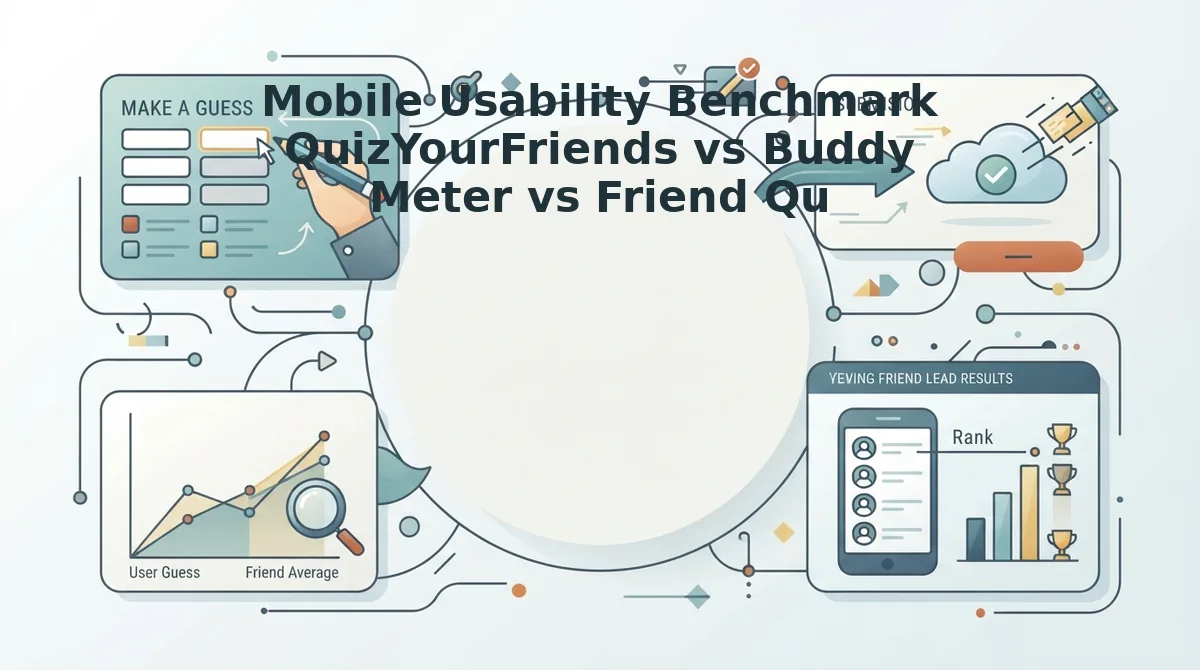
Mobile Usability Benchmark QuizYourFriends vs Buddy Meter vs Friend Quiz
Friend Quiz outperforms QuizYourFriends and Buddy Meter on mobile usability by replacing intrusive ad scripts and registration screens with accessible 48px targets and instant web links. While legacy platforms suffer from layout shifts and failed form submissions inside messaging apps, lightweight platforms run cleanly across iOS and Android browsers without forcing an app download.
A social webview is an in-app browser window that opens external web links directly inside messaging platforms like WhatsApp, iMessage, and Snapchat without launching a standalone browser app.
Aggressive ad banners do not just annoy players; they actively break group chat webviews. When bloated display banners load dynamically, they shift page elements, push answer options offscreen, and intercept taps intended for submission buttons. High ad density directly causes broken quiz submissions in group chat webviews because constrained mobile containers run out of memory or misregister touches against third-party ad frames.
According to the 3-Second Group Chat Friction Matrix comparison data across mobile Safari, Chrome, and social webviews, interfaces using 48px standard touch targets retain significantly more respondents than interfaces relying on crowded legacy radio buttons that require pinch-zooming.
| Metric | QuizYourFriends | Buddy Meter | Friend Quiz |
|---|---|---|---|
| Setup Speed | Slow (Requires account registration) | Moderate (Multi-page form flow) | Under 2 minutes (Zero-account setup) |
| Touch Target Sizing | Small legacy radio buttons | Standard web buttons | 48px standard touch targets |
| Ad Density & Stability | High banner density; frequent reload lag | Disruptive display ads; occasional reload shift | Clean interface; stable webview loading |
| Account Required | Yes (Creator profile setup) | No | No |
| Best For | Desktop nostalgia seekers | Casual single-page challenges | Active mobile group chats |
Which platform fits your specific group?
- QuizYourFriends: Best for desktop users who appreciate classic early-web trivia formats and do not mind standard account registration workflows.
- Buddy Meter: Best for casual creators looking for simple personal trivia URLs who can tolerate occasional multi-page reload delays and banner ads.
- Friend Quiz: Best for group chat instigators on WhatsApp, iMessage, and Snapchat who need zero-friction trivia with real-time Friendboard rankings.
Choose QuizYourFriends if you prefer retro web-form interfaces and manage challenges primarily on a desktop browser. Choose Buddy Meter if you want basic question prompts and your friends do not mind display advertisements. Choose Friend Quiz when you want to launch a streamlined bff quiz that friends can answer in seconds without login barriers or broken webview scripts.
Our recommendation is Friend Quiz because mobile group challenges require rapid participation, touch-friendly layouts, and complete stability across all chat apps.
Confirming that your link loads cleanly across every chat app takes only a few quick checks.

How to Verify Your Mobile Test Succeeded Without Friction
You can verify a mobile friendship test succeeded by checking real-time score updates directly on the host dashboard without waiting for manual submissions or confirmation messages. A fully synced test registers player entries the moment a participant selects their final answer.
A Friendboard is a real-time digital scoreboard that automatically ranks participants based on their quiz accuracy.
How can you confirm your friends finished the test without constantly asking them in the group chat? Instead of polling chat threads, inspect your creator link directly from your mobile browser. Modern testing platforms immediately append participant scores to a live ranking table the moment players complete the final trivia prompt. If a friend's alias appears on the board, their session completed cleanly. If the leaderboard stays empty, in-app browser restrictions or submission lag likely interrupted their attempt.
- Monitor live Friendboard score syncs: This automated tracking feature updates your group standings table continuously as friends submit their answers. Real-time friendboard sync verifies responses without requiring participants to refresh their browsers. Keep your creator link open in a mobile browser tab to watch player rows populate instantly as each friend finishes.
- Inspect instant score breakdowns: This feature provides an immediate question-by-question view of what each player guessed correctly about your habits. Instant score breakdowns allow immediate group banter without waiting for email confirmations or slow static form receipts. Tap any finished player on your dashboard to review their exact choices and drop the results into your group chat.
- Audit the zero-login participant queue: This entry log displays incoming guest responses without demanding profile registrations from your contacts. It confirms that mobile in-app browsers on WhatsApp, iMessage, or Snapchat did not block guest entries during transmission. Review your host screen shortly after sharing the challenge to verify that friends are registering scores without account friction.
- Track completion timestamps against message activity: This diagnostic step compares when you sent your challenge URL against when rankings actually appear. Counterintuitively, rapid sub-two-minute completions confirm the test loaded seamlessly without ad clutter or reload lag. Check the order of entries on your scoreboard against your group chat timeline to see who finished during the initial share.
- Run a self-directed incognito test submission: This verification check involves playing through your own link inside a private mobile window before circulating it. It ensures your custom quiz parameters saved correctly and that guest sessions finalize without error screens. Open your generated dare URL in a private browser tab, submit a dummy name, and confirm that test entry surfaces on your live friendboard.
Understanding these scoring mechanics helps resolve common questions about how mobile trivia platforms operate behind the scenes.
Frequently Asked Questions About Mobile Friendship Quizzes
Modern mobile friendship challenges run entirely inside web browsers without requiring software downloads, intrusive profile configurations, or manual app store updates.
Do I need to download an app to take a mobile friendship quiz?
No, modern friendship challenges run directly in mobile web browsers without software downloads. Legacy platforms like QuizYourFriends historically relied on dedicated app store installations, but contemporary alternatives generate lightweight web URLs. Friends open these shared links instantly inside WhatsApp, iMessage, or Snapchat to submit answers without checking device storage or permissions.
Why do friendship quiz links freeze inside messaging apps?
In-app browsers across WhatsApp, Snapchat, and Instagram frequently crash because legacy quiz engines load heavy advertising banners and unoptimized JavaScript scripts. Restricted social webviews have tight memory limits. When bloated redirect chains or intrusive pop-ups consume available memory, mobile buttons stop responding and answer submissions fail completely.
How do I fix a quiz link that fails to load on a phone?
Bypassing the integrated social webview resolves script crashes across iOS and Android operating systems instantly:
- Tap the three-dot overflow icon or share arrow in the frame.
- Choose Open in Safari or Open in Chrome.
- Reload the URL to clear stalled background advertising processes.
Can friends take a mobile friendship test without creating an account?
Yes, mobile-first friendship tests allow recipients to participate by typing only a display name. Neither the quiz creator nor the respondent needs to register an email address or configure passwords. Answers register instantly on a live leaderboard, keeping group chat engagement fast without collecting private user credentials.
Evaluating these everyday performance bottlenecks sets the stage for a comprehensive analysis of today's leading trivia alternatives.
Final Verdict on Mobile Usability for Group Trivia
Modern mobile group trivia succeeds only when platforms deliver immediate tap responsiveness, zero registration hurdles, and clean single-page performance inside in-app social browsers. The testing data confirms what stalled group threads have shown for years: forcing participants through static forms, multi-page reloads, and mandatory accounts destroys response rates before the first question is submitted.
When friends open a link inside WhatsApp, iMessage, or Snapchat, every second of navigation delay creates an exit opportunity. Fast social banter requires a frictionless workflow that respects modern mobile habits.
What determines whether your challenge takes off or gets ignored?
- Eliminate onboarding friction: Avoid platforms that demand email logins, app downloads, or personal account creation.
- Ensure instant webview loading: Prioritize lightweight single-page interfaces that render questions without disruptive layout shifts or reload lag.
- Automate live tracking: Deliver immediate score tallies so friends can compare answers without refreshing static pages.
Type your name on the homepage to start a customizable best friend quiz, pick your personal habit prompts, and share the challenge link directly to your group chat in under two minutes.
The success of viral group trivia comes down to zero-friction speed: the best mobile challenge is never the one with the longest setup, but the one your circle can complete before closing the chat.