How to Make a Friend Quiz in Under Two Minutes
Your group chat just went silent after someone sent a "who knows me best" quiz that demanded an email signup and two app-store redirects. That quiz died in the group chat graveyard. Here's the direct answer to how to make a friend quiz fast: you can build and share a personalized friendship challenge in under two minutes on Friend Quiz, no app download, no account, no email verification. Type your name, answer a few personal prompts, and share the generated link.
The difference between a quiz that gets played and one that gets ignored is about 90 seconds. Your friends will not fill out a registration form to prove they know your coffee order. They will, however, tap a link that loads instantly and starts firing questions.
In the next two minutes, you'll learn the exact three-step process: enter your name in 15 seconds, answer personal prompts in 60 seconds, and share your custom link in 30 seconds. Stick around for the part where we reveal which prompt style gets the highest response rates, it's not the one most people expect.
Step 1: Enter Your Name (15 Seconds)
Open Friend Quiz on your phone and type your name into the single input field on the homepage. You do not need an account, an email address, or an app download, the page loads and the field is ready immediately.
Prerequisites: A smartphone or desktop browser with an internet connection. That's it.
- Open friendquiz.org in your mobile browser. The homepage displays one prominent text field labeled for your name. No popups, no cookie walls, no signup prompts will block you.
- Type the name your friends actually call you. Use a recognizable nickname, "Liz" not "Elizabeth M. Carter." Your friends scan for familiar names in group chats, and a formal name reads like a corporate memo.
- Tap the continue button. You should advance to the first personal prompt immediately, with no loading spinner or redirect.
Pro tip: Use the nickname your group chat uses, not your full legal name. If your friends call you "Cheeks" in the chat, that's the name that gets the tap. A recognizable name increases the chance your friends open the quiz within seconds of seeing the link.
Success looks like this: you land on the first prompt screen in under five seconds, and your name appears at the top of the quiz interface. If you see a green checkmark or the prompt counter reset to question one, you're ready for the next step.
Step 2: Answer Personal Prompts (60 Seconds)
Answer each personal prompt by tapping the option that best matches your real habits and preferences. The platform cycles through a sequence of quick multiple-choice questions about your daily life, and each tap advances you to the next prompt instantly.
Prerequisites: You've completed Step 1 and landed on the first prompt screen. No other tools or preparation are required.
- Read the first prompt. Expect questions like "What's your go-to comfort food?" or "What's your morning habit?", the kind of details your close friends already know.
- Tap the answer that is actually true for you. Do not overthink it. Your friends will recognize the honest answer faster than a curated one. If you pick "sushi" but everyone knows you eat pasta three times a week, the quiz feels fake.
- Repeat for each prompt until the sequence ends. The full flow takes about 60 seconds. You should see a progress indicator or prompt counter advancing with each tap.
- Review the final screen. You should see a confirmation that your quiz is ready, along with a generated share link.
Troubleshooting callout: If you get stuck on a prompt, pick the first thing that comes to mind, your friends will know it's you. Overthinking produces answers that sound generic, and generic answers make the quiz feel like a template rather than a window into your actual personality.
For a more personalized experience with deeper question sets, try the best friend quiz option, which tailors prompts to closer friendships and inside-joke territory. The key is speed: every second you spend deliberating is a second your group chat moves on to something else.
Once your final prompt is answered, your custom link is ready, and the next step takes just 30 seconds.
Step 3: Share Your Custom Link (30 Seconds)
Your quiz link is generated instantly after the final prompt, no save button, no preview page, no waiting. Copy it and drop it into any chat or story, and your friends can start answering in their mobile browser within seconds.
Prerequisites: You must have completed Steps 1 and 2 (entered your name and answered all personal prompts). Your phone or desktop browser must be connected to the internet. No app download or account login is required for you or your friends.
- Tap the "Copy Link" button on the results screen. The button sits directly below your quiz preview card. You should see a brief "Link copied" confirmation toast at the bottom of your screen.
- Open WhatsApp and choose your sharing destination. For a group chat, paste the link into the message field and add a one-line challenge like "Think you know me? Prove it." For a DM, personalize the message with the friend's name, direct challenges get answered faster than broadcast links. Expected outcome: the link preview renders as a tappable card with your quiz title.
- For iMessage, paste the link and add a playful taunt. iMessage auto-previews web links, so your quiz title appears inline. Send it to a group thread or individual contact. You should see the blue bubble with the link preview appear immediately.
- For Instagram, share via Story or DM. Instagram does not allow tappable links in feed captions, so use the Link sticker on your Story or send the link via DM. In Stories, position the sticker over a selfie or screenshot of your quiz prompt. Expected outcome: followers tap the sticker and land directly on your quiz in Instagram's in-app browser.
- Confirm the link opens correctly. Tap your own shared link once. You should see your quiz load in under three seconds with no login wall, no app-store redirect, and no popup blocking the first question.
Platform-specific tip: WhatsApp group chats drive the highest completion rates because multiple friends answer simultaneously and compare scores in-thread. Instagram Stories work best for reaching acquaintances, while DMs convert better for close friends who feel personally challenged.
The link opens instantly in a mobile browser, no app download, no account wall, no email capture. Your friends answer, see their score, and the banter starts before the group chat moves on.
Why Speed Matters: The Chat Momentum Killer
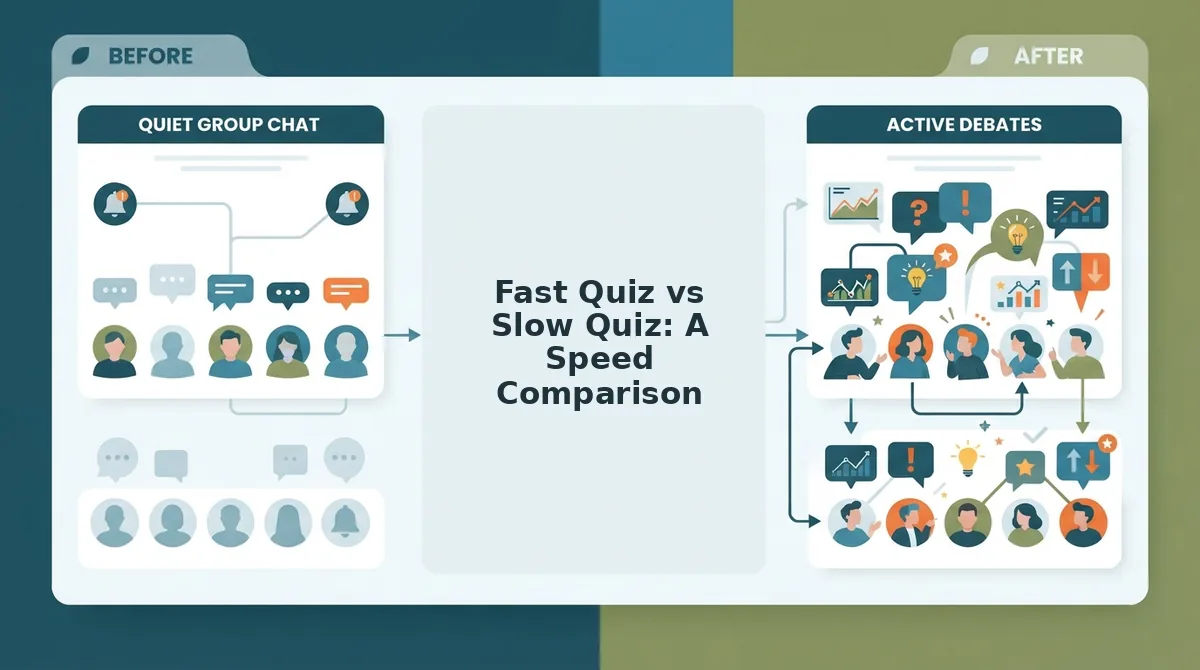
Chat momentum is the window of attention a group chat holds on a single topic before someone changes the subject, sends a meme, or the conversation drifts. If your quiz isn't live before the group chat changes topics, it's too slow, and the moment is gone.
Most quiz platforms fail because they kill group chat momentum before question three. The friction points are predictable: account walls demanding email signup, ad popups interrupting the first question, multi-page form reloads between every answer, and app download prompts that bounce mobile users to an App Store they never return from.
Think of chat momentum like a wave at a crowded beach. You can only ride it if you're already in the water when it arrives. If you're still waxing your surfboard, or in quiz terms, still creating an account, the wave passes and everyone has moved on to a different conversation.
Friend Quiz removes every one of these friction points by design. There is no account creation, no email capture, no app install prompt, and no interstitial ad before the first question. The quiz creator answers prompts in a single continuous flow, and the quiz link is live the moment the last prompt is answered.
The Chat Momentum Killer checklist is simple: account walls, ad popups, multi-page reloads, and app download prompts. Each one adds 10 to 60 seconds of delay, and each delay gives the group chat a reason to move on. Remove all four, and your quiz launches while the banter is still hot.
For creators who want to test this themselves, run a speed comparison: time how long it takes to create and share a quiz on Friend Quiz versus any platform that requires signup. The difference is usually the difference between a quiz that gets answered and a link that gets ignored.
Fast Quiz vs Slow Quiz: A Speed Comparison
Not all quiz tools are built for group chat speed. Friend Quiz, Google Forms, and Buddy Meter all let you create a friendship quiz, but their setup time, signup requirements, and mobile share friction differ dramatically.
Google Forms is a legitimate general-purpose form builder with powerful customization, branching logic, and response analytics. Buddy Meter offers pre-built friendship quiz templates with score tracking. Both are capable tools, but neither is optimized for the under-two-minute, no-account, mobile-first workflow that group chat banter demands.
| Feature | Friend Quiz | Google Forms | Buddy Meter |
|---|---|---|---|
| Setup time | Under 2 minutes | 10+ minutes | 5+ minutes with account creation |
| Signup required | None | Google account required to create | Account creation required |
| Mobile load speed | Instant, single-page flow | Multi-page form with reloads | App-like interface, slower first load |
| Share friction | One-tap copy link, no preview wall | Share button buried in settings menu | Share requires logged-in session |
| App download prompt | None | None, but Google account gate | Prompts app install on mobile |
| Best for | Group chat instigators who want a quiz live before the topic changes | Teachers, event planners, and anyone who needs detailed response analytics | Users who want pre-built quiz templates and don't mind creating an account |
Best for group chat banter: Friend Quiz. If your goal is to spark a friendship challenge in WhatsApp or iMessage and have friends answering within minutes, the zero-friction flow wins every time.
Best for structured data collection: Google Forms. If you need response exports, charts, and question branching for a classroom or workplace, the extra setup time is a fair trade.
Best for template variety: Buddy Meter. If you want a library of pre-written friendship questions and are willing to create an account, Buddy Meter delivers that convenience.
The speed gap is the deciding factor for social quizzes. A quiz shared five minutes after the conversation started is a quiz that gets answered. A quiz shared twenty minutes later is a link that gets scrolled past. Next, let's look at how many questions a fast quiz should actually have.
How Many Questions Should a Fast Quiz Have?
The sweet spot for a fast friend quiz is 8-10 questions. This range keeps the quiz under two minutes to create and under 60 seconds to answer, which protects chat momentum and completion rates.
- 8-10 questions is the optimal range for speed and depth. Fewer than 8 questions makes the quiz feel shallow and random, while more than 10 questions pushes answer time past the point where friends start dropping off mid-quiz. Stick to 8-10 prompts that cover distinct categories like habits, food, travel, and pet peeves.
- Fewer than 8 questions feels too shallow to spark real banter. A 5-question quiz can't reveal enough about you to create meaningful "I can't believe they got that wrong" moments. The quiz needs enough surface area for friends to prove they actually know you.
- More than 10 questions kills chat momentum. Every additional question adds roughly 5-7 seconds of answer time, and attention spans in group chats are brutally short. Once a quiz drags past a minute, friends abandon it and the share thread goes cold.
- Each question should cover a different category of your life. Mix one habit question, one food question, one travel question, one music question, and one "worst fear" or "guilty pleasure" question. This variety keeps friends engaged because every prompt feels like a fresh mini-reveal.
- Front-load your most revealing questions. Put the funniest or most surprising prompt first or second. If friends laugh or react in the first 10 seconds, they are far more likely to finish the whole quiz and share their score.
- Use the 8-10 range as a hard ceiling, not a target to exceed. If you have 12 great ideas, cut the two weakest ones. A tight, punchy quiz beats a comprehensive one every time when the goal is fast, shareable fun.
- Test your quiz on yourself before sharing. Time yourself answering all 8-10 questions. If it takes you longer than 60 seconds, trim a question or simplify the answer options until it fits the speed run window.
FAQ: Fast Friend Quiz Questions Answered
A fast friend quiz is a personalized trivia challenge you create in under two minutes and share as a link, no app download, no account, no email required. Friends open the link in their mobile browser, answer 8-10 questions about you, and get an instant score.
Can I make a friend quiz without downloading an app?
Yes. Friend Quiz runs entirely in a mobile browser, so there is no app to download, no account to create, and no email signup required. You create the quiz on the website, share the link, and friends answer instantly on their phones.
Why do some quiz links take forever to load?
Ad clutter and multi-page form reloads are the main culprits. Quizzes built on ad-heavy platforms or that reload the page between every question create friction that kills completion rates. A fast quiz loads once and runs smoothly through all questions without interruptions.
How many questions should a fast friend quiz have?
8-10 questions is the sweet spot. Fewer than 8 feels too shallow to create real banter, and more than 10 pushes answer time past the point where friends lose interest in a group chat. This range keeps the quiz under 60 seconds to answer.
Do my friends need an account to take my quiz?
No. Friends open your custom link and answer immediately without creating an account or logging in. This zero-friction design is what makes the quiz shareable in WhatsApp, iMessage, and Instagram group chats without losing participants at a signup wall.
What is the difference between a friend quiz and a friendship test?
A friend quiz is a light, fast trivia challenge about your habits and preferences. A friendship test is a deeper assessment of how well someone truly knows you, often with more questions and a scored result that carries more weight. Both work in a mobile browser with no signup.
Your 2-Minute Speed Run Starts Now
The entire framework comes down to three moves: Name to Answer to Share. Enter your name, cycle through 8-10 personal prompts, and send the custom link into your group chat, all before the conversation moves on without you.
What makes this work is the speed itself. The quiz is not a test of your friends' patience; it is a test of how well they know you, delivered in a format that respects their attention span. Every second you save in creation is a second of momentum you keep in the chat.
If you want a format built for maximum chaos and viral sharing, try the friendship dare quiz, a challenge-style twist that turns answers into dares and raises the stakes for everyone involved.
Create your quiz now and see who in your group chat actually knows you best. The clock is running, and the bragging rights are waiting.