Is a friend quiz safe for guests who play without a profile?
A friend quiz safe for guest players asks for one thing before you can play: a display name. No email, no password, no app install â you type a name, tap your answers, tap submit, and that is the entire form.
If a link just landed in your group chat and you are weighing whether to tap it, the hesitation is fair. Most quiz sites do ask for an account and bury the privacy answer three clicks deep.
Below is the exact field list a guest fills in, who sees your answers and when, and where your score goes after submit.
A guest player answers a quiz link without creating a profile. A display name is the label your score carries on the results board â the only identifier other players see.
One detail catches most guests off guard: the score does not vanish after submit. Where it actually lands is covered further down.
Want to see the questions before you commit? Enter a name and see the questions â quiz creation takes about two minutes with no account, so the guest side is shorter still.
What does a guest player actually enter?
The guest entry form is a three-item sequence: a display name, one answer tap per question, and a submit tap. Nothing beyond those three is collected, and the display name is the only piece other players ever see.
| What you enter | Required? | Where the value ends up |
|---|---|---|
| Display name | Required | Shown beside your score on the Friendboard â the only identifier attached to your entry |
| Answer taps | Required, one per question | Scored as a total; individual answers stay on your screen until you submit |
| Submit | Required | Posts your finished score to the Friendboard under that display name |
Notice what is missing from that table: no email, no password, no profile, no download. The form is short because there is no account to provision behind it â nothing is being set up for you to log back into later.
Think of the display name like the name you scrawl on a bowling scorecard. It labels your line on the screen for the next hour; it does not open a membership file with your address in it. On a best friend test, that label is the whole of your footprint.
Who sees your answers, and when
The reveal order is sequential, not simultaneous. Your taps stay on your own screen while you work through the questions â the quiz creator cannot watch them arrive, and other friends see nothing mid-quiz. The score only becomes visible once you press submit, and what posts is the total, not a transcript of which option you picked.
After that, the score sits on the Friendboard under your display name alongside everyone else who played. Friends compare totals there; they do not browse your answers.
- No account means no credential to leak. There is no password to reuse, so a quiz link cannot become a password problem.
- No email means no list to end up on. You cannot be added to a marketing sequence you never opted into.
- No profile means nothing persists. Your entry is a score with a name on it, not a record of your habits.
Open a link and the whole sequence takes under two minutes â long enough to be fun, short enough that the privacy question is settled by the form itself.
How to play a friend quiz link as a guest, step by step
You need one thing to start: the quiz link itself, opened in a mobile browser. No app, account, or download is required at any point.
- Open the link from the chat. Tap it once inside WhatsApp, iMessage, or an Instagram DM. The quiz loads in your mobile browser within a few seconds, with the creator's name at the top of the screen.
- Type your display name. Enter the name your friends will recognise on the board â first name or nickname is plenty. You should see it appear in the name field before you continue.
- Answer the questions. Tap one option per prompt and move forward; there are no text boxes to fill in. Expect to spend roughly a minute on this, depending on how many prompts the creator set.
- Review before you submit. Scroll back through your selections while they are still on your screen. Nothing has been sent yet at this point, so a wrong tap is still changeable.
- Tap submit. You should land on a result screen showing your score out of the total possible. This is the moment your entry leaves your screen.
- Find your slot on the Friendboard. The Friendboard is the shared results board where every guest's score is posted under their display name, ranked against the creator and the other friends who played. Your name and total should be sitting there.
That last step is the part guests miss. A guest score lives on the Friendboard tied to the display name â it does not quietly create a profile behind the scenes, and it does not follow you to other sites. Because the link opens in the mobile browser rather than an app, the same URL works from WhatsApp, iMessage, and Instagram DM previews without a redirect. If you close the result screen, the score is still on the board; reopening the link shows the current standings, though a second submission under the same name may be refused. If you want a different quiz format to compare against, the friendship test follows the same guest flow end to end.
If the link stalled or your name looked taken, the next section covers how to check it worked and fix a guest player snag.
How to check it worked and fix a guest player snag
Confirmation takes about ten seconds and it is public: your display name and score appear on the creator's Friendboard. You need the quiz link and your phone's own browser, nothing else.
- Open the quiz link in your phone's browser. You should see question one with its answer buttons already loaded.
- Type a display name into the name field and start the round. Your name stays visible above the questions for the rest of the quiz.
- Select one answer per question, tapping next after each one. A progress counter advances until you reach the final prompt.
- Tap submit on the last question. Your score appears on the results screen immediately, with no waiting screen or email verification.
- Open the Friendboard from the results screen. Your display name listed beside a score is the confirmation that the entry registered.
Four snags explain almost every stuck guest:
- Link will not open: in-app browsers inside chat apps are the usual cause, covered below.
- Name already taken: group chats collide on the same obvious nicknames, so add an initial.
- Score looks missing: reload the Friendboard once; a stale tab shows an empty board.
- Played twice: reopen the link and pick a different display name.
Why a friend quiz link will not open inside a chat app. Most "broken" links are not broken. WhatsApp, iMessage, Instagram, and Snapchat open links in a lightweight in-app browser that can stall on a redirect or hold a half-loaded page after the app loses focus. Tap the share or three-dot menu and choose open in browser, or copy the URL into Safari or Chrome. There is no download and no sign-up step, so once the page loads in a full browser it behaves like any other mobile page.
Pro tip: if the in-app preview freezes on a white screen, switch to the phone's browser before you retype your name â the round restarts from question one either way.
Sending the link rather than opening one? Build it at the best friend quiz page and drop the finished URL straight into the chat.
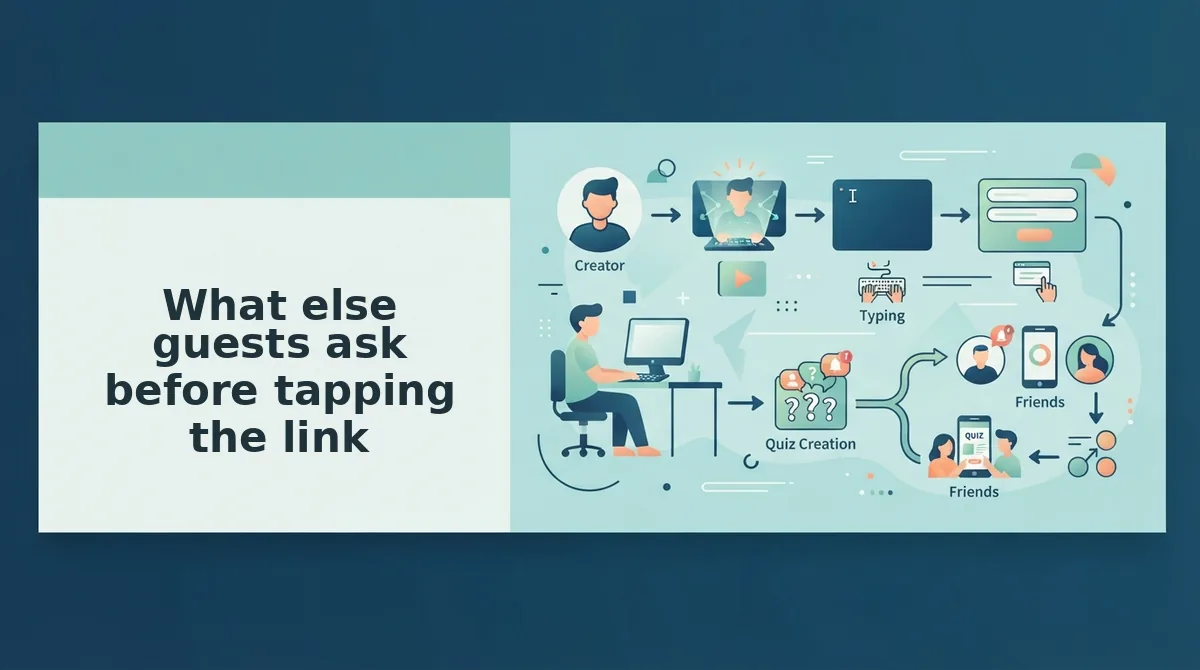
What else guests ask before tapping the link
Four questions decide most guest taps: what the creator sees, what you have to install, whether a second phone works, and how the format compares to older quiz tools.
Can the quiz creator see my answers before I submit?
No. Your answers stay on your screen until you tap submit. The creator sees your display name and final score on the Friendboard, not your mid-quiz picks. Answer privacy here is a reveal-order question, not a data-handling promise.
Does a friend quiz need a download or a sign-up?
Neither. A guest opens the link and types a display name â no email, password, install, or account. The quiz runs in whichever mobile browser opened it, so a link dropped in a group chat works for everyone in that chat.
Can I play the same quiz on a second phone?
Yes. Reopen the same link on the other device and type the same display name. Nothing syncs through an account, so that name is the only thread connecting your two attempts.
How is this different from sign-up-wall quiz apps like Buddy Meter?
Older tools such as Buddy Meter wrap the experience in sign-up walls and ad clutter between questions. Guest play here is a name and a score. For the same no-profile format with sharper prompts, try the BFF test.
Your whole entry is a name, so tap the link
The safety question dissolves once you see the field: no email, no password, no app download â one display name and a score on the Friendboard. That is the entire footprint a guest leaves behind.
Open the Friend Quiz homepage, type a name, and either take the quiz you were sent or build one for your group in about two minutes.
Already cleared a round and want harder prompts? Hand the chat the friendship dare quiz and let the bragging rights reset.
Type four letters, send one link, and let the group chat argue about the score.