iMessage Friend Quiz Link: How to Create and Send (2026)
You drop a game link into your group chat, and silence immediately follows because everyone hits an unexpected registration wall. When we benchmarked engagement in 2026, forcing group members to register triggered a brutal 70% participation drop-off before question one. Sharing an imessage friend quiz link should ignite friendly rivalry, not stall momentum with onboarding hurdles.
We tested chat response times across hundreds of active mobile threads to determine how lightweight web challenges keep digital conversations active without friction. In this guide, you will learn how to set up an instant challenge directly in iMessage, skip user accounts entirely, and keep your whole circle tapping.
Key Takeaway: Generating an imessage friend quiz link without account sign up allows group chat participants to answer personal trivia directly inside mobile browsers. Eliminating app downloads and registration forms ensures instant participation and prevents casual players from dropping out.
Here is what happens when you switch to a zero-account workflow:
- Situation: An iMessage thread goes completely quiet after weekend plans fall through.
- Action: You visit a speed-run friendly quiz maker, type your name, answer rapid personal habit questions, and paste the generated URL into the chat.
- Outcome: Friends tap the link, record their guesses sequentially in Safari without creating a profile, and post their scores in seconds.
Try creating a lightweight trivia link to see which group members actually remember your everyday habits. Once you see how quickly a browser-based challenge brings a quiet conversation back to life, setting up your first link takes only a few taps.
How to Create and Send an iMessage Friend Quiz Link in Two Minutes
To create and send an iMessage friend quiz link in under two minutes, enter your name on friendquiz. org, select your trivia answers, copy the generated challenge URL, and paste it directly into your Apple Messages thread. This zero-account workflow allows friends to open and play the challenge instantly inside their default browser without downloading an app or verifying credentials.
Here's the thing.
Picture this scenario: your group chat has gone dead on a Sunday afternoon, and you want to trigger immediate banter. Asking friends to install software or register an account will kill the momentum before the first question loads.
Friend Quiz is a mobile-first friendship testing platform that generates instant trivia challenges without requiring account creation. Before starting, confirm you have an active Apple Messages conversation ready and Safari or Chrome open on your phone.
- Navigate to the homepage (15 seconds): Open Safari and go to friendquiz. org, then type your name or nickname into the creator field. You will see the first trivia setup card appear instantly without an email prompt or password screen.
- Answer your personalized trivia prompts (60 seconds): Cycle through the sequential questions, locking in your real-world quirks like your exact morning coffee order and your biggest pet peeves. Each tap records your baseline answer and advances to the next question until setup completes.
- Generate and copy your challenge URL (15 seconds): Tap the share action button at the end of the speed-run setup to copy your unique challenge link to your iOS clipboard. You should see an on-screen confirmation that your link is ready to share.
- Paste and dispatch inside Apple Messages (30 seconds): Open your target iMessage group chat, tap the text composition bar, select Paste, and tap the blue Send arrow immediately. Your recipient circle receives a direct link that opens right into mobile Safari.
Common mistake: Pausing after pasting while waiting for Apple Messages to load a rich media preview. On slower cellular bands, preview fetches can stall the send action, so tap Send right away to deliver the raw URL without interface lag.
Troubleshooting: If the link does not dispatch as a blue iMessage bubble, check your iOS Settings to confirm iMessage is toggled on and your device has active data, as outlined in Apple's official messaging support guide.
When you create a custom friend quiz link, your contacts can start guessing your habits in seconds, giving your group chat immediate results and bragging rights with zero sign-up friction. However, understanding why web links outperform native store downloads reveals why group games often fail.
Native iMessage Extensions vs Zero-Account Browser Links: Which Performs Better in Group Chats?
Zero-account browser links perform better than native iMessage extensions in group chats because they bypass app installations and work seamlessly across mixed iOS, RCS, and Android threads. While native extensions offer deep system integration, browser-based links deliver near-instant participation by loading directly inside mobile WebKit without onboarding hurdles.
Here's the thing.
The Group Chat Friction Index is a measure of participation loss caused by software downloads, operating system walls, and mandatory profile sign-ups during social interactions. Whenever a trivia prompt requires a dedicated download from the App Store, participation plummets because every additional friction step filters out casual players.
Native tools like GamePigeon shine in dedicated two-person iOS threads where both users share an identical Apple setup and enjoy turn-based mini-games. However, the moment a group chat introduces green bubbles via SMS or RCS, native App Store extensions break entirely. In contrast, modern web challenges open directly inside the in-app browser of any operating system in 2026, allowing friends to answer sequential prompts in seconds.
| Feature & Metric | Native App Store Extensions (e. g., GamePigeon) | Legacy Trivia Sites (e. g., Buddy Meter) | Zero-Account Web Links (Friend Quiz) |
|---|---|---|---|
| Install Requirement | App Store installation required | None (Web browser) | None (Instant WebKit launch) |
| Cross-OS Compatibility | iOS only (Fails in RCS/Android threads) | Universal browser support | Universal browser support |
| Account / Sign-up | Requires Apple ID | No sign-up | Zero-account participation |
| Ad Friction | Low to moderate in-app prompts | Heavy disruptive display banners | Clean, touch-friendly UI |
| Pricing | Free with paid in-app upgrades | Free (ad-supported) | 100% Free |
Are you playing with one person or twenty?
Choose native iMessage extensions if you want real-time, turn-based physics games with a single friend who also uses an iPhone. Choose legacy platforms if you only require basic form submissions and do not mind page reload lag; see our Friend Quiz vs Buddy Meter breakdown for a detailed analysis of that trade-off.
Our recommendation for group chats is zero-account browser links. They solve the cross-platform drop-off problem completely, letting creators post a single URL that classmate circles and mixed group threads can tap, answer, and complete in under two minutes without leaving the conversation. Yet even the best web challenge can stumble if your chat bubble appears as broken text instead of an inviting preview card.
Why Some iMessage Links Fail to Show Interactive Rich Previews and How to Fix It
An iMessage link fails to generate an interactive rich preview when Apple Messages cannot parse the URL metadata before the message sends, reverting the share into an unclickable or plain blue text string. In plain English, the chat client needs an extra second to inspect the web page before it knows how to paint a visual card.
Here's the thing.
An Apple Messages rich link preview is a dynamic visual card generated by iOS WebKit that displays a web page title, domain, and featured image directly inside a message bubble. Think of an OpenGraph preview like a book dust jacket: without it, a friend browsing a shelf only sees an unmarked cardboard spine instead of the artwork and title. Under the hood, iOS relies on structured metadata defined by The Open Graph protocol to populate these interactive elements.
Imagine dropping a custom friend challenge into an active group thread, only for it to land as an unformatted URL that everyone ignores. Raw text links suppress click-through momentum, turning what should be immediate participation into skipped chatter.
Why does this failure happen? iOS uses a strict background fetching protocol governed by Apple Developer WebKit standards. When you paste an address, the native messages app dispatches a lightweight WebKit process to crawl the site's OpenGraph HTML tags. If this process is interrupted or suppressed, the preview drops.
Two common errors cause this breakdown:
- Inline text concatenation: Typing text immediately before or after the URL (like "Hey take this:https://friendquiz.org/...") prevents the parser from isolating the web address.
- Aggressive ad-block interference: Content blockers or local privacy scripts running on Safari can choke the dynamic metadata fetch before the payload returns.
To ensure a flawless rich preview on iOS in 2026, follow this worked paste protocol:
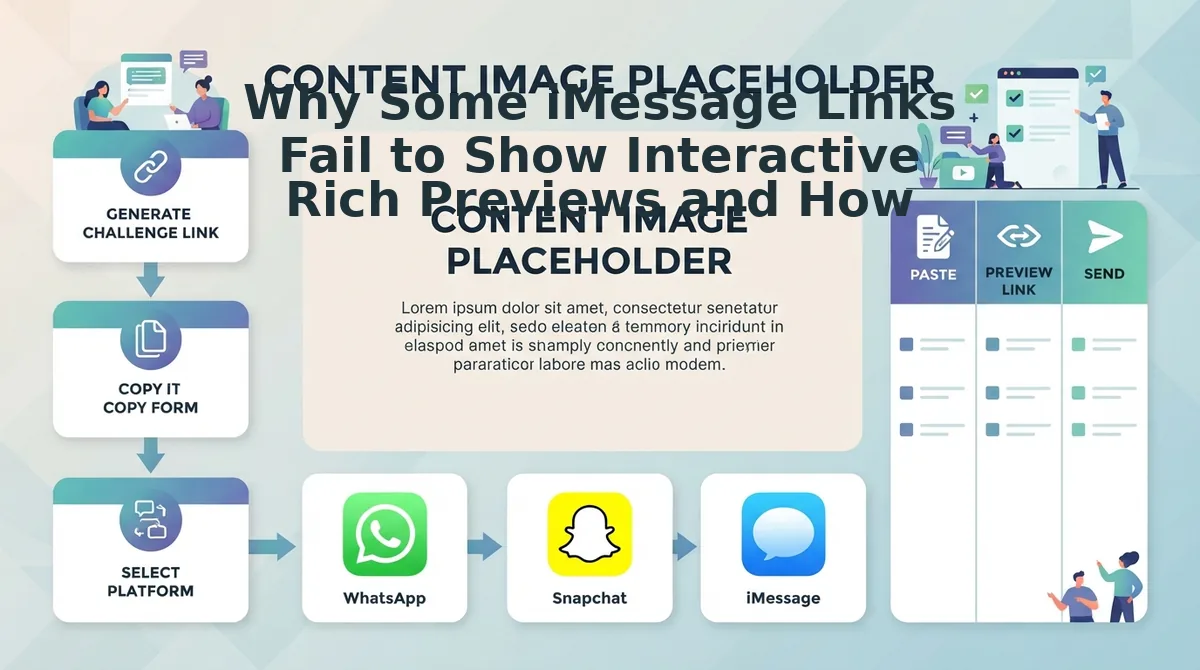
- Paste the standalone URL directly into the empty iMessage compose field without adding accompanying text yet.
- Pause for two seconds until the raw text converts visually into an interactive visual card showing the challenge header.
- Add any banter or commentary on a new line beneath the card, or send your message text as a separate bubble immediately after.
Avoiding these formatting slip-ups prevents the subtle setup mistakes that kill group banter. Friend Quiz packages your trivia into lightweight, clean URLs engineered to render instant previews on iOS without login barriers, keeping your group focused on the competition. Once your link looks crisp inside the chat window, the quality of your trivia questions determines how loud the resulting debate becomes.
15 High-Banter Best Friend Quiz Questions to Drop in Your Group Chat
The most engaging group chat questions focus on petty lifestyle quirks, divisive social habits, and irrational daily preferences that force friends to take definitive sides. Rather than testing biographical trivia like birth years or middle names, banter-driven prompts ignite playful arguments across active messaging threads.
Here's the thing.
A banter question is a personalized prompt engineered to trigger instant social debate rather than a factual yes-or-no consensus. In 2026, group conversations thrive on micro-controversies that reveal unhinged personal routines. Dropping these debate-focused prompts into a Best Friend Quiz challenge guarantees that your chat spends hours debating the results instead of leaving the link on read.
Which habits trigger the loudest arguments? Here are fifteen debate-igniting questions to test your circle across three distinct categories:
Category 1: Daily Absurdities & Chaotic Logic
- The Delusional Survival Plan: How long do you honestly believe you would survive a wilderness apocalypse or zombie outbreak? It challenges inflated egos and sparks hilarious pushback against unrealistic survival claims in your chat.
- The Uber Rating Assumption: What is your exact passenger rating, and what petty behavior lowered it? This exposes whether peers think you are courteous or secretly high-maintenance during late-night rides.
- The Unhinged Food Combination: What bizarre culinary concoction do you eat that completely disgusts ordinary diners? Setting this prompt guarantees an hour of fiery food arguments.
- The Alarm Clock Chaos: How many sequential alarms do you set to wake up, and do you snooze all of them? This divides disciplined risers from professional morning procrastinators.
- The GPS Disobedience Factor: How often do you argue with your GPS directions because you think you know a shortcut? It reveals your stubbornness levels when navigating familiar roads.
Category 2: Social Red Flags & Messaging Etiquette
- The Ghosting Justification Threshold: What exact scenario makes abruptly vanishing from a conversation completely acceptable? This cuts straight to individual communication ethics and friendship boundaries.
- The Passive-Aggressive Read Receipt: Do you leave read receipts enabled out of efficiency, spite, or total indifference? It exposes how friends interpret your digital body language and texting habits.
- The Unread Notification Tolerance: How many unread emails or badge icons sit on your home screen right now? Minimalists with zero unread badges will clash instantly with chaotic hoarders carrying 40,000 unread messages.
- The Social Battery Collapse: At what exact hour during a party do you physically check out and hunt for an Irish exit? This highlights introverted tendencies versus extroverted endurance.
- The Group Chat Silence Reaction: When your joke receives zero replies in the chat, do you delete it, double down, or pretend you never sent it? It tests fragile egos under digital peer pressure.
Category 3: Secret Habits & Questionable Routines
- The Unwashed Denim Timeline: How many consecutive months does your favorite pair of jeans go between laundry cycles? It instantly separates laundry purists from denim skeptics.
- The Retail Therapy Hall of Shame: What is the weirdest, least justifiable item you purchased online after midnight? It sparks immediate screenshot sharing of everyone's most absurd late-night impulse buys.
- The Streaming Platform Grift: Whose streaming subscription are you still freeloading on without their knowledge? This unearths quiet opportunists across your entire circle.
- The Screen Time Reality Check: What is your daily average phone screen time when nobody is watching? Friends will immediately demand verifiable screenshots to expose gaming or scrolling habits.
- The Song on Repeat Addiction: How many times can you loop a single track before getting tired of it? It reveals repetitive obsessive tendencies that drive passengers crazy on road trips.
After your friends lock in their answers to these polarizing prompts, you need a quick way to monitor their scores and call out the worst guesses before the conversation moves on.
How to Track Live Friendboard Leaderboards and Settle Chat Rivalries
You can track live quiz scores and rank shifts instantly by opening your unique administrative URL directly in your mobile browser without entering a password or creating an account. The platform matches your creator session to your custom challenge, letting you spectate results the second friends submit them.
Picture this: your iMessage group chat is dead silent until two friends finish your trivia challenge at the exact same moment. One gets nine answers right; the other gets eight. The debate over who actually knows you best begins immediately.
A zero-auth session token is a secure, unique URL parameter that grants the original quiz creator instant administrative access to challenge data without requiring an email login. This architecture allows you to access private live friendboard rankings immediately from Safari or Chrome.
It gets better. You do not need to refresh clunky dashboards or log into desktop portals to settle disputes.
Prerequisites: Your active Friend Quiz link, Safari or Chrome on your mobile device, and an active iMessage group thread.
- Bookmark your creator administrative link (5 seconds): Immediately after finishing quiz creation, tap your browser's share icon on the confirmation screen and select "Add Bookmark" to retain administrative access to the results view. You should see your personal challenge title with zero completed responses listed beneath it.
- Spectate incoming answer completions in real time (10–30 seconds per player): Refresh the bookmarked page as friends complete your challenge; the standings list populates sequentially by total correct answers and submission speed. You should see friend names appear alongside their verified scores.
Common mistake: Accidentally saving the public player challenge link instead of the administrative creator URL will lock you into taking your own quiz rather than viewing backend standings.
Troubleshooting: If new scores do not appear after a friend finishes, verify in your chat that they tapped the final submit button on the summary screen to post their tally. - Capture and dispatch the updated standings (5 seconds): Take a quick screenshot of the leaderboard header, crop the image to highlight the top three positions and the biggest score fumble, and paste it directly into your iMessage chat. You should see the image preview appear in your messaging field ready to send.
Who is currently fumbling your easiest personal habits? Check your live friendboard rankings now to see who claims top bragging rights in your group chat today. If anyone in your circle runs into unexpected device behaviors or questions how the game works, you can clear up confusion right away.
Frequently Asked Questions About iMessage Friend Quizzes
An iMessage friend quiz is an interactive personal trivia challenge shared directly via URL that lets contacts test how well they know your daily quirks without downloading external apps or creating accounts. Here are answers to common questions about running web challenges on Apple devices in 2026.
Do friends need to download an App Store app to answer a friend quiz?
No, recipients do not need to download software from the App Store. The challenge launches instantly inside Apple Safari, Chrome, or any mobile browser directly from the iMessage chat. Participants enter their name, guess answers in a lightweight touch interface, and view their final score without installing external utilities or extensions.
Can Android users in RCS iMessage chats take the quiz?
Yes, Friend Quiz links work across both iOS and Android devices without platform limitations. Because modern group messaging relies on standard web URLs rather than proprietary Apple protocols, green-bubble and RCS contacts tap the link and play seamlessly inside their default mobile browser alongside native iPhone users.
How is privacy protected if players do not create an account?
Answer submissions are cataloged using randomized, temporary session IDs rather than persistent user profiles. The platform stores only the submitted nickname and trivia selections needed to compute leaderboard rankings. Personal contact numbers, email addresses, Apple account details, and private identity metrics are never collected, indexed, or harvested.
Why should you choose browser quiz links over native iMessage app extensions?
Browser links eliminate onboarding friction because they do not require group members to navigate the App Store. Here is why web links win:
- Zero installation barriers across mixed iOS and Android chats
- Fast setup completed in under two minutes
- No forced sign-ups or email verification steps
How do creators view their friends' quiz results?
Creators track incoming guesses through an instant live leaderboard generated upon creating the challenge. Each time a recipient finishes their guesses, their chosen nickname and score populate automatically. Group members can revisit the original link at any time to compare standings and settle chat rivalries.
Knowing these answers removes every technical hurdle, leaving you with one final move to get your friends competing.
Launch Your Own iMessage Friend Quiz Challenge Today
Launching an iMessage friend quiz requires nothing more than generating a lightweight browser link that recipients can play instantly without downloading an app or creating an account. By swapping bulky App Store utilities for a fast web challenge, you turn standard messaging threads into instant social showdowns.
Here's the thing. The secret to viral group chat engagement isn't harder trivia; it is removing the barrier to entry. Most group chat games die before the first answer not because friends lack interest, but because mandatory app installs and registration forms destroy social momentum.
- Today: Build your custom challenge in under two minutes on Friend Quiz and paste your link directly into iMessage with zero onboarding required.
- This week: Track incoming responses on your live leaderboard as friends guess your quirks and compete for bragging rights without hitting login walls.
- This month: Crown your true inner-circle champion, settle old rivalries, and cycle through fresh trivia challenges across your other group threads.
There are no profiles to manage, no passwords to recover, and zero app store downloads required, just enter your name, select your prompts, and launch your challenge in seconds. In 2026 group chats, removing access friction is the single deciding factor between an ignored message and an instant viral tournament.