How to Discover Trending BFF Tests on Public Web Feeds
You drop a quiz link into the group chat expecting intense debate, only to get radio silence because everyone answered those exact same ten questions two weeks ago. Repeating tired question templates drains group chat energy instantly.
Knowing how to discover trending bff tests on open web feeds allows you to bypass ad-cluttered app stores, skip mandatory registrations, and spot viral formats before they become repetitive. You will learn the exact steps to monitor live feeds, evaluate player friction, and select challenges your friends have not seen yet.
Later in this breakdown, we reveal how specific URL search strings can preview active scoreboards before you commit to sharing a link. Keep in mind that this guide focuses strictly on open web platforms and publicly indexed URLs, excluding private direct messages or gated apps.
Here is how this fast discovery and launch workflow operates:
- Situation: A chat member wants to wake up a dead group thread on WhatsApp without forcing friends through app installations or profile setups.
- Action: They locate trending browser-based challenges on public feeds, load a mobile-first friend quiz, input their name, and record their personal habits in under two minutes.
- Outcome: Group members tap the link directly in their default browser, guess answers sequentially without logging in, and trigger an immediate fight for first place on the live friendboard.
Finding fresh links across open feeds is only useful if you know which mechanics actually trigger spontaneous responses.
What Makes a BFF Test Trend Across Public Feeds and Group Chats?
A viral BFF test trends across public feeds and group chats by minimizing participation friction, displaying real-time competitive rankings, and loading instantly inside mobile in-app browsers without forcing user registrations. Quizzes do not explode in popularity because of complex psychological assessments; they spread purely through immediate bragging rights, rapid scoring loops, and zero-account accessibility.
A viral peer challenge is a lightweight interactive web prompt designed for instant trivia guessing, competitive score tracking, and frictionless social sharing across messaging networks. Think of a viral quiz like a digital relay baton: the moment one runner finishes their turn, they must hand it off instantly without stopping to sign a register or download software.
The entire propagation cycle follows a distinct 3-tier viral test discovery pipeline:
- Public Audio Cues: Creators pair short reaction clips or sound bites with challenge screenshots on video feeds to spark curiosity.
- Indexed Web Friendboards: Viewers tap open-web links to view live score tables, exploring trending friend quizzes to see how peer groups rank against one another.
- Private Chat Banter: Players copy their personal challenge links and paste them directly into WhatsApp, Snapchat, and iMessage threads to provoke their inner circle.
Why does this migration work so reliably? Group chats abandon multi-step forms immediately. When an interactive dare eliminates email verification, app downloads, and reload lag, completion rates surge because participants answer rapid-fire prompts on personal habits, submit scores in seconds, and instantly check their standing on a live leaderboard.
Spotting these interactive mechanics early requires monitoring specific public distribution patterns.
How to Discover Trending BFF Tests on Public Web Feeds Step by Step
To discover trending BFF tests on public web feeds, track high-volume challenge tags across open social search bars, isolate browser-based challenge links, and verify that the tests load without app installs or login walls. A BFF test is an interactive personal trivia challenge designed to score how accurately peers predict a creator's daily habits, preferences, and quirks.
Scanning public feeds during peak afternoon hours uncovers high-engagement prompt structures before they saturate private group chats. Zero-friction challenges that run directly in mobile browsers achieve the highest completion rates across messaging apps.
Prerequisites: A mobile web browser and access to public social feed search bars. Total scanning time takes approximately 5 minutes.
- Track rising video reaction sounds and challenge tags. Open the search bar on your preferred public social platform, enter tags such as #BFFTest or #FriendshipDare, and filter results by the latest uploads. You will see an active stream of recent clips showing real-time prompt layouts that are earning comments. Estimated time: 2 minutes.
- Isolate publicly shared challenge URLs across open feed aggregators. Click the profile links or public comment sections attached to viral challenge posts and copy the shared web addresses. You will identify accessible web links rather than closed, native application downloads. Estimated time: 1 minute.
- Extract viral prompt formats focusing on polar habits, secrets, and spicy scenario dares. Open the challenge interface and review the questions to see whether they target daily pet peeves, personal secrets, or scenario decisions. You will compile a list of high-performing question styles that spark playful rivalry. Estimated time: 1 minute.
- Verify test accessibility directly in mobile web-views. Paste the discovered test link into your mobile browser or inside a chat preview to check the interface speed and submission flow. You will confirm the challenge loads immediately without account onboarding screens or intrusive banners. Estimated time: 1 minute.
Worked Example: A group chat member wanted to find a fresh challenge during an afternoon chat slump. The user searched public feeds for recent dare tags, located a trending browser link, and verified that it allowed sequential answers without forcing an account registration. After identifying prompts focused on personal habits, the user generated a new test and dropped the link into WhatsApp, where friends completed it in under two minutes.
To launch your own challenge without app installs or account signups, create a viral friendship dare quiz on Friend Quiz to track real-time friendboard scores in your group chat.
Mastering specific feed search operators accelerates how quickly you filter these public test links.
Public Feed Search Operators to Uncover Viral Friendship Tests
Public feed search operators uncover trending friendship tests by querying web-indexed directories and live scoring pages directly instead of waiting on passive social recommendation algorithms. Using targeted search parameters allows you to bypass feed clutter, filter out native mobile apps, and extract viral trivia formats the moment they hit the web.
A search operator is a specialized character sequence that restricts web queries to verified parameters like specific domains, title tags, and URL strings. Why burn hours doomscrolling video feeds when raw web directories hold the exact challenges your group chat wants?
- Trending directory URL mining: This operator targets back-end aggregation feeds by matching the query
inurl:discover/trend 'bff test'. It exposes newly published friendship quizzes that social platforms compile internally before they surface on consumer explore feeds. Run this query in any standard web search engine to uncover high-engagement trivia structures while they are still gaining traction. - Live competitive score discovery: This operator tracks active multiplayer rankings by running
site:friendquiz.org inurl:leaderboard 'dare'across public indexes. It matters because active scoreboards reveal which question sets are currently driving real participant volume and intense banter. Paste the syntax directly into search to observe running ranks on live friendboards and pull high-performing challenge prompts. - Zero-friction web exclusion filtering: This query eliminates forced mobile installations by combining
('best friend quiz' OR 'friendship test') AND ('leaderboard' OR 'score') -app -download. It isolates mobile-first browser tests so your group chat members can participate immediately without app store redirects or profile setups. Execute this combined Boolean string to instantly strip away desktop-era downloads and App Store listings. - Shared group chat link hunting: This technique locates peer-to-peer trivia links circulating online by querying platform-specific web share parameters like
intext:'who knows me best' inurl:quiz. It highlights the exact questions friends send to one another across public messaging hubs rather than sponsored brand tests. Enter this exact phrase to review real-world question structures used in active social circles. - Interactive dare parameter tracking: This search identifies viral challenge variants by running
intitle:'friendship dare' inurl:testacross indexed pages. It isolates high-stakes relationship dares that demand immediate answers from best friends rather than generic personality quizzes. Use this query to locate bold, competitive question formats designed to test personal habits and provoke group replies. - Recent template indexing filters: This strategy surfaces freshly launched templates by combining
'friend quiz' templatewith an active past-week date range tool. It ensures you discover newly written habit questions before they become oversaturated across common social circles. Apply the engine's built-in time restriction filter immediately after entering the phrase to grab fresh prompts. - Reverse competitor comparison queries: This counterintuitive method reveals rising quiz makers by searching comparative discussions like
'Friend Quiz' vs 'Buddy Meter'across public threads. It highlights where users are migrating to avoid slow page reloads and disruptive banner ads that break mobile gameplay. Search these comparative terms to pinpoint whichever responsive web app currently delivers the cleanest participant experience.
Once you extract a trending test from public feeds, you must verify that the underlying software will actually deliver a smooth experience for your group chat.
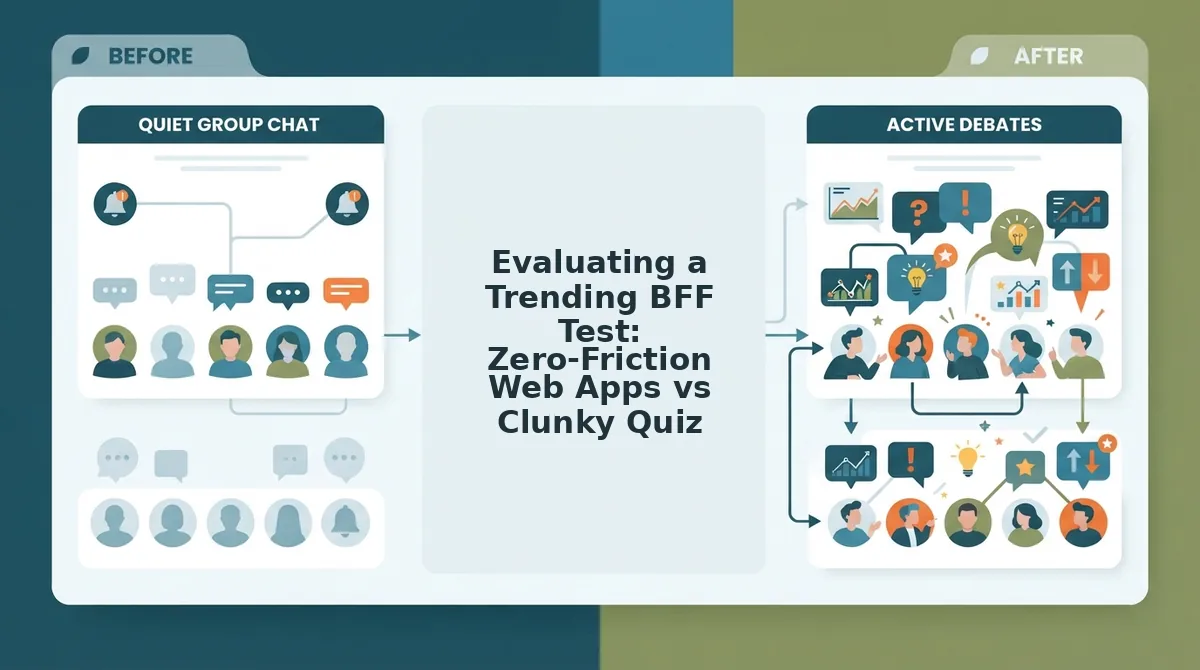
Evaluating a Trending BFF Test: Zero-Friction Web Apps vs Clunky Quiz Tools
Evaluating a trending BFF test comes down to measuring mobile friction: zero-friction web apps maximize group chat completion through instant browser links and live friendboards, whereas clunky legacy tools cause massive player drop-off via registration gates and intrusive ads.
Why do your friends abandon a quiz halfway through? The answer is almost always ad refresh lag and registration popups.
The BFF Challenge Friction Audit is a benchmark framework that evaluates personal trivia challenges across setup velocity, in-app browser stability, live ranking mechanics, and privacy controls.
Legacy platforms like Buddy Meter and QuizYourFriends deserve credit for pioneering digital peer trivia, offering recognizable layouts that early web communities still appreciate. However, shifting group dynamics on WhatsApp, iMessage, and Snapchat demand immediate, touch-friendly interactions without multi-page reloads.
| Evaluation Dimension | Zero-Friction Web Apps (e.g., Friend Quiz) | Legacy Link Generators (e.g., Buddy Meter) | Retro Static Platforms (e.g., QuizYourFriends) |
|---|---|---|---|
| Setup Speed | Under 90 seconds with instant URL generation | 2 to 3 minutes across basic form screens | 5+ minutes with mandatory account registration |
| Mobile Web-View Stability | Lightweight and touch-optimized for chat browsers | Moderate; display banners can block submit buttons | Low; desktop layouts cause page reload errors |
| Real-Time Friendboard Updates | Live score tracking and automatic rank updates | Basic static score lists refreshed manually | Delayed summaries trapped behind user logins |
| Answer Privacy | Protected creator feeds and isolated guesses | Unencrypted submission logs on public URLs | Account-restricted dashboard summaries |
| Best For Persona | High-speed group chats wanting fast banter | Casual users seeking retro, text-only quizzes | Desktop forum members archiving score history |
Apply this decision framework to protect your chat engagement: Choose legacy platforms if your circle prefers retro layouts and does not mind saving quiz history under an email login. Choose modern zero-account platforms if you need friends to open, play, and complete a mobile dare in under two minutes.
Our recommendation: Prioritize retention over nostalgia by selecting an agile best friend quiz maker that generates instant links, runs smoothly inside messaging apps, and tabulates live bragging rights without forcing anyone to create a profile.
Once you filter out clunky software, you can assemble the exact prompts that trigger the best chat reactions.
How to Turn Trending Questions into a Custom Group Chat Challenge
To turn trending questions into an active group chat challenge, enter your creator name into a zero-friction quiz builder, select your personal habit and scenario prompts, and distribute the generated link directly to your messaging channels. This workflow converts viral social media prompts into an interactive contest without requiring app downloads or account logins.
Before starting, make sure you have your curated list of trending prompts ready on your mobile browser.
- Type your name into the creator name field on the builder homepage. Completing this initial step initializes your session, and you should see the first personal trivia prompt screen appear immediately without any login screens or email verifications (estimated time: 5 seconds).
- Select your answers across the sequence of habit, quirk, and scenario prompts. As you tap each chosen option, the screen will advance to the next scenario until you complete the sequence and confirm your selections (estimated time: 60 to 90 seconds).
- Click the generate link button at the end of the question sequence. The interface will immediately present a unique, shareable challenge URL ready for copying to your clipboard (estimated time: 5 seconds).
- Paste the custom URL directly into your group communication channels. Distribute the challenge across WhatsApp status updates, Snapchat stories, and active iMessage group threads to capture instant clicks from friends who can tap through and play right inside their mobile browsers without signing up (estimated time: 30 seconds).
A Friendboard is a real-time live leaderboard that automatically ranks friends by score as they submit answers to your custom trivia link.
Consider this workflow in action: you notice trending debate prompts across public feeds, navigate to the web maker, type your name, and cycle through the sequence of personal habits and scenario options in under two minutes. You copy the resulting URL into your active WhatsApp and iMessage group threads. Friends tap the link directly from the chat, guess your habits sequentially on mobile web, and their scores populate your real-time Friendboard immediately.
Ready to see who pays attention to your daily habits? Build a custom bff test in under two minutes, bypass tedious logins, and let your group chat battle for first place on your live friendboard.
Review the details below to clarify how public feed prompts and browser-based friendship scoring work together.
Frequently Asked Questions About Finding Trending BFF Quizzes
Finding trending BFF tests on public web feeds relies on monitoring live challenge formats and zero-friction URLs across mobile-friendly platforms.
What is the fastest way to find trending BFF tests without social apps?
The fastest way is using targeted search engine queries to uncover active quiz URLs indexed across the web. Filtering queries like site: friendquiz.org by the past 24 hours surfaces live challenges instantly, bypassing algorithm-driven social feeds and paywalled networks entirely.
Do friends need an account to take a trending BFF quiz?
No, modern friendship tests on Friend Quiz require zero account creation or app downloads. Friends open the challenge link inside mobile browsers like WhatsApp or iMessage, type their name, and submit their trivia answers in under two minutes.
How can I tell if a friendship test link is safe and ad-free?
Legitimate friendship quizzes load directly over HTTPS without redirect loops, intrusive ad banners, or app installation prompts. Reliable links feature:
- Fast page loads without multi-page refresh delays
- No required account signups or email inputs
- Clean interfaces without banners blocking answers
Can I see who scored highest on a trending test?
Yes, quiz creators can track live rankings on automated Friendboards linked directly to the quiz. Every participant's score updates dynamically upon completion, displaying real-time placements and bragging rights while keeping individual answers completely private.
Uncovering top challenges gives you the exact blueprint needed to ignite your own friend circle.
Start Discovering and Sharing High-Scoring BFF Challenges Today
You can lead your social circle's banter instead of reacting to it by identifying viral personal trivia prompts across open web feeds and deploying them before anyone else.
Don't wait for your friends to send you an outdated quiz link, set the standard for your group chat today. The secret to waking up a quiet thread isn't hoping for engagement; it is capturing authentic prompt trends and eliminating every participation hurdle that causes casual players to drop off.
- Query open web feeds to extract trending trivia questions and conversation sparks before they saturate mainstream feeds.
- Audit for mobile friction by discarding outdated platforms that demand account creation, mobile app installs, or intrusive ad walls.
- Launch on a zero-login friendboard platform that tracks real-time scores directly inside messaging threads like WhatsApp, iMessage, and Snapchat.
Put this workflow into practice right now. Enter your name and launch an interactive group chat friendship test in under two minutes to see who truly claims the top spot on your live leaderboard.
A trending friendship challenge succeeds not because of complex rules, but because zero-friction access lets raw group rivalry take center stage.