A Workflow for Launching a Friendship Test on Discord
Your Discord server is buzzing, but every game idea stalls the moment someone says "we need a bot for that." You want a friendship test that drops into a channel and gets people answering in seconds, not a permissions headache that takes an afternoon to configure. Here's the thing: the fastest launch friendship test on discord workflow requires zero bots, zero downloads, and zero account signups.
You're right to skip the setup-heavy options. A shareable web link does everything a bot can do for a friendship test, and it works in any channel instantly. This guide walks you through the exact three-step workflow: create the test link, drop it in the right channel, and keep the momentum going with a Friendboard that tracks bragging rights in real time.
CaRtOoNz's "THIS FRIENDSHIP TEST MIGHT GET US ALL CANCELLED" video pulled 257,577 views, proving friendship tests have viral pull in group content settings. But most guides assume you'll spend an hour granting bot permissions before anyone answers a single question. The surprising part comes later: the channel you pick matters more than the quiz itself, and the wrong choice can kill participation before the first answer lands.
Friend Quiz lets you build a personalized friendship test in under two minutes and share it as a plain link, no app install, no login wall. Let's get your server playing.
What a Discord Friendship Test Actually Needs
A Discord friendship test is a shareable, mobile-friendly quiz that measures how well one person knows another, and it works best when it requires no bot permissions, no account creation, and no download before the first question loads. Think of it like passing a note in class: the note itself carries all the fun, and nobody needs to install anything to read it.
Most Discord game guides start from the wrong assumption: that every server activity needs a bot. A friendship test breaks that rule completely. The zero-permission framework, mobile-first, account-free, instant-loading, is what makes a test actually work in a Discord channel. Your members tap a link, answer questions, and see results without ever leaving the chat flow they already know.
Here's the progression that matters:
- Simple: A single shareable link that opens in any mobile browser. No bot invite, no role setup, no server configuration.
- Intermediate: A quiz built around personal prompts, habits, quirks, likes, dislikes, so the questions feel specific to the friend being tested, not generic trivia.
- Advanced: A live Friendboard that updates as people answer, turning a one-off quiz into an ongoing competition with visible bragging rights.
No competitor covers the no-bot, no-download workflow for Discord. A shareable web link works inside any Discord channel without bot permissions or server setup, which means the barrier to starting is exactly one tap. That's the entire infrastructure requirement: a link that loads fast on a phone and doesn't ask for an email address before showing the first question.
If you're wondering whether a friendship test can work without a bot, the answer is yes, and it's faster. Create a friendship test in under two minutes, copy the link, and paste it into any channel. The quiz itself handles everything a bot would do: collecting answers, scoring responses, and showing who knows whom best.
Step 1: Create the Friendship Test Link in Under Two Minutes
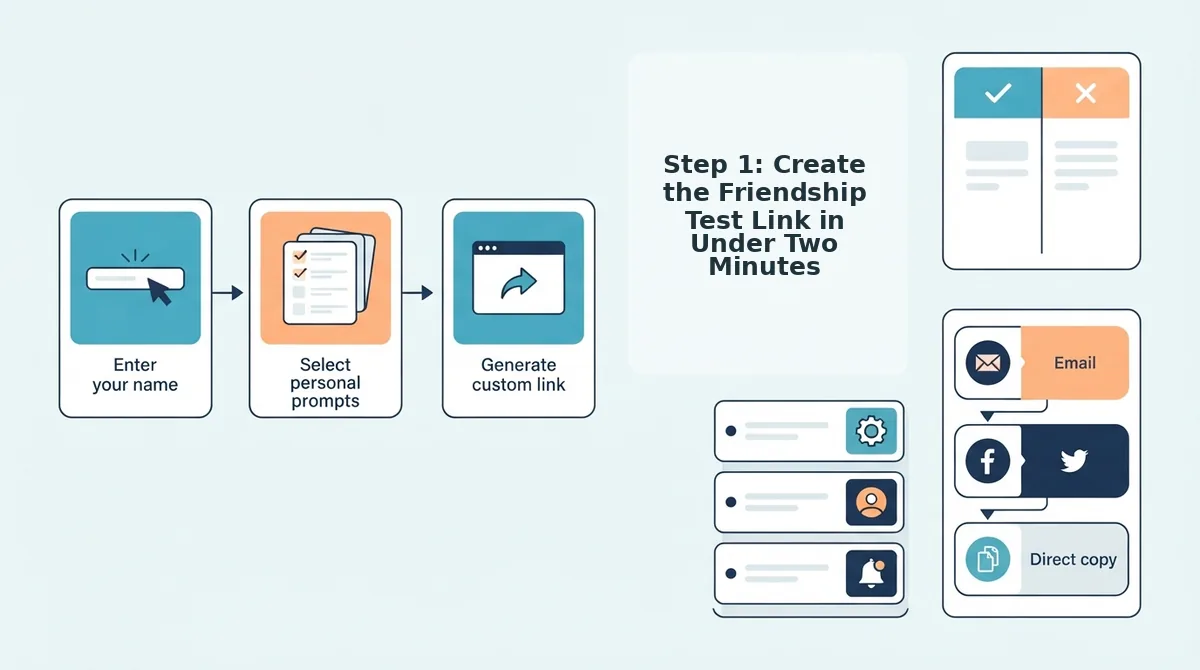
You need one thing before starting: a phone or desktop browser. No account, no app install, no Discord bot permissions. The entire creation flow takes under two minutes from first tap to shareable link.
- Open friendquiz.org on your phone or desktop. The homepage loads directly into quiz creation, no signup screen, no email gate. You should see a name field immediately.
- Type the quiz creator's name. This is the person whose habits and quirks the quiz will test. The name appears on the quiz page and in the share preview, so make it the name your Discord server knows them by.
- Answer the personal trivia prompts. Friend Quiz cycles through questions about daily habits, likes, dislikes, and quirks. Each answer shapes the quiz questions your friends will face. Expect this to take 60-90 seconds.
- Tap the final confirmation to generate the quiz. You should see a personalized quiz page appear instantly, complete with a shareable link at the top or bottom of the screen.
- Copy the link. Tap the copy button or long-press the URL. You now have a Discord-ready friendship test link that works in any channel, DM, or group chat.
Friend Quiz's no-account, no-download link model is the fastest path to a Discord-ready quiz, the link is live the moment you finish the prompts, and anyone who taps it can answer immediately. Now that you have the link, the next decision determines whether your server actually plays: choosing the right channel.
Step 2: Pick the Right Discord Channel for Maximum Participation
Where you drop the friendship test link determines whether it gets 3 completions or 30. The channel you choose signals how "official" the quiz feels, and that perception directly drives click-through and completion rates.
General chat gets the most quiz completions because it's where friends already talk, joke, and react to each other. Announcements channels feel official and get ignored, members treat them like a bulletin board, not a place to act.
Discord Channel Decision Matrix
Match your channel choice to your quiz goal using this 2x2 framework. On one axis, consider channel type: announcements, general chat, or private DM. On the other, consider your goal: maximum participation, close-friend accuracy, or server engagement.
| Channel Type | Best For | Participation Signal | Trade-off |
|---|---|---|---|
| General chat (#general, #off-topic) | Maximum participation across a whole server | Highest, friends already active here | Scores get buried in conversation quickly |
| Announcements (#announcements) | Server-wide events or scheduled quiz nights | Low, feels official, gets ignored | High visibility but low urgency |
| Private DM or group DM | Close-friend accuracy tests | Medium, personal but easy to delay | No public bragging rights or leaderboard energy |
| Dedicated quiz channel (#friend-quiz) | Server engagement and recurring challenges | Medium, focused but requires habit-building | Needs moderation to keep scores organized |
Which channel should you actually pick?
Best for maximum participation: General chat. Drop the link where the conversation is already flowing. Friends see it mid-banter, click impulsively, and share results in the same thread.
Best for close-friend accuracy: Private DM. Send the quiz directly to one friend when you want honest answers about your habits, not performative answers for an audience.
Best for server engagement: A dedicated #friend-quiz channel. Pin the link, encourage score screenshots, and let the Friendboard rankings live in one scrollable place.
Discord's own channel structure rewards casual placement. Announcements channels are designed for one-way broadcast, not two-way participation, which is exactly what a friendship test needs to work.
Step 3: Share the Link Without Killing the Vibe
How you share the friendship test link matters as much as where. A dry "here's my quiz" gets scrolled past; a well-timed, well-framed share turns the quiz into an event.
- Pin the link in the channel. Pinning keeps the quiz visible even after conversation moves on. Right-click your message and select "Pin Message" so latecomers can find it without scrolling.
- Use an @-mention to trigger notifications. Tagging @here or specific friends sends a push notification that pulls them into the quiz immediately. Use it once, repeated mentions feel like spam and kill goodwill.
- Frame it as a challenge, not a request. Write "I bet nobody scores above 8/10 on this" instead of "please take my quiz." A challenge triggers competitive instinct and drives more completions than a polite ask.
- Share it during active hours, not at 3 a.m. Post when your server's activity peaks, typically evenings or weekends. A link dropped into a dead channel gets buried before anyone sees it.
- Combine voice chat with the text link. The "4 idiots take a Discord Friendship Test" video shows friends answering simultaneously while reacting in voice chat and comparing scores live. Drop the link in text, then hop into voice to narrate the chaos.
- Follow up with score screenshots. After friends finish, post your own score and ask for theirs. Screenshots create social proof and pull in fence-sitters who haven't clicked yet.
- Keep the quiz link handy for re-shares. Copy the link to your clipboard or a notes app. When a new friend joins the server, you can share it instantly without recreating the quiz.
If you're running this as a recurring server event, create the quiz once on Friend Quiz and reuse the same link each week. The Friendboard keeps cumulative scores, so the rivalry builds over time.
Step 4: Track Scores on the Friendboard in Real Time
The Friendboard is a live leaderboard that updates as each friend submits their answers, so you can watch scores roll in without refreshing or running a bot. It answers the question "Can I see who scored what without a bot?", yes, and it's built into every Friend Quiz link.
Prerequisites: A completed Friend Quiz link (created in under two minutes from the homepage) and at least one friend who has submitted answers.
- Open your quiz link in a browser. Use the same link you shared in Discord. The quiz page loads with your questions and a live score panel.
- Scroll to the Friendboard section. You'll see a ranked list of friends who have completed the quiz, ordered by score. Each new submission appears automatically within seconds.
- Watch scores update in real time. As friends submit answers from Discord, their names and scores populate the Friendboard rankings without any manual refresh. You should see new entries appear as soon as each friend finishes.
- Share the leaderboard back to Discord. Screenshot the Friendboard or copy the ranking and post it in your quiz channel. This triggers a second wave of participation from friends who want to beat the current top score.
- Challenge the leader. Tag the current top scorer and dare someone to beat them. Each new attempt updates the board, keeping the rivalry alive for days.
The live Friendboard turns a one-off quiz into an ongoing competition, and that's the energy that keeps your Discord server coming back for more.
Launch Your Friendship Test Tonight
The fastest Discord friendship test doesn't need a bot, a server boost, or anyone's permission. It needs one link and thirty seconds of courage.
Here's the zero-friction sequence that works tonight:
- Sample it first. Open a friendship test someone else made to feel the flow before you commit.
- Build yours in under two minutes. Head to create a friendship test, answer the prompts, and grab your link.
- Drop it in your most active channel. Pair it with a one-line dare or a score to beat, then watch the Friendboard light up.
Every minute you spend configuring a bot is a minute your group chat moves on without you. The Friendboard updates in real time, so scores become conversation fuel the moment they land.
The friendship test that wins on Discord isn't the most complex one. It's the one that's already in the chat before anyone asks what's happening.