How to Share a Quiz Link Without Asking for Emails
You've built the perfect quiz. You drop the link into the group chat. Then someone taps it, and hits a wall: "Enter your email to continue." Half the chat never makes it past that screen. If you want to share a quiz link without asking for emails, the fix is simpler than you think.
You're right to be frustrated. Email prompts are the fastest way to kill momentum in a group chat, and they're completely unnecessary for casual quizzes. Richard Byrne's video on using Google Forms for students without email addresses has racked up 12,127 views, proof that email requirements block real participants every single day.
Here's the promise: by the end of this article, you'll know a three-step framework that works on any quiz platform, not just one vendor. You'll learn why email gates destroy participation, how to audit your current setup, and how to create a quiz link without an account in under 2 minutes. Stick around, the surprising reason most quiz tools still demand emails is revealed in the next section.
How to Share a Quiz Link Without Emails in 3 Steps
Sharing a quiz without collecting emails comes down to a three-step framework: Generate to Share to Play. This works on any quiz platform, including tools that don't require logins. You'll need a quiz maker that produces a public link, no account creation on the participant's side.
- Generate the link. Open your quiz maker and finish building your questions. Look for a Share or Publish button, not a Collect Responses or Require Sign-in toggle. On Friend Quiz, you type your name, answer a few prompts, and the platform packages everything into a shareable URL in under 2 minutes with no email collection at any step. You should see a link preview appear immediately.
- Share it where people already are. Copy the link and paste it directly into WhatsApp, iMessage, Snapchat, or your group chat of choice. Do not route it through an email invitation system. The link itself is the invitation, anyone who taps it should land on the first question, not a signup form. Success looks like the quiz opening instantly on a phone screen.
- Play without friction. Confirm the participant experience by opening the link in an incognito or private browser window. If you can answer the first question without entering an email, you're done. If a prompt appears, return to your quiz maker's settings and disable any Require email or Collect respondent info option.
This framework is platform-agnostic: whether you use Friend Quiz, a form builder, or a classroom tool, the sequence never changes. Generate a public link, share it directly into a chat, and verify the zero-friction experience before sending. The entire setup, from first question to live link, takes under 2 minutes on Friend Quiz's no-account quiz builder.
Why Email Gates Kill Quiz Participation
An email gate is any prompt that requires a participant to enter an email address before they can view or answer quiz content. It is the single most effective way to turn an excited group chat into a ghost town.
Think of an email gate like a bouncer at a house party who demands ID before letting anyone through the front door. The party might be great inside, but half your guests turn around on the sidewalk. Email prompts add the same kind of friction, they interrupt momentum at the exact moment someone's curiosity peaks, and every extra tap or field gives people a reason to abandon the quiz before the first question.
The evidence isn't abstract. Richard Byrne's tutorial on Google Forms for students without email addresses has 12,127 views, a clear signal that educators and quiz creators routinely hit this wall. Students without school emails, friends on shared devices, and group chat participants who simply don't want another inbox notification all drop off when a signup screen appears.
In group chat culture specifically, speed is the currency. A quiz that opens instantly gets played, screenshotted, and shared. A quiz that asks for an email gets left on read. That's why zero-friction quiz makers skip email collection entirely, the link is the whole invitation. Next, use this five-point audit checklist to see if your current quiz setup is leaking participants.
5-Point Email-Gate Audit Checklist
Run any quiz link through this five-point audit before sharing it to a group chat. A quiz that fails two or more items will lose most participants before they answer a single question.
- Does the quiz open in under 3 seconds on mobile data? Group chat participants tap links mid-conversation and expect instant loading. Test your link on a phone using cellular data, not Wi-Fi, because that is how most recipients will open it. If the page shows a spinner, redirect, or heavy form before the first question appears, the link fails this check.
- Can a participant answer without creating an account or entering an email? Every sign-in prompt is a decision point where people drop off. Open your quiz in an incognito or private browser window and attempt to complete it as a stranger would. If any screen asks for a login, email address, or phone number before showing results, the quiz fails this check.
- Does the quiz work inside an in-app browser preview? WhatsApp, iMessage, and Snapchat all render links inside their own embedded browsers, which block some popups and redirects. Send the link to yourself in each app and tap through it. If buttons do not respond, fonts break, or the page forces you to open an external browser, the quiz fails this check.
- Is the first question visible without scrolling or tapping past a landing page? Friction compounds with every extra tap. The ideal quiz link drops participants directly onto question one. If a cover page, instructions screen, or "Get Started" button sits between the tap and the first question, the quiz fails this check.
- Can results be viewed and screenshotted without a follow-up email? Participants share results to prove their score, which drives more traffic back to your quiz. Complete the quiz as a test user and confirm the final score appears on screen immediately. If results are emailed later or hidden behind another sign-in wall, the quiz fails this check.
These five friction points are the most common failure modes in Google Forms, Microsoft Forms, and Kahoot sharing workflows. Google Forms often requires a workaround for students without email addresses, Microsoft Forms has sharing methods that demand sign-in, and Kahoot ties its sharing flow to user accounts. A quiz that passes all five checks behaves like a native app inside a group chat: tap, answer, screenshot, share.
Zero-Login Quiz Options Compared
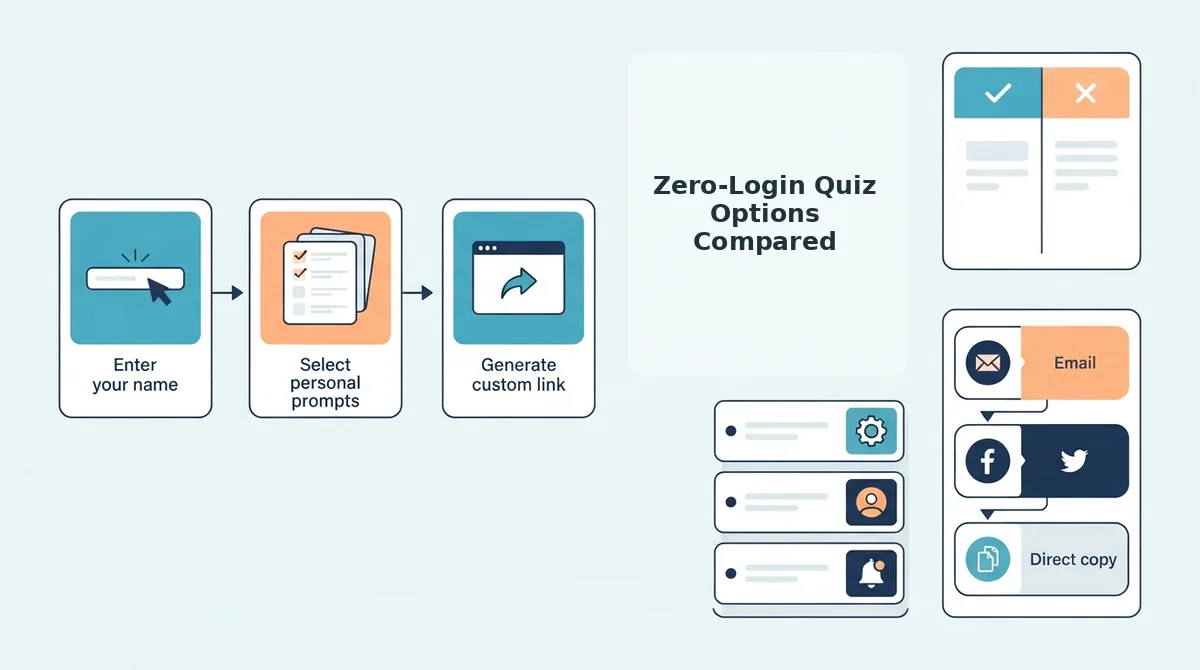
Four major quiz platforms offer link-based sharing, but they differ sharply in setup time and participation friction. The table below quantifies what each tool demands from creators and participants before the first question appears.
| Platform | Creator Setup | Participant Login Required | Mobile Group Chat Fit | Best For |
|---|---|---|---|---|
| Friend Quiz | Under 2 minutes, no account | None, zero-account participation | High, mobile-first loading, instant open | Group chat instigators who want a friendship test with no signup and instant sharing |
| Google Forms | 5-10 minutes per quiz | Optional, but email collection workarounds are often needed for students without email addresses | Medium, forms render acceptably but feel like paperwork | Teachers and organizers who need structured response collection |
| Microsoft Forms | 5-10 minutes per quiz | Varies, multiple sharing methods exist, but some require sign-in | Medium, works in browsers but sharing options confuse casual users | Teams and schools already inside the Microsoft ecosystem |
| Kahoot | 10-20 minutes per game | Account required for full sharing workflow | Low, designed for live classroom play, not async chat drops | Teachers running synchronous classroom competitions |
Google Forms and Microsoft Forms are honest workhorses for surveys and classroom assignments, and Kahoot excels at live group gameplay. None of them, however, were built for the specific moment when someone drops a quiz link into a WhatsApp group at 11 p.m. and expects friends to answer within seconds. Friend Quiz is the only option in this comparison where the creator never touches a settings panel and the participant never sees a login prompt. If your goal is a friendship test with no signup that travels through group chats without friction, start there.
Sharing a Quiz Link in WhatsApp, iMessage, and Snapchat
A shareable quiz link is a URL that opens a complete, self-contained quiz experience in any mobile browser without requiring an app download, account creation, or email submission. Friend Quiz links are built exactly this way: they open directly in mobile browsers with no app install or account prompt.
Think of a quiz link like a paper invitation you can hand to anyone at a party. The invitation itself contains everything the guest needs, the questions, the rules, and the scoreboard. You do not ask for their ID at the door or make them sign a guestbook before they can play.
The workflow is simple. Open Friend Quiz on your phone, type your name, and answer the personal trivia prompts about your habits and quirks. The platform packages your answers into a personalized quiz link in under two minutes. Copy that link and paste it into a WhatsApp group, an iMessage thread, or a Snapchat chat. Friends tap the link, answer the questions about you in seconds, and see their score immediately. No one downloads anything, no one signs in, and the results are ready to screenshot and post back into the chat for bragging rights.
This entire flow is optimized for the three apps where friend groups actually talk: WhatsApp, iMessage, and Snapchat. The quiz renders cleanly inside each app's in-app browser, so participants never leave the conversation. For a best friend quiz link that travels effortlessly through any group chat, the setup-to-share loop takes less time than brewing coffee. If you still have questions about sharing quiz links without collecting emails, the FAQ below covers the most common ones.
FAQ: Sharing Quiz Links Without Emails
Direct answers to the most common questions about sending quiz links that require no email address, login, or app download.
Can participants take a quiz without signing in?
Yes. Zero-login quiz platforms generate a shareable URL that opens directly in any mobile browser, so participants answer questions immediately without creating an account or entering personal details. Friend Quiz works this way by design, removing every barrier between the link tap and the first question.
What's the fastest way to send a quiz link in a group chat?
Copy the quiz URL from the creator screen and paste it directly into WhatsApp, iMessage, or Snapchat. The link preview shows the quiz title, and recipients tap once to start. No app install, no signup prompt, no redirect chain slows the handoff.
Do Google Forms quizzes require email addresses?
Only if the creator enables the "Collect email addresses" toggle or restricts responses to a domain. By default, Google Forms allows anonymous responses, but the interface still shows Google branding and a submit confirmation page that can feel formal for casual friendship quizzes.
What's the best no-email quiz maker?
Friend Quiz is built specifically for zero-friction friendship quizzes: type a name, answer personal trivia prompts, and share the generated link. No account creation, no email collection, and no app download are required from the creator or participants.
Why does my quiz link ask for a sign-in on some platforms?
The quiz tool itself has login requirements enabled. Many form builders default to collecting respondent emails or force creator accounts before link generation. Switch to a zero-login platform or disable email collection in the tool's settings to remove the prompt.
How do I make a quiz link that works on both iPhone and Android?
Use a mobile-responsive web quiz rather than a platform-specific app link. A plain HTTPS URL opens identically in Safari and Chrome, so iPhone and Android users get the same experience without installing anything or adjusting settings.
Conclusion: The Zero-Friction Quiz Workflow
The 3-step method, create, copy, share, works for any quiz tool, but only when the tool itself refuses to collect emails or force logins. The 5-point audit checklist is your safeguard: every gate you remove is a participant you keep.
Email gates don't just annoy people; they silently convert potential players into bounce statistics. A quiz link that opens instantly in a group chat becomes part of the conversation. A quiz link that asks for an email becomes a chore.
Your next step: create a quiz link without an account and drop it into your group chat today. If you want a ready-made challenge, try a friendship test with no signup and see who actually knows you best. The bragging rights are waiting, no inbox required.