How to send a friendship test to a friend with no email
Your group chat has scrolled four conversations past the last time anyone opened their inbox. That is exactly why a friendship test with no email is the version worth sending â the friend you want to quiz has no address to hand over, and you have no patience for a signup form. The real blocker was never permission. It was delivery.
On a link-only friendship test, those two things collapse into one step. You type your name, tap through a short run of prompts about your habits and quirks, and get back a shareable URL. No account, no address field, nothing to verify. The URL is the invitation: paste it into the thread your friend already reads and they play in the browser they are already holding.
Ahead you get the prerequisites in plain language, the copy-link delivery step most guides skip entirely, and format-by-format paste templates for WhatsApp, iMessage, and Instagram DMs. Stay for the one detail that decides whether the link opens at all â the in-app browser your friend is tapping inside.
What you need before you send a friendship test with no email
You need a phone, the name you want on the quiz, and the chat app your friend actually opens. Nothing else â no address is collected on your side or theirs, because the quiz travels as a link rather than as a message aimed at an inbox.
A shareable link is a web address that opens one specific quiz for whoever taps it. In-browser play means the questions run inside the browser your friend already has open, so there is no app store detour and no install prompt. Zero-account entry means the friend lands on question one instead of a sign-up screen.
Think of the link like a party invitation you hand over in person rather than mail: nothing needs a postage address, and nobody has to confirm receipt before showing up.
Build order matters. Enter the name your friends will recognize, answer the prompts about your daily habits and quirks honestly enough to be guessable, then copy the URL the builder returns. That copy is the moment the quiz stops being private and becomes sendable.
Do my friends need an email or an account to take my quiz? On a link-only quiz, no. Your friend taps the URL, the quiz loads in their mobile browser, and they answer from the first screen. There is no account creation, no verification code, and no place to type an address. The link itself is the only credential involved, which is also why you can send it to five people or fifty without collecting anything from them.
Across quiz platforms, the gate usually appears at the sharing step rather than the playing step, and its shape varies by product type. The pattern below describes common configurations generically, not any single named site.
| Platform pattern | Account required | Email verification | App install | Share by link |
|---|---|---|---|---|
| Open web quiz builder | No | No | No | Yes |
| Account-gated web builder | Yes | Often | No | Yes |
| App-only quiz | Yes | Sometimes | Yes | In-app only |
| Classroom or team quiz tool | Yes | Yes | Sometimes | Yes, behind a login |
Friend Quiz sits in the first row: name in, prompts answered, link out, with the shareable URL as the only artifact you leave with.
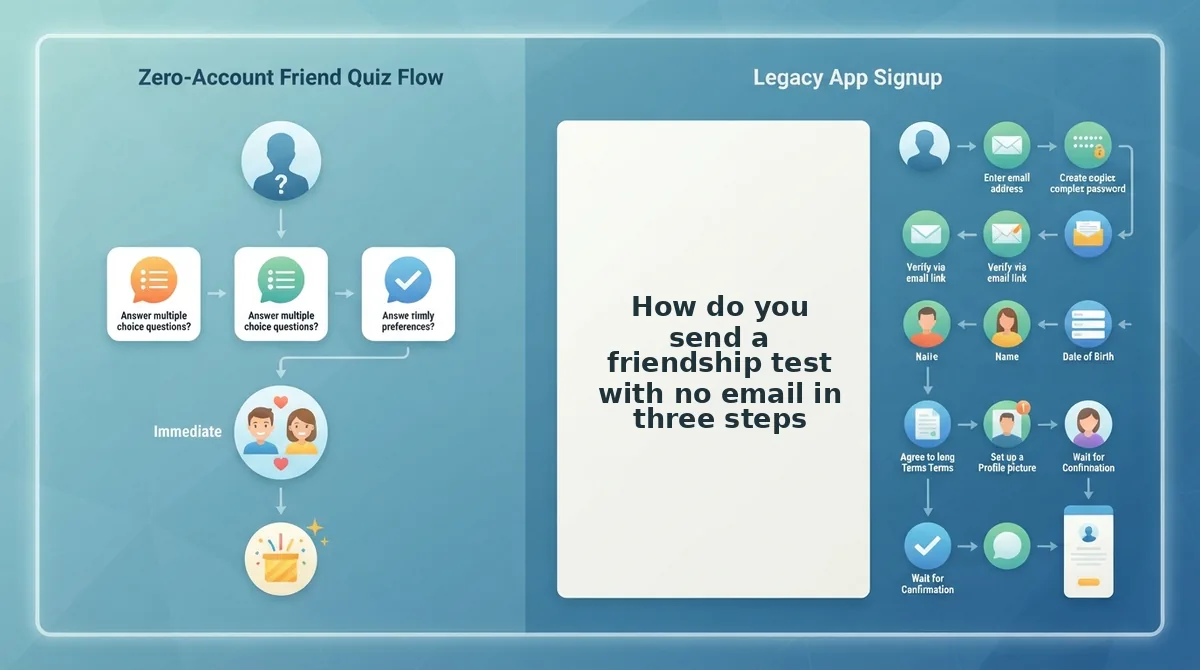
How do you send a friendship test with no email in three steps
Copy the link, paste it where your friend already reads, let them tap. The message thread is the delivery system, which is why neither side needs an address.
The whole flow in one breath: build the quiz from your name and a run of habit prompts, copy the shareable URL the builder returns, paste it into the group chat, and let the friend tap through in their mobile browser.
- Copy the raw URL the builder gives you. Not a screenshot and not the quiz title â the actual https link. A screenshot cannot be tapped, and a title cannot be opened.
- Paste it into the thread your friend already reads. Group chat beats DM here, because a link in a live thread gets tapped while everyone is idling in it. Stay away from notes apps and drafts; the message has to land where the person is.
- Let them tap and answer. They play in the browser tab that opens, submit their guesses, and the result lands back in the same conversation. No follow-up message from you is required to complete the loop.
Picture the specific friend who never checks email: the one who replies to a text in nine seconds and a message in nine days. You paste the link into the group chat between two other threads, they tap it out of curiosity, answer eleven questions wrong, and the argument starts before you have locked your phone. That is the entire delivery â no address, no send button aimed at an inbox, no waiting.
| App | What to paste | One-line opener to paste with it |
|---|---|---|
| Your copied link, plain text | "Ten questions about me. You'll get six. [your link]" | |
| iMessage | Your copied link, as its own message | "Prove it. [your link]" |
| Instagram DMs | Your copied link, sent alone so it previews | "No excuses, tap it. [your link]" |
Now the detail from the top: the in-app browser. Links tapped inside WhatsApp, iMessage, or Instagram open in the host app's own browser shell, not your friend's default browser. Anything that demands an install or a login at that moment gets stranded there, because the shell has nowhere to send them. A quiz that plays natively in that shell has nothing to stall on â which is the quiet reason the no-email model works better in a group chat than an email-based invite ever did.
Your next move is one action: open the best friend test builder, answer the prompts as yourself, and copy the link the moment it appears. The quiz you are most tempted to soften is usually the one your friends score worst on, and that is precisely the one worth dropping into the chat tonight.