How to Launch a BFF Quiz in a Discord Server Without Bots
Your Discord server has 47 members, three custom roles, and a bot that went offline during last week's game night, again. Hosting a bff quiz in discord server no bots shouldn't require a computer science degree, yet most tutorials send you down a rabbit hole of permissions, hosting panels, and slash-command configuration.
You're right to be frustrated. Bots are overkill for a friendship quiz, and the setup friction kills the spontaneous energy that makes these quizzes fun in the first place. This guide will show you how to launch a BFF quiz in your Discord server in under two minutes using nothing but a link, no bot invite, no server permissions, no maintenance.
Here's the roadmap: create your quiz on Friend Quiz, post the link where people actually see it, and watch responses roll in without touching a single bot setting. Along the way, you'll discover why the zero-account link approach beats bot-based quizzes on speed, reliability, and group chat momentum, a finding that might change how you run every future server event.
Ready to skip the bot setup entirely? Let's start with why bots were never the right tool for this job.
Why Bots Are Overkill for a BFF Quiz
A Discord bot for quizzes is a third-party program that must be invited to your server, granted specific permissions, configured with commands, and hosted on a server that stays online 24/7. A quiz link is a URL you paste once, and it works instantly for everyone who clicks it.
Think of a bot like hiring a full-time event coordinator for a five-minute party game. You need to vet them, give them keys to the venue, train them on your rules, and pay their salary even when no event is happening. A link is more like sending a group text: zero setup, zero upkeep, and it disappears when the fun is done.
Here's the friction gap in concrete terms:
| Bot Setup | Link Sharing |
|---|---|
| Invite the bot to your server | Create the quiz |
| Grant read/send message permissions | Copy the link |
| Configure slash commands or prefix | Paste into Discord |
| Host the bot on a VPS or paid service | Done, no maintenance |
| Update and restart when it crashes | Nothing to update or restart |
Every extra step between "I want to quiz my friends" and "the quiz is live" is a point where momentum dies. Group chat energy is perishable, if setup takes 20 minutes, the moment has passed. Friend Quiz's zero-account flow means no email, no signup, and no app download stand between you and a working quiz link. You type your name, answer a few prompts about yourself, and the platform generates a shareable URL immediately.
For servers that run trivia nights or recurring game events, the maintenance burden compounds. Bots need updates when Discord changes its API, and free hosting tiers often put bots to sleep after periods of inactivity. A link has no such failure modes, it either works or it doesn't, and it works the same way every time.
Step 1: Create Your BFF Quiz Link (Under 2 Minutes)
Creating a BFF quiz link takes under two minutes on Friend Quiz and requires no account, no email, and no app download. You only need a phone or computer with a browser and a rough idea of the personal facts your friends should know about you.
- Open Friend Quiz in your browser. Go to friendquiz.org on your phone or desktop. You should see a clean homepage with a name field front and center, no signup wall, no popup asking for your email.
- Type your name. Enter the name your friends know you by, your Discord handle works well here so the quiz feels personal to your server. You should see the quiz builder load immediately after you submit.
- Answer the personal trivia prompts. The platform cycles through questions about your habits, quirks, likes, and dislikes. Pick answers that reflect the real you, the more specific, the better. Think about personal habits (your go-to late-night snack), shared memories (that one voice chat moment nobody forgets), and inside jokes only your server would understand. Each selection advances you to the next prompt automatically.
- Generate your quiz link. Once you finish the prompts, the platform packages your answers into a personalized quiz and displays a shareable URL. You should see a copy button next to the link, tap it to copy the URL to your clipboard.
- Test the link yourself. Paste the link into a private browser tab and take the quiz once. You should see your questions load correctly and a score screen at the end. This confirms the link works before you share it with your server.
If you want inspiration for question topics before you build, browse the best friend quiz questions guide for ideas that translate well to Discord servers, think voice chat habits, emoji preferences, and gaming rituals. When you're ready to build your own, create a BFF quiz directly and skip the brainstorming entirely.
Your link is live and tested. Now the real question: where in your Discord server do you post it so people actually click?
Step 2: Post the Link So People Actually Click
Where and how you drop your BFF quiz link in Discord determines whether it becomes a server event or scrolls into oblivion. These seven tactics are ordered by impact, so start at the top and work down.
- Pin the link to the channel for persistent visibility. Discord pins sit at the top of a channel regardless of how much chatter follows, so anyone who opens the channel later still sees your quiz. Right-click your message after posting and select "Pin Message", this single action turns a fleeting post into a standing challenge.
- Use @here during active hours, not @everyone. @here pings only members who are currently online, which feels less intrusive and lands when people can actually respond. Post between 7-10 PM local time or on weekend afternoons, when Discord activity peaks and your ping won't be ignored.
- Post in the most active channel, not a hidden quiz channel. A dedicated #quizzes channel with three members defeats the purpose of a friendship test. Drop the link in #general or wherever your group already talks daily, visibility beats organization for a one-off challenge.
- Format the message with a challenge line like "Who knows me best?" A bare URL reads as spam; a one-line dare reads as an invitation. Write something like "I made a BFF quiz. Who actually knows me best? 👀" followed by the link, the competitive framing triggers immediate clicks.
- Tag 2-3 specific friends in the message. Direct mentions create social pressure that a general announcement cannot. Tag the friends most likely to play first; their responses create a cascade effect that pulls in the rest of the server.
- Add a reaction emoji to your own message as a visual cue. A 🔥 or 👀 reaction makes your post stand out in a busy channel and signals that this is worth engaging with. It's a zero-cost nudge that draws the eye before the text does.
- Follow up with a "results so far" message after the first few responses. Once two or three friends have played, post something like "Sarah's in the lead with 8/10, can anyone beat that?" This converts a one-time click into an ongoing competition and pulls in stragglers who want to defend their reputation.
Step 3: Keep the Rivalry Alive with Friendboards
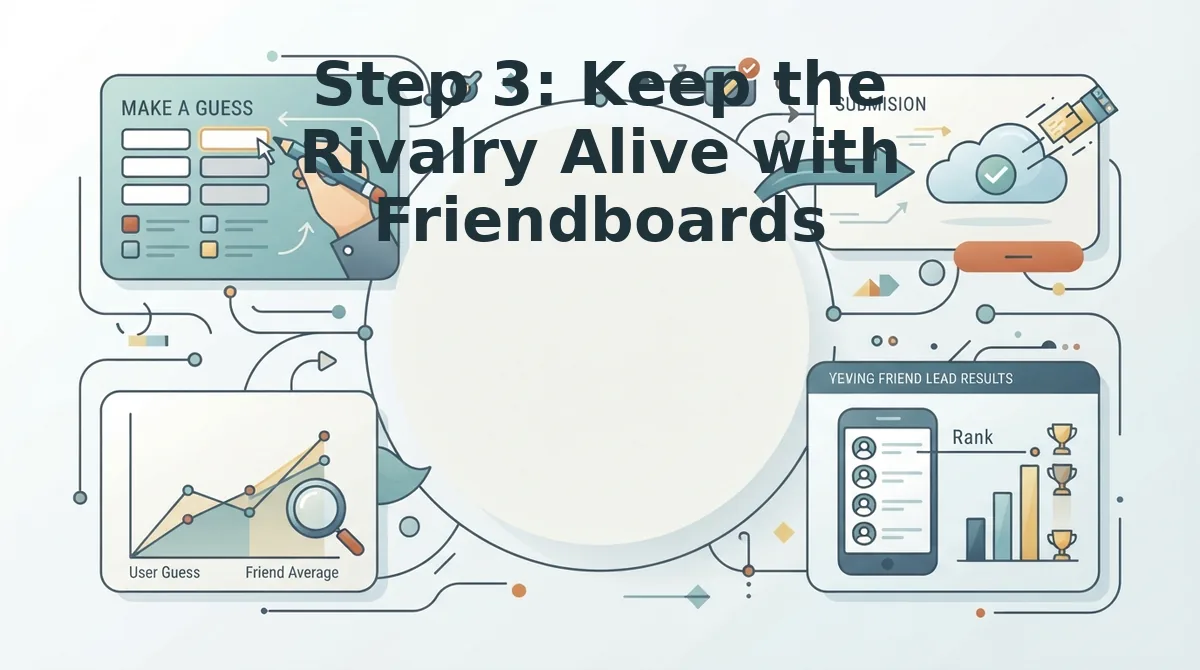
A Friendboard is a live scoreboard that shows every player's rank and score in real time after they complete your BFF quiz. Posting the quiz link is only half the battle, the Friendboard is what turns a one-time click into a multi-day rivalry.
Think of a Friendboard like a leaderboard in a racing game: nobody runs one lap and walks away. The moment players see their name ranked against their friends, the urge to retake the quiz or challenge someone else becomes automatic. After your friends finish the quiz, the Friendboard displays who scored highest, and that ranking is your retention engine.
Here's the workflow that keeps a server engaged. First, wait until at least three friends have completed the quiz. Then take a screenshot of the Friendboard showing the current rankings and post it in the same channel with a caption like "Current standings, who's letting the side down?" The visual proof of rankings does what text alone cannot: it makes the competition feel official.
In one server, a friend posted a screenshot showing they held the #1 spot with a perfect score. Within ten minutes, two other members had retaken the quiz, and one posted their own screenshot after overtaking the leader. That single screenshot sparked a rematch chain that lasted the entire evening, no bot, no announcement, just visible rankings doing the work.
To escalate the rivalry once the BFF quiz has run its course, introduce a friendship dare quiz as the next challenge. It raises the stakes from trivia to dares, giving your server a natural sequel that keeps the competitive energy moving forward.
FAQ: BFF Quiz in Discord Without Bots
Quick answers to the most common questions about running a BFF quiz in Discord without any bot setup.
Do I need a bot for a BFF quiz in Discord?
No. You can create a BFF quiz on Friend Quiz in under two minutes and share the link directly in any Discord channel. Bots add complexity, permissions, and setup time that a simple link-based quiz doesn't require.
Will my friends need to create accounts to play?
No. Friends open the quiz link in their mobile browser and answer instantly, no account, email, or app download needed. This zero-friction setup means more people actually complete the quiz instead of dropping off at a signup screen.
How do I get more people to play my BFF quiz in Discord?
Pin the link to the channel, use @here during active evening or weekend hours, and post in your most active channel rather than a hidden quiz channel. Tag two or three specific friends and add a challenge line like "Who knows me best?" to trigger competitive clicks.
What's the fastest way to make a BFF quiz for Discord?
Use Friend Quiz: type your name, answer a sequence of personal trivia prompts about your habits and quirks, and get an instant shareable link. The entire process takes under two minutes and requires no account creation.
How do I keep the competition going after everyone plays?
Share a screenshot of the Friendboard showing live rankings and scores. Visible rankings spark rematches, when friends see someone else at #1, they retake the quiz to reclaim the top spot. For an escalation, try a friendship test with harder questions or a dare-based follow-up.
Your BFF Quiz Can Be Live Before Your Next Discord Ping
The entire setup takes under two minutes: create your quiz link, drop it in the channel, and watch the answers roll in. No bot permissions to configure, no account to create, no waiting for a server admin to approve anything.
What makes this approach stick is the loop you create. The quiz link sparks the first wave of answers. The Friendboard keeps people checking back to see who climbed the rankings. The banter in the channel does the rest.
Here's the sequence that works:
- Create your BFF quiz, enter your name, answer the prompts, grab your link.
- Post it with a challenge, call out specific friends and set a score to beat.
- Share the Friendboard, post results back into the channel to fuel the rematch cycle.
One question worth asking yourself: if a friendship quiz takes two minutes to launch and zero friction to share, what's stopping you from running one every week? The friends who score highest today become the ones gunning for you tomorrow.
Create your BFF quiz now at friendquiz.org, no bot, no account, no waiting, and find out who in your server actually knows you best.
A BFF quiz isn't a one-time event; it's the fastest way to turn a quiet Discord channel into a running scoreboard of who pays attention.