How to Get Friends to Actually Tap Your Quiz Link
You spent two minutes building the perfect friendship quiz. You hit share. And then… nothing. No taps, no replies, no "wait, how did you know that about me?" Just the cold silence of a group chat that moved on without you.
Here's the uncomfortable truth: the phrase "take my quiz" frames your ask as a favor, not a challenge, and favors get skipped. If you want to get friends to tap quiz link messages you send, you need to stop asking and start baiting.
You're right to be frustrated. Most quiz platforms obsess over link creation and ignore the psychological trigger that actually drives taps. This guide fixes that. You'll learn why friends leave your links on read, the four elements every quiz message needs, and copy-paste templates that work in any chat. One sentence in particular makes the difference between zero taps and a full Friendboard, and it's not what you think.
Ready to turn your next quiz into the thing your group chat can't ignore? Start with the failure modes below, then steal the framework that flips them.
Why Friends Ignore Quiz Links (The Left-on-Read Problem)
A left-on-read quiz link is a message that gets seen but never tapped because it fails to trigger curiosity, identity, or competition in the reader. Most quiz links die from five preventable causes, each with a simple fix.
Think of a quiz link like a party invitation. If it arrives at the wrong time, in the wrong envelope, with a vague "you should come" note, it gets buried under bills. But a handwritten invite that says "we're settling who actually knows Sarah best, winner gets bragging rights" gets opened immediately.
Here are the five causes, from simplest to most advanced:
- Wrong time. Sending a quiz at 9 a.m. on a Monday buries it under work messages. Fix: share in the evening or weekend, when group chats are active and people have 60 seconds to spare.
- Wrong chat. A quiz about your college habits sent to a work Slack channel confuses readers. Fix: send it only to people who actually know you, the friend group, not the broadcast list.
- Wrong opener. "Hey, I made a quiz about me" signals effort for you, not reward for them. Fix: lead with what they'll discover about themselves, not what you built.
- Zero stakes. A quiz with no scoreboard, no winner, and no consequence feels like homework. Fix: name the prize, even if it's just bragging rights on the Friendboard.
- Looks like spam. A bare URL with no context reads as a phishing attempt or a chain message. Fix: always pair the link with one personalized sentence that proves it's really you.
Self-check before you hit send: does your message sound like a favor? If the answer is yes, it will be skipped. Rewrite it as a challenge, a revelation, or a competition, and watch the taps follow.
The Tap Trigger Framework: 4 Elements Every Quiz Link Message Needs
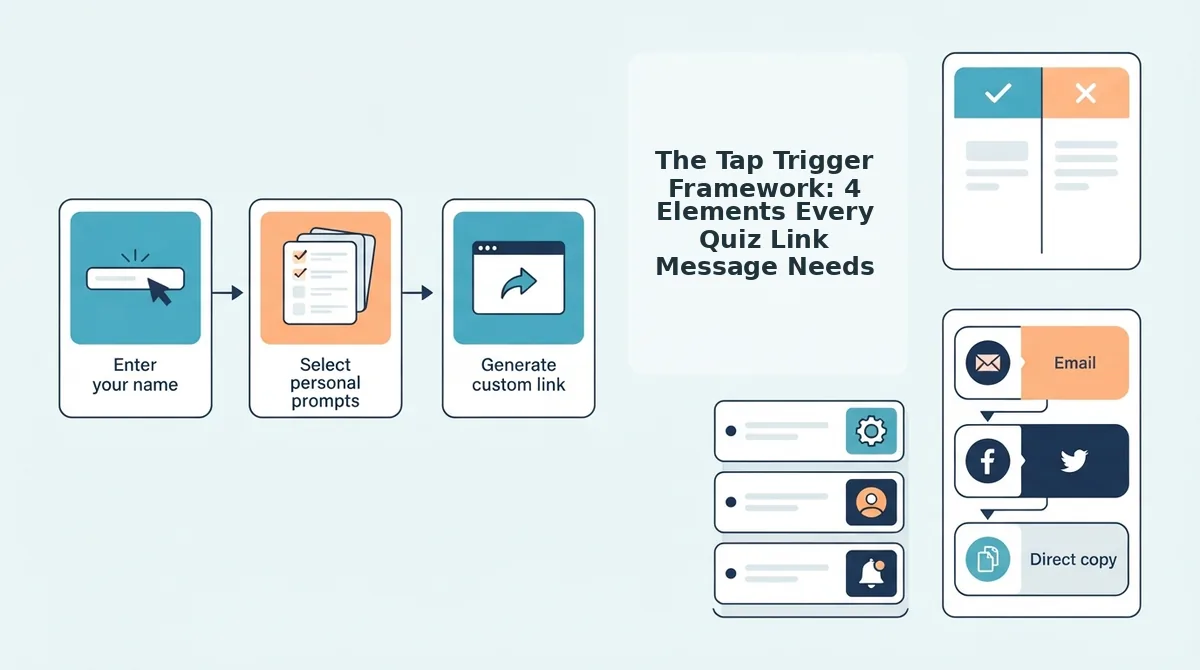
The Tap Trigger Framework is a four-part message structure, Curiosity Gap, Identity Hook, Zero-Effort Promise, and Bragging Rights, that turns a passive quiz link into an active challenge friends feel compelled to open. Every element targets a different psychological trigger, and together they eliminate the left-on-read problem.
Before you start, you need one thing: a completed quiz link from Friend Quiz. Build it in under two minutes by entering your name and answering the personal trivia prompts, no account, no app download. Then apply the framework below.
- Open a Curiosity Gap. Type one sentence that reveals something they don't know about themselves. Instead of "take my quiz," write "I know which of you actually remembers my coffee order." Expected outcome: readers feel an information gap they can only close by tapping.
- Add an Identity Hook. Make the message about them, not you. Replace "I made this" with "This will expose which one of you is the real best friend." Expected outcome: the reader sees themselves in the challenge and feels personally addressed.
- State the Zero-Effort Promise. Write the exact cost: "60 seconds, no signup, no app." Expected outcome: the reader's friction objection dissolves before it forms. You should see replies like "fine, send it" instead of silence.
- Name the Bragging Rights. End with what winning gets them: "Winner gets to pick Saturday's dinner spot." Expected outcome: the competitive friend in the group taps first and drags everyone else in.
When all four elements appear in one message, the link stops being a request and becomes an event. The curiosity gap pulls them in, the identity hook makes it personal, the zero-effort promise removes friction, and the bragging rights create urgency. That's the difference between a link that sits unread and a Friendboard that fills up in minutes.
Now that you understand the framework, here are seven ready-to-send messages that apply it word for word.
7 Copy-Paste Message Templates for Every Chat
These templates are organized by chat type and friend personality, so you can pick the opener that matches your group's energy and paste it without overthinking.
- The Competitive Group Chat Opener: "I made a quiz about myself. Lowest score buys coffee on Friday. No pressure 😏 [link]" This template works because it converts a passive request into a wager with a concrete consequence, which competitive friends cannot resist. Use it in group chats with three or more people where friendly rivalry already exists.
- The Curious Group Chat Opener: "Okay I need to know who actually listens when I talk. 10 questions. Go. [link]" This template frames the quiz as a social experiment rather than a favor, which triggers curiosity-driven taps. Use it when your group chat loves personality tests and hot takes.
- The Chaotic Group Chat Opener: "I'm about to find out which one of you is a fake friend. Results get posted in here. [link]" This template leans into playful chaos and public accountability, which drives completion rates because nobody wants to be the one who didn't take it. Use it in chats where roasting is the primary love language.
- The Best Friend 1-on-1 Opener: "If you don't get 10/10 on this we need to have a serious talk about our friendship. [link]" This template works because it sets a clear expectation of a perfect score, which best friends feel compelled to prove. Use it with the one person who should know everything about you, and pair it with a best friend quiz for maximum stakes.
- The Crush-Adjacent 1-on-1 Opener: "I may or may not have made this quiz to see if you've been paying attention to me. No wrong answers though. [link]" This template lowers pressure with the "no wrong answers" framing while still signaling romantic interest through the attention test. Use it when you want to flirt without explicitly flirting.
- The Poll-Style Story Caption: "How well do my followers actually know me? Take this 2-minute quiz and screenshot your score. [link]" This template works on Instagram or Snapchat stories because it invites public score-sharing, which creates a chain reaction of taps from your viewers' friends. Use it when you want volume over depth.
- The Dare-Style Story Caption: "I dare you to take this and post your score. If you get under 5/10, you owe me a coffee. [link]" This template converts a quiz into a dare, which is the highest-converting frame for social media because declining a dare carries social cost. Use it with a friendship dare quiz to match the energy of the caption.
Every template above works with a quiz you can build in under two minutes, no app download, no account signup, just a link ready for your group chat.
When to Send Your Quiz Link (Timing Matters More Than You Think)
Send your quiz link when your friends are already on their phones and emotionally available, timing is the difference between a tap and a scroll-past.
- Check the chat's active hours before sending. Group chats peak between 7-10 PM on weekdays and 12-4 PM on weekends, when people are scrolling but not working. Send during these windows and you should see responses within 10-15 minutes instead of hours.
- Send group chat quizzes on Sunday evenings. Sunday night is the "weekend is over" scroll session, when people are most receptive to low-effort entertainment. A quiz link dropped at 8 PM Sunday typically outperforms the same link sent Monday morning.
- Send 1-on-1 quizzes right after an active conversation. If you've just been chatting with someone for 20+ minutes, their attention is already on you. Send the link immediately after a laugh or a shared moment, the tap rate is highest when the conversation is warm.
- Use the dead chat revival play. If a group chat has been silent for 48+ hours, send the competitive template with a line like "This chat died so I'm reviving it with a quiz." A quiz link is a low-stakes re-entry point that gives everyone a reason to respond without awkwardness.
- Avoid Monday mornings and Friday nights. Monday mornings are work-focused and Friday nights are social-planning hours, both are low-attention windows where quiz links get buried. If you must send on a weekday, aim for lunch breaks between 12-1 PM.
What to Do When Nobody Taps (The Recovery Play)
Zero taps doesn't mean your friends don't care, it usually means your message got buried or the framing didn't land. Here's how to recover without sounding desperate.
- Wait at least 4 hours before following up. Sending a second message too quickly reads as needy and reduces your chances of a response. Give the chat time to cycle through other messages first.
- Reframe the quiz as a challenge, not a request. Send a follow-up like "Okay I see nobody's confident enough to take this. Understood." This flips the dynamic from "please do this for me" to "I dare you to prove me wrong," which triggers competitive taps within minutes.
- Post your own score screenshot as social proof. Take your own quiz, screenshot the result, and post it in the chat with "Beat this." Seeing a concrete score gives friends a target to aim for and proves the quiz takes seconds to complete.
- Switch to a different friend or chat after two failed attempts. If the same group ignores two different messages, stop pushing. The group's dynamic may not support quiz participation right now. Try a 1-on-1 with a friend who reliably responds, one enthusiastic taker is worth more than ten silent group members.
- Cut your losses and build a fresh quiz with a new angle. If your original quiz was about your daily habits, try a friendship dare quiz instead, a different format can reset interest with the same group. You can create a new quiz in under two minutes at Friend Quiz and test a completely different opener.
Recovery is about reading the room and pivoting fast, the quiz itself is never the problem, only the delivery. Here are the questions people ask most about getting friends to tap.
FAQ
Direct answers to the most common questions about getting friends to tap your quiz link, drawn from real search queries and social threads.
How do I get friends to actually tap my quiz link?
Send a short, specific message that names the recipient and teases one surprising detail about them, then drop the link. Messages under 30 words with a personal hook get tapped far more often than generic "take my quiz" blasts.
What's the best message to send with a friendship quiz link?
The best message combines a challenge ("I bet you can't score above 7/10"), a personal stake ("loser buys coffee"), and a one-line preview of what's inside. Keep it under two sentences so the link stays visible without scrolling.
Why does nobody click my quiz link?
Nobody clicks because the message lacks a reason to tap right now. Links sent without context, sent to dead group chats, or buried under paragraphs of explanation read as spam. A bare URL with no hook gets ignored because tapping feels like work with no payoff.
Should I send my quiz link in a group chat or individually?
Send individually to your three closest friends first, then post to the group chat once one or two people have responded. Individual messages create a sense of being singled out, while early responses in the group chat trigger social proof that makes others tap.
How long should my quiz link message be?
Keep it under 30 words, or roughly two short sentences. One sentence sets the challenge or hook, the second sentence delivers the link. Anything longer gets skimmed, and the link gets lost in the scroll.
If you want a tapped link instead of a left-on-read one, the formula is simple: name the person, tease one specific thing they'll discover about themselves, add a light consequence for skipping, and send it while the chat is active. A message like "I made a quiz about you, question 4 is brutal. Prove you know me: [link]" outperforms a bare URL every time because it makes tapping feel like a dare, not a favor.
The One-Sentence Difference Between Tapped and Ignored
Every left-on-read quiz link fails for the same reason: the message asked for a favor instead of issuing a challenge. The difference between a tapped link and a dead one comes down to one sentence, the one that makes your friend feel like skipping means losing something, whether that's bragging rights, a bet, or proof they actually know you.
You now have the templates, the timing windows, and the recovery plays. The only missing variable is speed. Group chat energy decays fast, and a quiz sent while the conversation is hot outperforms the same link sent an hour later.
Grab a template from above, build your quiz now, and send it in the next 10 minutes while your group chat is still active. Your friends are already on their phones, the only question is whether your link reaches them before the conversation moves on.