Group Chat Quiz Drop Off Fixes for Mobile Links
Your friend taps the quiz link you dropped in the group chat, then vanishes before answering a single question. Sound familiar? You're not imagining it: most quiz drop-off happens before anyone reads your first prompt, and the real culprit isn't boring questions. It's link mechanics and friction. Agree, you've watched the "seen" receipt appear with zero responses. Here's the promise: these group chat quiz drop off fixes target the exact moments friends bail, so your next quiz actually gets played. We'll walk through why links die in chats, how to kill account walls, and how to make your quiz load like a message instead of a website. Stick around for the 8-second window, a finding that explains why most quizzes never stand a chance.
Why Friends Abandon Quiz Links in Group Chats
Quiz link abandonment is the gap between a friend tapping your shared link and committing to their first answer, and it's almost always caused by friction, not content. Think of it like a food delivery order: if the app makes you create an account, verify an email, and re-enter your address before showing the menu, you're ordering from somewhere else. The same logic applies to quiz links.
Here's the 8-Second Chat Window: from the moment a friend sees your link preview to the moment they either start answering or swipe away, you have roughly eight seconds. That window breaks down into five checkpoints: preview render to tap to load to first prompt to cognitive commitment. Each checkpoint is a decision point where a friend can bail.
The Friction Stack is what kills you. Every additional step between tap and first answer, a redirect, an account wall, a slow-loading page, doesn't add abandonment; it multiplies it. Two friction points don't cause twice the drop-off. They cause four times. Three points cause nine times. This compounding effect is why a quiz with great questions still gets zero responses: friends never reach the questions.
Most quiz creators blame boring questions, but the data pattern points elsewhere. If friends open the link and leave before question one, the questions were never the problem. The path to them was. A zero-account bff quiz removes the biggest friction point entirely, no signup, no email, no username, so the only thing between a friend and bragging rights is the first prompt itself.
Fix #1: Kill the Account Wall Before Question One
An account wall is any signup, login, or email-verification step placed between a friend tapping your quiz link and seeing the first question. Removing it is the single highest-impact fix for group chat drop-off. Here's how to do it with a zero-account flow.
- Audit your current quiz flow. Open your quiz link in an incognito window and count every screen between tap and first question. Write down each one: redirects, popups, signup prompts, cookie banners. You should see the exact friction stack your friends face.
- Remove every step that isn't the first question. If your quiz tool asks for an email, username, or app download before showing question one, switch to a tool that doesn't. Friend Quiz's zero-account bff quiz requires no app download, no email, and no username to start answering, the link opens directly into the first prompt.
- Test the tap-to-first-question time. Time how long it takes from tapping the link to seeing question one. Under two seconds is the target. If it's slower, the page weight or redirect chain is the problem, not your questions.
- Share the link and watch the response rate. Send the updated quiz link to the same group chat. With the account wall gone, friends should start answering within the 8-second window instead of bailing at the signup screen.
Every additional step between tap and first answer multiplies abandonment. The math is simple: fewer steps, more answers.
Once the account wall is gone, the next bottleneck is load speed, because a quiz that opens instantly but renders slowly still loses the 8-second window. That's where Fix #2 comes in.
Fix #2: Make the Link Load Like a Message, Not a Website
Mobile users abandon pages that take more than 3 seconds to load, and a quiz link that opens to a blank screen or slow spinner is dead on arrival in a group chat. The fix is treating your quiz link like a native message attachment: instant, preview-rich, and zero friction.
- Set Open Graph tags so the preview sells the quiz before the tap. Open Graph tags control how your quiz link renders in WhatsApp and iMessage previews, title, description, and thumbnail image. Without them, friends see a bare URL with no context, which reads as spam. Add
og:title,og:description, andog:imagetags to your quiz page so the preview shows the quiz creator's name and a playful hook like "Think you know me? Prove it." - Eliminate redirect chains between the tap and the first question. Every redirect hop adds 100-300 milliseconds of latency, and three or more hops can push load time past the 3-second abandonment threshold. Use a direct, canonical URL for each quiz and audit with a redirect checker to confirm the link resolves in one hop.
- Confirm the mobile viewport renders correctly in chat in-app browsers. WhatsApp and iMessage open links in embedded webviews with quirks that desktop browsers don't have. Test your quiz link inside both apps and verify the first question, answer buttons, and progress indicator are visible without zooming or horizontal scrolling.
- Compress images and defer non-critical scripts below the fold. A hero image or background graphic that is 2MB will stall rendering on 4G connections. Compress all quiz images to under 200KB and load scripts asynchronously so the first question paints immediately while analytics or social widgets load in the background.
- Use a content delivery network (CDN) for static assets. Think of a CDN like having copies of your quiz's images and scripts in every major city instead of one warehouse, friends in different regions all fetch from a nearby server. This cuts latency dramatically for group chats spanning multiple time zones or countries.
- Preload the first question's data inline in the HTML. If the quiz fetches questions via JavaScript after page load, friends see a loading spinner before anything interactive appears. Embed the first question and its answer options directly in the initial HTML payload so the quiz is answerable the moment the page renders.
- Test on a mid-range Android phone over 4G, not just Wi-Fi. Most group chat participants are on mobile data with throttled speeds, not fiber Wi-Fi. Run a Lighthouse mobile audit and a real-device test on a 4G connection to confirm time-to-interactive stays under 3 seconds.
Fix #3: Front-Load the Funniest Question
The first question is a commitment trigger, not a content showcase, it must be instantly answerable, low cognitive load, and high emotional payoff. If question one makes a friend think too hard, they close the tab before question two.
- Open your quiz builder and review the full question list. You need the complete set of prompts visible before reordering. In Friend Quiz, this is the prompt sequence you cycled through during creation.
- Select the question with the highest laugh-to-effort ratio. Pick the prompt that is answerable in under two seconds and likely to make the responder smirk, something like "What's my go-to drunk food?" beats "What's my MBTI type?" because it requires zero recall effort and delivers instant amusement.
- Move that question to position one using the reorder control. Drag or tap the reorder handle next to the chosen prompt and place it at the top of the sequence. You should see the question list update immediately with your selection in the first slot.
- Verify the question has a single obvious answer path. Confirm the first question offers clear, mutually exclusive options, no "it depends" scenarios. If a friend hesitates between two answers, the commitment trigger fails.
- Preview the quiz link on your phone and time yourself answering question one. Open the link in a mobile browser and answer the first question naturally. If it takes you longer than three seconds to choose, swap in a lower-friction prompt and repeat this check.
Fix #4: Give Friends a Reason to Finish and Brag
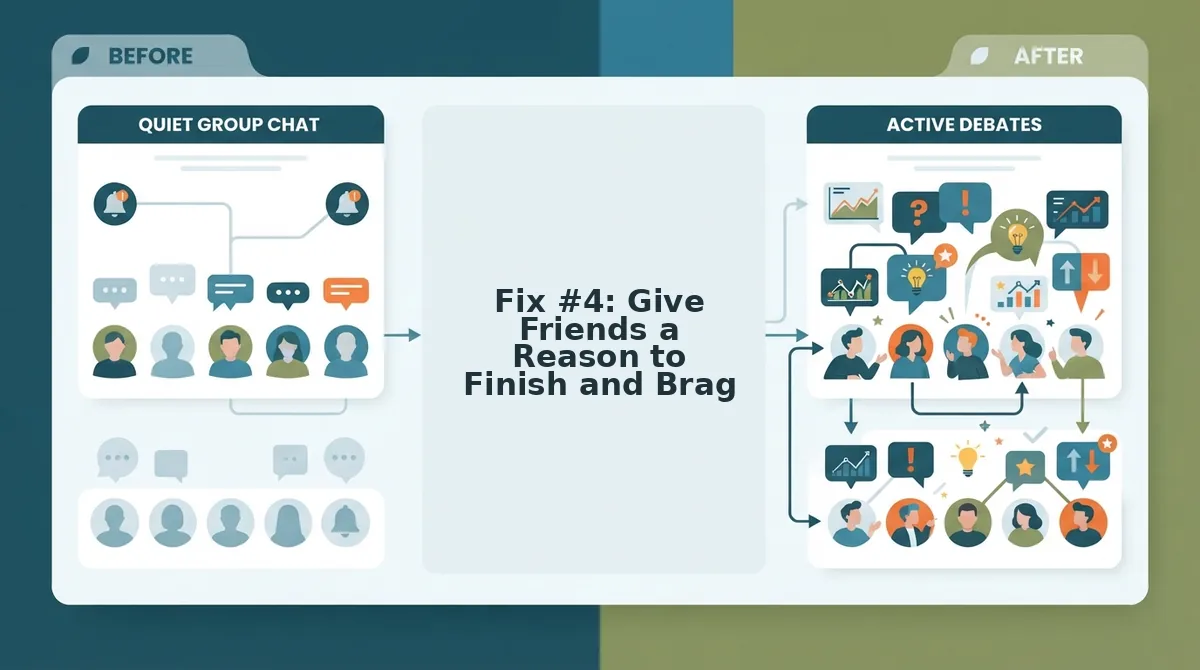
A completion incentive is a reward structure that makes finishing the quiz feel more valuable than abandoning it midway. Friendboards show real-time rankings, giving friends a reason to finish and share, the score is only meaningful if it is on the board.
Think of a Friendboard like a leaderboard at a bowling alley: the game is mildly fun on its own, but the visible ranking turns every frame into a competition. When a friend finishes your quiz and sees their name ranked against mutual friends, the score becomes a social artifact worth screenshotting and posting back into the group chat.
A share trigger at the end turns completion into a social signal. Instead of a dead-end "You scored 7/10" screen, the quiz should present a one-tap share button with a pre-written caption like "I got 9/10 on Sarah's quiz, beat that." This converts a private result into a public challenge that pulls more friends into the loop. See how Friendboards work and apply the same ranking-and-share pattern to your next quiz drop.
Next, make the quiz itself thumb-friendly so nobody rage-quits on question three.
Fix #5: Design for Thumb-Only Participation
Mobile quiz drop-off drops sharply when every tap feels effortless. Design the quiz interface around how thumbs actually move on a phone screen.
- Place answer buttons in the thumb zone. The bottom two-thirds of the screen is where thumbs naturally rest, so position answer options there instead of the top. This removes the reach-and-strain friction that makes friends abandon quizzes mid-scroll.
- Use tap targets of at least 48×48 pixels. Small buttons force precision tapping that feels like work on a phone. Large, padded answer cards let friends tap without looking, keeping momentum through every question.
- Eliminate pinch-zoom and horizontal scroll entirely. Any interface that requires zooming or sideways swiping signals a desktop-first design. A single-column layout with text that fits the viewport keeps every question readable without adjustment.
- Make answer selection a single tap. Avoid multi-step confirmations, dropdowns, or sliders between reading a question and answering it. One tap on an answer should register the response and advance the quiz instantly.
- Skip multi-step form reloads between questions. Page refreshes break flow and add seconds of dead time. Load all questions in a single session so friends move from one prompt to the next without waiting.
Fix #6: Use the Group Chat's Native Energy
Quiz prompts that reference the group's own history feel personal and impossible to ignore. Write questions that sound like they came from inside the chat, not from a generic template.
- List three inside jokes or shared memories from the group chat. Open the chat and scroll back through recent messages to find recurring themes, nicknames, or moments everyone reacted to. You should have a short list of raw material before writing any questions.
- Rewrite each quiz prompt to reference one of those moments. Type questions like "Who is most likely to leave the group chat on read?" or "Who sent the voice note that nobody finished?" instead of generic prompts. The question should make the group laugh before anyone answers.
- Name specific people from the chat in the answer options. Select answer choices that include actual group members rather than abstract categories. Friends should see their own names and feel compelled to defend or deny the answer.
- Send the quiz link with a chat-native hook. Paste the link with a message like "I made this about us. Prove you actually know me." You should see replies and reactions within minutes because the quiz feels like an extension of the conversation.
Fix #7: Track Completion and Iterate
You cannot fix drop-off you cannot see. Use Friendboard data to identify exactly where friends stop answering and adjust the quiz accordingly.
- Open the live leaderboard after sharing your quiz. Check the Friendboard to see which friends started, who finished, and who dropped before the end. You should see a clear picture of completion rates within a few hours of sharing.
- Identify the question where most drop-offs occur. Compare completion counts across questions to find the exact prompt where friends stop answering. The question before the biggest drop is your weakest link.
- Change the first question if early drop-off is high. Edit the quiz to front-load a funnier or more controversial prompt. You should see completion improve immediately because the opening question sets the tone for the entire quiz.
- Shorten the quiz if drop-off happens in the final third. Remove two or three questions and re-share the link. Friends are more likely to finish a five-question quiz than a ten-question one, and completion data will confirm it.
- Adjust share triggers based on what the data shows. If friends finish but do not share results, add a bragging-rights prompt at the end. You should see more shares and re-entries as the quiz loop tightens.
Once you have iterated on drop-off points, the remaining questions are the ones friends actually answer, and the next step is answering the most common questions about group chat quiz drop-off.
FAQ: Group Chat Quiz Drop Off
Direct answers to the most common questions about quiz links that stall, preview blank, or lose friends mid-challenge.
Why does my quiz link look broken or load blank in group chat previews?
Blank previews usually mean the link's Open Graph meta tags are missing or the page redirects before the crawler can read them. Add og:title, og:description, and an og:image to the quiz page, then test with WhatsApp's or iMessage's link preview debugger before sharing.
How do I track who actually finished the quiz?
Use a completion event that fires only when the final question is answered and the results screen renders. Assign each shared link a unique URL parameter so you can see which group chat produced which completions without requiring logins or names.
Why do friends open a quiz link and immediately close it?
The most common causes are an account wall, a slow first paint, or a first question that feels like homework. When the first interaction requires a signup or takes longer than three seconds to appear, mobile users close the tab and return to the chat. Front-load the funniest question and remove every pre-quiz barrier.
Can friends take a quiz without creating an account?
Yes. A zero-account flow stores progress in the browser session or a temporary token embedded in the link, so friends answer immediately. Requiring signup before question one is the single largest drop-off trigger in group chat quiz sharing.
How many questions should a group chat quiz have?
Five to seven questions is the sweet spot for completion. Longer quizzes lose mobile users mid-scroll, while shorter ones feel disposable. Each question should take under ten seconds to answer so the full quiz finishes inside a single chat-checking session.
What completion rate should I expect from a shared quiz link?
Every added step, account creation, slow loading, dull first question, cuts that rate roughly in half. Track opens versus completions per link to measure your specific drop-off.
The Friction Stack Is the Real Competitor
Every quiz link competes against the group chat itself, the memes, the voice notes, the next message already pinging. The seven fixes in this article are not independent tips; they form one system. Remove the account wall, load the page like a message, front-load the funniest question, design for thumbs, borrow the chat's native energy, reward bragging rights, and track completions. Together they collapse the friction stack that kills participation inside an eight-second attention window.
That is the payoff: drop-off is not a mystery of human nature. It is a measurable, fixable sequence of small frictions. Build a zero-friction quiz in under two minutes, share it in your group chat, and watch the completion count climb. If your friends want a spicier challenge, drop a friendship dare quiz link next and see who actually finishes. The chat is already open, your quiz just needs to be the easiest thing in it.