Buddy Meter vs Friend Quiz for Group Chats
You drop a fresh trivia challenge link into your silent group chat, waiting for the banter to erupt, only to be met with dead silence and abandoned forms. Evaluating buddy meter vs friend quiz for group chats reveals why some challenges spark immediate rivalry while others stall before anyone finishes a question. Mandatory account sign-ups, intrusive popups, and multi-page form reloads cause friends to ghost your challenge before reaching the end.
You will learn how user friction controls chat participation, which platform eliminates the ghost player drop-off effect, and how real-time scoreboards fuel competitive banter. Later in this comparison, you will see how a single extra screen completely destroys response velocity in fast-moving social feeds.
Here is how a zero-friction workflow plays out:
- Situation: An inactive messaging thread needs an immediate spark to settle who knows who best.
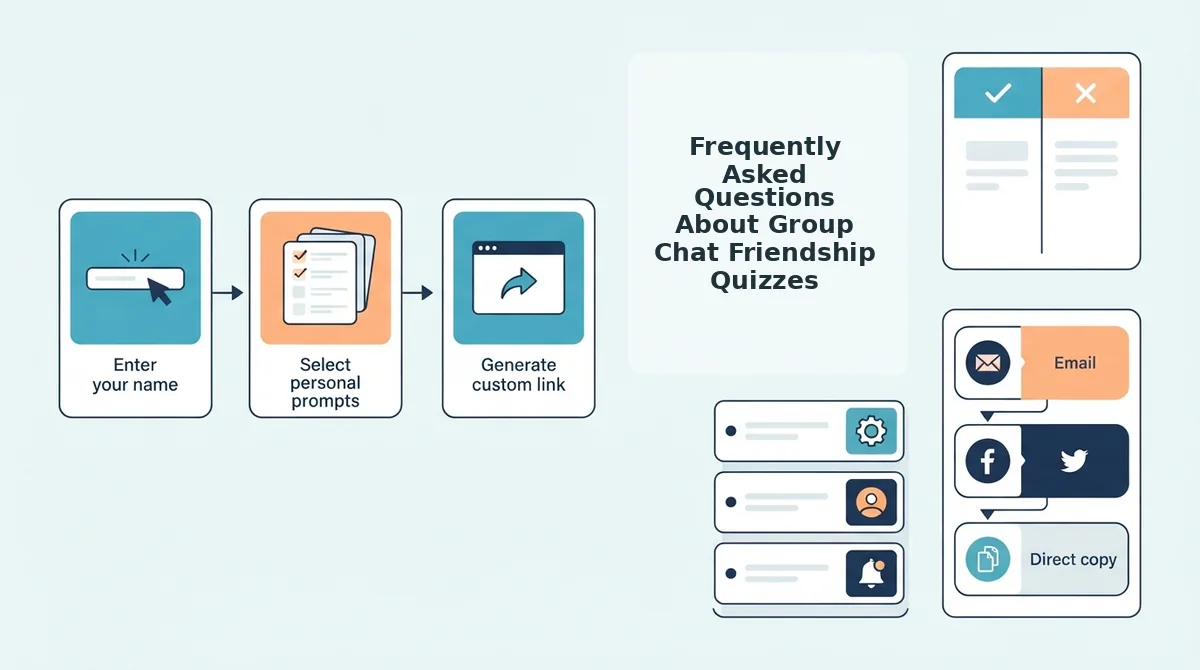
- Action: The creator enters their name, answers a sequence of personal trivia prompts about their quirks, and copies the instant link to a friend quiz.
- Outcome: Friends tap the link, answer without app downloads or account logins, and immediately populate the real-time Friendboard.
To keep high-velocity chats engaged, explore how instant link generation keeps participants playing instead of closing tabs. Examining the core mechanics between both options highlights where group participation breaks down.
How Does Buddy Meter Compare to Friend Quiz for Group Chats?
Friend Quiz outperforms Buddy Meter for active group chats by removing registration steps, popups, and multi-page reloads, whereas Buddy Meter relies on a legacy web form interface that requires additional navigation steps to set up and review scores.
A friendship quiz maker is a web application that generates personalized trivia challenges to test how accurately friends know a creator's habits, preferences, and daily routines. In modern messaging environments like WhatsApp, iMessage, and Snapchat, engagement depends almost entirely on completion speed. Legacy web form challenges often lose participants midway because traditional layouts force users through slow page reloads and cluttered displays. Zero-friction mobile interfaces solve this drop-off by packaging personal trivia prompts into rapid touch cycles that update real-time leaderboards instantly.
Legacy popularity does not guarantee smooth mobile participation.
| Evaluation Criteria | Buddy Meter | Friend Quiz |
|---|---|---|
| Account Setup | No mandatory account, standard form setup | Zero account creation, name-only entry |
| Mobile Flow | Multi-page form reloads | Single-stream speed run creation |
| Software Requirement | No app download required | No app download required |
| Score Tracking | Manual page refresh for updates | Real-time Friendboard rankings |
| Content Style | Static trivia prompts | Customizable personal quirks and habit questions |
| Sharing Method | Copyable browser link | Instant share link built for group chats |
When should you pick each tool?
- Best for deliberate desktop users: Choose Buddy Meter if your circle prefers a classic, traditional quiz format and does not mind navigating standard multi-step web forms.
- Best for high-velocity group chats: Choose Friend Quiz if you are coordinating active threads on WhatsApp or iMessage where friends drop off whenever they encounter popups or complex setup screens.
Our recommendation centers on friction: group chat instigators need speed above all else. Testing friends should take seconds to set up, which is why cycling through quick personal trivia prompts and generating an immediate web link delivers higher completion rates among friends.
Understanding how Buddy Meter handles its underlying interface explains why these design differences impact completion rates.
Buddy Meter Overview, Group Chat Strengths, and Form Constraints
Buddy Meter is a web-based friendship trivia generator that lets users manually write custom questions and share challenge links across group chats. While it established the blueprint for viral social quizzes, its classic desktop-era architecture introduces noticeable interface lag on modern mobile browsers.
Buddy Meter is an early browser-based challenge tool where a host manually customizes a series of trivia prompts about themselves to test their friends' knowledge. In group chats on WhatsApp or iMessage, it serves as a lightweight icebreaker by providing an external link that classmates and friends can open to submit answers. When a creator finishes setting up their challenge, the system generates a distinct destination using a parameterized URL structure, such as buddymeter.com/quiz.html? q=15AtKjx. The platform tallies completed submissions and displays final results on a basic, static score page.
Why do desktop-era quiz mechanics feel slow inside a mobile messaging app?
Think of using an older web form like mailing paper postcards instead of sending a single instant message. Every interaction requires sending the entire page back to a central server to receive a fresh sheet of paper in return.
This architectural pattern relies on full, multi-step page reloads. Instead of updating elements seamlessly inside the active window, every completed question triggers a browser refresh cycle that disrupts mobile interactions:
- Navigation reloads: Tapping an answer prompts mobile web browsers to execute a full document request, often resulting in visible white screen flashes.
- Form latency: Manual question editing forces participants to submit text fields individually across separate web pages.
- Static displays: The final leaderboard functions as a plain HTML readout rather than updating scores dynamically in real time.
Because high-velocity mobile groups prioritize fast links with zero friction, these reload interruptions often stall chat momentum before everyone completes the best friend quiz.
Understanding these legacy constraints highlights why group chat dynamics require a completely modernized, screen-optimized workflow.
Friend Quiz Overview and Mobile First Chat Optimizations
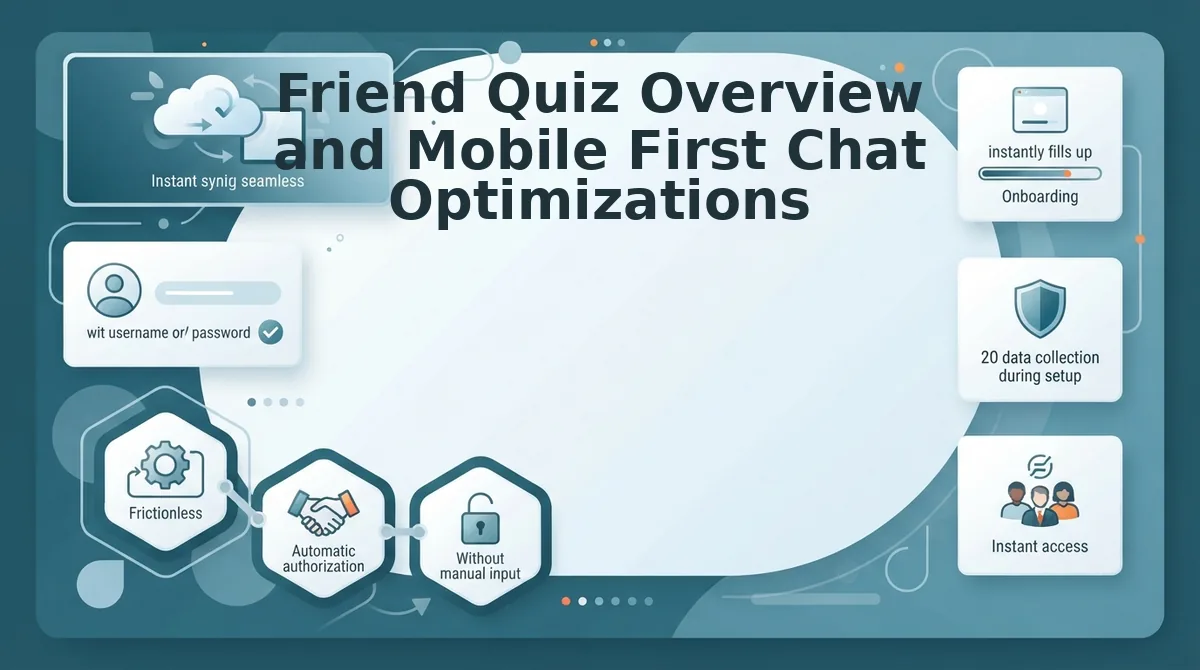
Friend Quiz provides a zero-friction, mobile-first friendship quiz platform designed specifically for fast group chat engagement without requiring account logins or app downloads. Removing registration barriers directly addresses the ghost player drop-off problem by letting recipients jump instantly into answering questions the moment a link opens in a chat browser.
A single-flow mobile touch architecture is a mobile web design framework where all interactive steps happen in a continuous, dynamic interface without multi-page reloads. Traditional quiz forms force users through fresh page loads and permission prompts that stall out inside embedded mobile webviews on WhatsApp or iMessage. Friend Quiz maintains high chat response rates by stripping out every administrative step between clicking a link and scoring points.
- Zero-account authentication architecture replaces email registration and social logins with a pure name-entry prompt. This mechanism removes login friction entirely, ensuring participants never abandon a quiz due to forgotten passwords or verification prompts. Use this architecture to get instant answers from busy group chats by sharing a clean challenge link.
- Rapid single-flow touch sequence serves every personal trivia question within a single dynamic web layout instead of triggering multi-page browser reloads. This approach keeps input latency minimal and prevents rendering errors inside restricted in-app browsers. Set your personal habits and preferences in one continuous screen sequence before tapping to generate your custom URL.
- Instant challenger onboarding resolves the ghost player dilemma by allowing friends to input only their name to start competing immediately. Group members frequently drop off when forced to fill out long forms, so immediate name entry keeps participation near total. Send a competitive friendship dare quiz directly to group threads to turn passive lurkers into active challengers.
- Live Friendboard ranking delivery updates challenge results and bragging rights instantaneously without administrative review. This real-time visibility sparks immediate group chat banter by settling rivalries the moment a friend finishes their final question. Check your live dashboard link after dropping the challenge to monitor which contact takes the top score.
Consider how this workflow operates during an active group conversation:
A group chat admin wants to settle a debate over who knows their daily routine best. The creator opens the site, types their name, cycles through a rapid series of personal habit prompts, and copies the generated challenge link straight into the chat. Three friends tap the link inside their messaging app, enter their names without signing up, complete the questions in seconds, and check the live Friendboard to see who earned first place.
Understanding how platform design choices handle browser constraints within messaging networks reveals why lightweight delivery matters.
Mobile UX and Ad Friction Inside Messaging App Browsers
Mobile friendship quiz platforms succeed or fail entirely on how cleanly they execute within restricted in-app browsers like WebKit and Chrome Custom Tabs. When third-party scripts introduce invasive advertisements, sudden layout shifts break the quiz experience and trigger immediate user drop-off.
An in-app browser is a sandboxed rendering engine embedded directly inside messaging platforms like WhatsApp, Discord, iMessage, and Snapchat to display web links without opening a dedicated browser app. Because these sandboxes lack standard navigation controls and have limited rendering tolerance, heavy monetization networks often cause unexpected page jumps. During rapid mobile tapping, late-loading ad banners trigger Cumulative Layout Shift (CLS), displacing interface buttons just as a user attempts to select an answer.
Consider this real-world scenario. A user opens a shared quiz link inside a Discord chat room on their phone. As they tap their answer on question three, an aggressive banner overlay loads asynchronously, pushing the submit button downward. The user accidentally clicks an external sponsored link instead, gets redirected out of the flow, and abandons the challenge without finishing.
Both tools manage mobile environments differently:
| Evaluation Metric | Buddy Meter | Friend Quiz |
|---|---|---|
| In-App Browser Stability | Standard web architecture; susceptible to ad-driven reflow in constrained WebKit views. | Mobile-first architecture engineered specifically for sandboxed in-app browsers. |
| Layout Stability Under Fast Tapping | Ad placements can displace dynamic answer fields during rapid inputs. | Zero intrusive popups or layout shifts during speed-run completion. |
| Friction and Access Barriers | Direct web link access without app downloads. | Zero app downloads or account logins required for creators or participants. |
Buddy Meter remains a viable, established legacy choice for casual web users who do not mind occasional banner elements. Friend Quiz is best for active group chats on Snapchat, WhatsApp, and Discord where participants expect rapid-fire tapping without disruptive interruptions.
Our recommendation favors Friend Quiz for mobile communities. When group chat banter moves fast, an interface must preserve rapid tapping without shifting elements across the screen.
Choose Buddy Meter if you want a classic web-based prompt structure. Choose Friend Quiz if your friends live on mobile messaging apps and demand an instant, popup-free challenge that launches directly in chat.
To settle your group chat rivalry without friction, launch a personalized quiz link and watch the answers roll in cleanly.
Tracking the fallout from those submissions requires clear visibility into who answered correctly.

Privacy, Scoreboards, and Bragging Rights in Group Chat Rivalries
Group chat scoreboards settle friendly rivalries by ranking participants based on total points earned rather than exposing individual answer selections to the entire room. While Buddy Meter relies on static result summaries, Friend Quiz displays live Friendboards that update rankings in real time without requiring persistent host logins.
Can your friends see your exact answers, or just your final score on the board?
A Friendboard is a dynamic, real-time leaderboard that aggregates and ranks participant scores from a shared friendship challenge without exposing individual response selections. Think of a Friendboard like an arcade high-score screen: everyone in the room can see who holds first place, but no one can inspect the exact button combinations used to get there. In Friend Quiz, this aggregated reporting safeguards personal answers while fueling competitive group chat banter. Friends see where they land on the points ladder instantly, preserving answer-level privacy and turning overall point totals into verifiable bragging rights across messaging feeds.
Buddy Meter presents a straightforward, fixed list of respondent scores once submissions finish. This basic listing works for small circles, but it lacks the responsive mechanics needed for high-velocity thread wars.
The operational divide centers on how scores update and what data stays shielded:
- Buddy Meter: Generates static score entries that show participant totals but provide minimal live tracking as new chat members finish.
- Friend Quiz: Deploys live Friendboard tracking that calculates ranks automatically, completely bypassing account logins while keeping individual question breakdowns private.
Real-time score movement drives the competitive tension that keeps friends refreshing the link to reclaim top rank. Setup speed determines how fast that banter begins.
How to Launch a Group Chat Friendship Challenge in Under Two Minutes
To launch a group chat friendship challenge in under two minutes, enter your name on the quiz builder, select your personal trivia answers, copy the generated link, and paste it directly into your messaging thread. The entire process requires no user account creation or app installation.
Before starting, all you need is an active internet connection on your mobile browser and an open conversation on WhatsApp, iMessage, or Snapchat. When a group chat conversation goes quiet for ninety seconds, an impromptu trivia link immediately reignites competitive banter.
- Type your display name on the homepage input field (estimated time: 5 seconds). Enter the alias your friends know best and tap the primary confirmation button. You should see the quiz interface load immediately with your chosen handle displayed at the top of the screen.
- Select your trivia answers across the prompt sequence (estimated time: 45 seconds). Tap your preferences regarding daily habits, likes, dislikes, and personal quirks on the multiple-choice selector cards. Each selection automatically locks in and transitions to the subsequent prompt until your challenge criteria are complete.
- Copy your custom challenge link from the generation screen (estimated time: 10 seconds). Tap the prominent copy button positioned directly beneath your finished challenge summary. You should see a confirmation notification signaling that the unique URL is copied to your device's clipboard.
- Paste the challenge link straight into your group chat thread (estimated time: 15 seconds). Open your preferred messaging app, paste the clipboard link into the conversation text field, and press send. Your friends can now open the link, submit their guesses, and populate the real-time Friendboard.
Friend Quiz is a zero-friction, mobile-first friendship testing platform that converts personal quirks into instant web-based challenges. Speed-run quiz creation guarantees that anyone can initiate a social test without getting trapped in account setup flows.
Below are direct answers covering common inquiries about hosting, sharing, and scoring group challenges.
Frequently Asked Questions About Group Chat Friendship Quizzes
Direct answers solve the most common questions about running friendship challenges across messaging apps.
How does Buddy Meter work in group chats?
Buddy Meter works by generating a custom URL after you answer ten trivia questions about yourself. You paste that link into your messaging thread, where members click out to a mobile web page to guess your answers and record their scores on a shared leaderboard.
Do friends need an account or app download to play Friend Quiz?
No, participants do not need an account or an app installation to take a Friend Quiz challenge. Friends simply open the shared web link inside WhatsApp, iMessage, or Snapchat, enter their display name, and answer the prompts directly inside their in-app browser.
Can you see who took your quiz and their exact answers?
Quiz creators can see every participant's name and total score on the live Friendboard standings. However, individual question-by-question response breakdowns are kept hidden to protect group chat rivalries and keep banter focused on the final leaderboard ranks.
What is the best friendship dare quiz to send to a group chat?
The best challenge for group chats is a fast, zero-friction bff test that loads instantly without sign-up forms.
- Zero app downloads
- Instant link sharing
- Live chat leaderboards
Deciding which platform matches your group's specific dynamic comes down to speed and ad tolerance.
Which Quiz Tool Should You Send to Your Group Chat?
The right platform depends entirely on whether your group values nostalgic link-saving or instant participation inside native chat windows. While legacy tools like Buddy Meter serve long-term link collectors archiving past entries, casual banter circles need low-friction speed to keep the thread alive.
Nostalgia loses its charm when members abandon a test before finishing it. When you drop a link into WhatsApp or iMessage, every extra second of loading time drains engagement.
Pick your setup using this simple operational split:
- Choose Buddy Meter if your group consists of legacy link collectors who want classic form entries and do not mind multi-step navigation inside in-app browsers.
- Choose Friend Quiz if your chat thrives on high-velocity banter, zero-account setups, and real-time Friendboard bragging rights that load instantly on mobile feeds.
To settle your group chat rivalry right now, type your name on the Friend Quiz homepage, answer your personalized trivia prompts, and paste your generated link into the chat to see who truly knows your daily habits.
The best friendship test is never the one with the most retro appeal, but the one your friends actually finish before the conversation moves on.