Where to See New Friend Quizzes This Week
Group chats die fastest when someone drops a quiz link that everyone has already seen twice this month. If your last "who knows me best" challenge recycled the same five questions from 2024, the silence in the thread is not a mystery, it's a verdict. Finding new friend quizzes this week is the difference between a chat that lights up with rapid-fire answers and one that gets muted by noon.
You are not wrong to expect better. Group chat instigators have zero patience for account walls, ad clutter, or multi-page reloads, and the difference between a quiz that revives a chat and one that kills it comes down to freshness. That is exactly what this guide delivers: where to spot freshly created quizzes this week, how to verify a quiz is actually new before you share it, and why fresh question sets outperform recycled links every time.
Here is the roadmap. First, you will learn the exact places where new quizzes surface weekly without requiring a login. Then you will get a three-step freshness check you can run in under a minute. One surprising finding ahead: most "new" quiz links floating around group chats are older than the last group photo, and there is a dead-simple way to tell. Stick around to the end, because the verification trick in the final section changes how you share every quiz from here on.
When you are ready to skip the stale-link graveyard entirely, Friend Quiz lets you spin up a personalized challenge in under two minutes, no account, no app, no email, and share it straight into your group chat.
Where to See New Friend Quizzes This Week
A new friend quiz feed is a curated, auto-refreshing list of recently created friendship challenges that anyone can browse and play without signing up. The fastest place to see fresh quizzes is the discover feed, which surfaces recently created quizzes as soon as their creators publish them.
Think of the discover feed like a group chat's shared playlist that updates itself. Instead of one person curating songs, every creator who builds a quiz adds a new track automatically. You open the feed, scan what is new, and jump into whichever challenge catches your eye, no login wall, no app store redirect, no email gate standing between you and the first question.
New friend quizzes appear on the Friend Quiz discover feed, which refreshes weekly with recently created quizzes. The weekly feed groups the latest batch into one browsable view, so you can see at a glance what dropped in the last seven days. No account, no app, and no email are needed to play or browse, the entire experience runs in your mobile browser.
Here is the workflow, from simplest to most specific. Start by opening the discover feed on your phone and scrolling the newest entries. Each card shows the quiz creator's name and a preview of the question style, so you can judge in seconds whether it fits your group's vibe. Next, tap any quiz to play it instantly, there is no interstitial signup prompt. Finally, if you want to track what is genuinely fresh, bookmark the weekly feed and check it every Monday, when the latest batch of community-created quizzes lands.
For anyone asking "where do I find new friend quizzes this week," the answer is self-contained: open the Friend Quiz discover feed, tap the weekly view, and pick any quiz card. You will be answering questions within ten seconds of landing on the page, with no credentials required at any step.
How to Check If a Friend Quiz Is Actually New
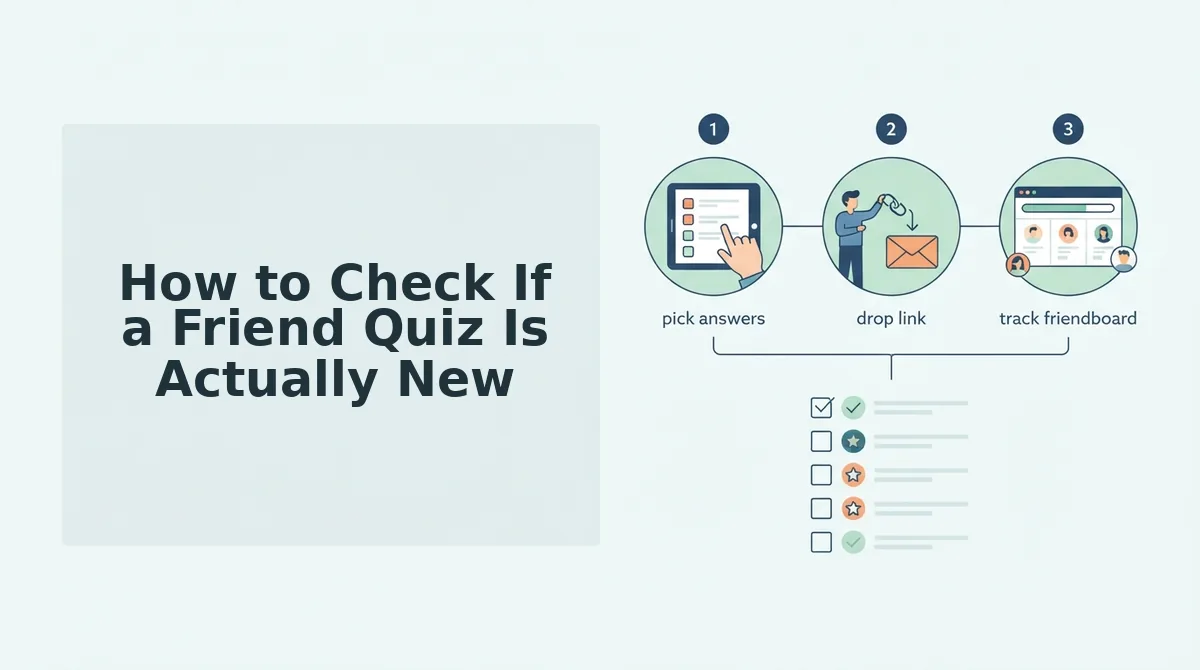
The 3-Step Freshness Check is a quick verification routine, check the feed, check the timestamp, check the question set, that tells you whether a quiz link is genuinely fresh or a recycled challenge wearing a new caption. Run it before you share anything into a group chat.
You need only your phone and the quiz link or feed entry. No tools, no accounts, no extensions. The whole check takes under 60 seconds.
- Check the feed. Open the discover feed and look for the quiz card. If the quiz appears in the newest or weekly section, it was created within the current refresh window. You should see the quiz listed among other recent entries, not buried below older cards.
- Check the timestamp. Look at the creation date shown on the quiz card or share link. Creation timestamps and question sets are the two most reliable recency signals. If the timestamp is older than seven days, treat the quiz as recycled, even if someone in your chat just forwarded it with a "new!" caption. You should see a date within the current week for a genuinely fresh quiz.
- Check the question set. Open the quiz and skim the first three questions. Fresh quizzes reference current habits, recent trends, or specific inside jokes that could not have been written months ago. If the questions feel generic, "What is my favorite color?", the quiz is likely old. You should recognize at least one question that could only have been written recently.
For anyone wondering how to verify recency before sharing, the answer is simple: a quiz is only as fresh as its timestamp and question set prove. Check both, and you will never forward a stale link into a group chat again.
If every quiz you find fails the freshness check, skip the hunt entirely, Friend Quiz lets you build a custom BFF test in under two minutes with questions pulled from your own current habits, then share the link straight into your chat. That brings us to why fresh quizzes beat recycled links every single time.
Why Fresh Quizzes Beat Recycled Links
Fresh quizzes keep group chat momentum alive because they match the current moment, while recycled links with outdated references, repeated questions, and predictable answers are the three main reasons chats go silent. Fast, shareable fun is the core job-to-be-done for group chat instigators, and stale content fails that job instantly.
- Fresh references signal the quiz is alive right now. A quiz that mentions this week's trending meme, song, or group inside joke feels personal and timely, which drives immediate taps. Recycled links with last season's references read as spam and get ignored in under three seconds.
- Unseen questions create genuine suspense in the chat. When nobody has seen the answers before, every response carries real stakes and sparks debate. Repeated questions from a shared old link produce copy-paste answers that kill banter before it starts.
- New quizzes reset the bragging rights leaderboard. A fresh link gives everyone an equal shot at the top spot on the Friendboard, which reignites friendly rivalry. Recycled quizzes let the same person win repeatedly, and the chat stops caring.
- Zero-friction discovery matches mobile-first attention spans. Fresh quizzes appear in the weekly discover feed without requiring account logins or app downloads, so sharing takes one tap. Stale links often route through dead pages or broken embeds that frustrate users mid-scroll.
- Current quizzes reflect current friendship dynamics. A quiz made this week can reference a recent trip, fight, or inside joke that a three-month-old link cannot. That timeliness makes the quiz feel like it was built for your specific group, not scraped from a generic template.
- Fresh content earns algorithm and chat visibility. Newly created quizzes surface higher in the discover feed and get shared more aggressively in WhatsApp and iMessage threads. Recycled links sink in feeds and lose the social proof that drives participation.
- Predictable answers are the fastest way to lose a group. When everyone already knows the outcome, there is no reason to play. Fresh quizzes introduce unknown variables that keep even the most jaded group chat member tapping through to the end.
How to Share a New Quiz Without Killing the Vibe
The fastest way to share a new friend quiz is to copy the link from the discover feed and paste it directly into the group chat. No account walls or app downloads slow down the share, so the quiz reaches friends in under ten seconds.
- Open the Friend Quiz discover feed on your phone. Navigate to friendquiz.org and tap the weekly feed of recently created quizzes. You should see a scrollable list of fresh quizzes with creator names and question counts, no login required.
- Tap the quiz you want to share and preview it. Skim the first three questions to confirm the quiz matches your group's vibe. You should see the quiz load instantly in your mobile browser without any popup or email prompt.
- Tap the Share button and select Copy Link. The share control sits at the top of the quiz page. You should see a confirmation toast that says "Link copied" within one second.
- Open WhatsApp, iMessage, or Instagram and paste the link into the group chat. Long-press the message field and tap Paste. You should see the quiz preview card render automatically with the creator's name and a tappable title.
- Add a one-line challenge before sending. Type something like "Who actually knows me? Prove it." before the link. You should see replies start rolling in within minutes because the challenge frames the quiz as a competition, not homework.
If you want to create your own quiz instead of sharing someone else's, build a best friend quiz in under two minutes and share that link the same way. The entire workflow from creation to group chat delivery takes less than five minutes on a phone.
Frequently Asked Questions About New Friend Quizzes
New friend quizzes are recently created trivia challenges that appear in the weekly discover feed on Friend Quiz. They require no account, email, or app download to play or share.
Can I play a new friend quiz without creating an account?
Yes, Friend Quiz requires no account, email, or app download. You open the quiz link in your mobile browser, answer the questions, and see your score immediately. There is no signup wall before or after the quiz.
How often does the weekly feed refresh?
The discover feed refreshes weekly with recently created quizzes. New quizzes appear at the top of the feed each week, so checking back every seven days surfaces fresh content from creators in your social circle.
Why do recycled quiz links kill group chat momentum?
Outdated references, repeated questions, and predictable answers are the three main reasons recycled links kill chat momentum. Friends stop responding when they already know the outcome or the quiz feels irrelevant to the current moment.
How do I find quizzes my friends actually made this week?
Open the discover feed on friendquiz.org and look for creator names you recognize. The feed surfaces recently created quizzes without requiring you to search manually or ask friends to send links.
What is the fastest way to share a new quiz with my group chat?
Copy the quiz link from the discover feed and paste it directly into WhatsApp, iMessage, or Instagram. The entire share takes under ten seconds because there are no account walls or app downloads to slow you down.
Can I turn a new quiz into a dare challenge?
Yes, you can pair any new quiz with a friendship dare quiz to raise the stakes. The dare format adds a consequence for wrong answers, which drives higher participation in group chats.
The Fastest Way to Turn This Week's Quiz Buzz Into Bragging Rights
The discover feed is the single best place to find new friend quizzes this week, but finding one is only half the game. The real payoff comes when you stop scrolling and start challenging. Every fresh quiz you answer sharpens your read on the people you care about, and every quiz you create flips the spotlight back onto you.
Here's the move that actually compounds:
- Soft start: Open the discover feed and answer three new quizzes today. No account, no friction.
- Level up: Create your own friend quiz in under two minutes and send it to your group chat before the conversation moves on.
- Claim the crown: Share your quiz link, watch the Friendboard fill up, and screenshot the results while you're still on top.
Fresh quizzes beat recycled links because they capture who your friends are right now, not who they were last month. The window is short, the banter is immediate, and the bragging rights belong to whoever acts first.
The best friend quiz isn't the one you find, it's the one you send before anyone else does.