What to Fix Before You Send a Dare Quiz to Friends
You spent ten minutes crafting the perfect dare quiz, pasted the link into the group chat, and watched it die in silence. No replies. No reactions. Just the humiliating void of a message everyone ignored. Before you blame your friends for being boring, the problem is almost never the quiz itself, it's what you failed to fix before hitting send.
Here's the uncomfortable truth: most dare quizzes flop because of a broken link, an account wall, or a dare that makes someone quietly exit the chat. You're not alone in this. Group chats move fast, and one friction point kills momentum instantly.
This guide walks you through exactly what to fix before sending a dare quiz, in the order that matters most. You'll learn a 60-second link test that catches the #1 setup mistake, a three-tier dare calibration system that keeps everyone comfortable, and a timing trick that turns silence into a response frenzy. One of these fixes alone can double your response rate, and the third one surprises almost everyone who tries it.
When you're ready to build a quiz that actually gets answered, create a Friendship Dare Quiz in under two minutes, no account, no email, no app download, just an instant link ready for your group chat.
Test the Link Before You Send It
A broken, slow, or account-gated link is the single biggest reason dare quizzes get zero responses in group chats. Run this three-step test in under 60 seconds before you paste anything into WhatsApp or iMessage.
Prerequisites: Your completed dare quiz link and a phone with both Wi-Fi and mobile data available. No extra tools or apps required.
- Open the link in an incognito or private browser window. Tap your browser menu, select "New Incognito Tab" or "Private Window," and paste the link. You should see the quiz load immediately with no login prompt, no email field, and no popup blocking the first question. If anything asks you to sign up, your friends will abandon it within three seconds.
- Turn off Wi-Fi and reload the link on mobile data. Switch to cellular, close the tab, and open the link again. The quiz should load in under two seconds on a standard 4G or 5G connection. A slow load on mobile data is a death sentence for group chat momentum, because most friends tap links while commuting or between messages.
- Complete the quiz yourself as a test responder. Answer every question from start to finish and confirm the results screen appears without a single reload or error. You should see a clear completion message or score. If you hit a dead end, a blank screen, or a "page not found" error, fix the link before sending, your friends will not troubleshoot for you.
Friend Quiz is built for exactly this zero-friction flow: no account, no email, no app download, just an instant mobile-ready link. If your quiz passes all three steps, it's ready for the group chat. If it fails any step, rebuild it before you send, one broken link burns trust for every future quiz you share.
Most dare quiz guides skip link testing entirely, which is why so many quizzes die on arrival. The fix takes less than a minute and costs nothing. When you're ready to generate a link that passes this test on the first try, create a Friendship Dare Quiz and share it with confidence.
Scan Every Dare for Boundary-Crossing
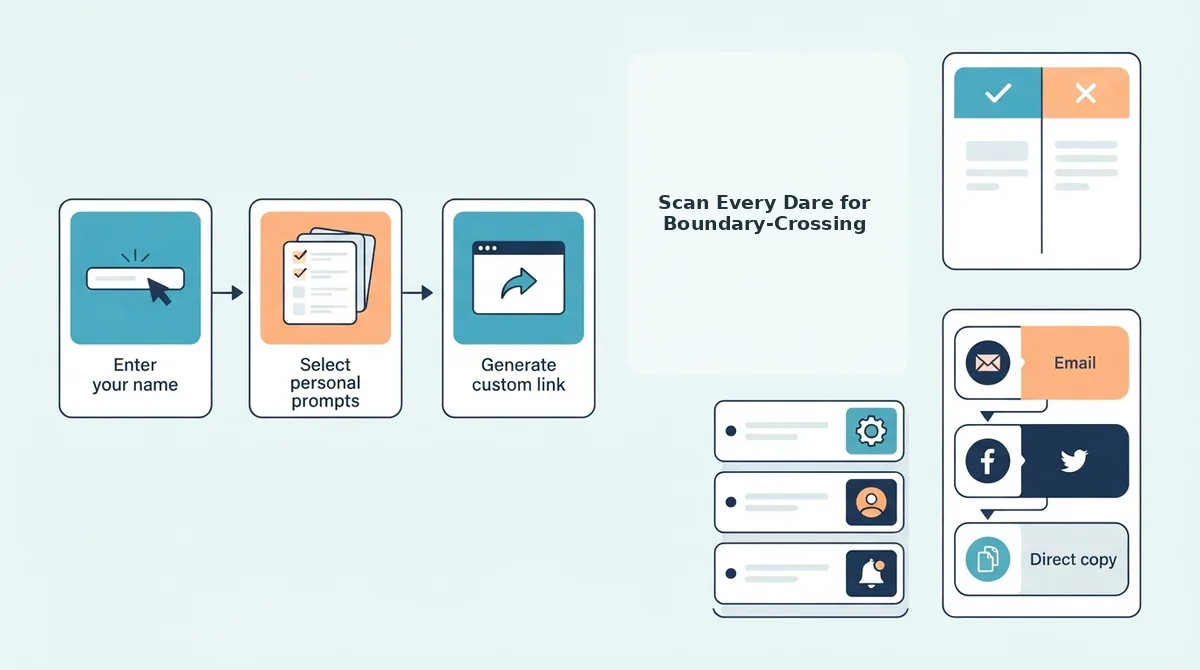
A dare that crosses a boundary doesn't just get skipped, it makes the whole quiz feel unsafe and kills participation. Use the Dare Intensity Scale below to calibrate every dare to your group chat's comfort level before you send.
- Light Tier. Safe for any group chat. These dares are silly, harmless, and impossible to take the wrong way. Examples: "Send the last photo in your camera roll," "Voice-note your best animal impression," or "Post 'I love pineapple pizza' with no context." Use Light dares for new groups, mixed friend circles, or anyone you haven't quizzed before. They keep the energy playful without risking a single awkward pause.
- Bold Tier. Requires established trust. These dares push comfort zones but stay within the bounds of friendly banter. Examples: "Text your crush 'I had a dream about you' and screenshot the reply," "Let the group pick your profile picture for 24 hours," or "Send a voice note singing the chorus of the last song you played." Use Bold dares only in chats where everyone has known each other long enough to laugh off mild embarrassment.
- Spicy Tier. Only with explicit consent. These dares flirt with real risk: sharing screenshots, revealing secrets, or posting something mildly embarrassing to a wider audience. Examples: "Share your most recent search history," "Post a story tagging the first person in your recents," or "Reveal who you'd unfollow if you had to pick one." Never include Spicy dares by default. Ask the group first, or save them for one-on-one challenges where both sides opt in.
The Dare Intensity Scale solves a problem most dare content ignores. YouTube videos like "Risky Truth or Dare Questions" jump straight from funny to genuinely uncomfortable with no gradient in between, leaving creators to guess where the line is. Friend Quiz is built for playful banter, not discomfort, so calibrating your dares keeps the quiz fun for everyone, including the friend who always lurks but never replies. A well-calibrated quiz gets more answers because nobody feels pressured to dodge a dare they're not ready for. If you're building a quiz for your closest circle, a best friend quiz gives you the perfect format for Bold-tier dares that land well.
Once your dares pass the intensity scan, the next fix is all about when you hit send.

Time the Send for Group Chat Momentum
Send timing is the practice of choosing when to drop a dare quiz link so it lands when the group chat is already active, not when everyone is asleep or distracted. A dare quiz sent at 9 PM on a Tuesday often dies because half the group is winding down and the other half is doomscrolling alone.
Think of group chat momentum like a campfire: you don't throw a fresh log on when the flames are already out. You add fuel while people are still gathered around and engaged. The same quiz link that flops at midnight can spark eight responses in ten minutes when it lands during a lunch break or right after school.
Start simple: send the quiz when at least three people have messaged in the last hour. Intermediate: aim for weekday windows between 12-2 PM or 7-9 PM, when mobile chat activity peaks. Advanced: watch your specific group's rhythm for a week, then send the dare quiz in the 30-minute window after a meme or argument has already pulled everyone back in.
Friend Quiz is built to wake up dead group chats, but even the best dare quiz cannot revive a chat that nobody is checking. Timing is a setup mistake most people never consider, and it matters more than the dares themselves.
Write a Hook Message That Makes Friends Click
A bare link with no context gets zero responses. The same quiz with a competitive hook got eight responses in ten minutes. Here are three hook templates ranked by how reliably they pull friends out of silent-chat mode.
- Playful hook: "I made a quiz about myself and I'm scared to see who actually knows me." This works because it lowers the stakes and invites curiosity without pressure. Use it when the group chat has been quiet and you want to ease people back in with humor instead of a challenge.
- Competitive hook: "Only one of you actually knows me. Prove me wrong." This works because it frames the quiz as a status contest, and nobody wants to be the friend who scores lowest. Use it when your group already has a rivalry or banter rhythm running.
- Mysterious hook: "I found out something about myself today. Take this and tell me if you saw it coming." This works because it creates an information gap that friends feel compelled to close. Use it when you want replies from the quiet members who usually lurk but never answer.
Pair any hook with the quiz link and one follow-up line like "No pressure, but I'm keeping score." If your group still stays silent, try a friendship test angle instead: "I scored our friendship. Let's see if you agree."
FAQ
What should I fix before sending a dare quiz to my friends?
Fix three things before sending: test the link in an incognito tab so it opens without login walls, scan every dare for boundary-crossing content that could embarrass or alienate someone, and time the send for when the group chat is already active. A working link, safe dares, and good timing prevent the silent-chat death spiral.
How do I make a dare quiz that doesn't kill the group chat?
Keep dares light, funny, and doable in under a minute. Avoid dares that require leaving the house, spending money, or sharing private information. Pair the quiz with a hook message that creates curiosity or competition, and send it during an active chat window rather than late at night.
What dares are too far for a group chat?
Any dare that targets insecurities, pressures someone to reveal secrets, or forces physical risk is too far. Skip dares about exes, weight, money, or anything a friend has previously asked you not to joke about. If you would not say the dare to someone's face in a room full of people, cut it.
Why does my dare quiz link get zero responses?
A bare link with no context reads as spam or low-effort content, so friends scroll past it. Add a hook message that creates curiosity, competition, or humor. Timing also matters: a link sent when nobody is actively chatting will sink, while the same quiz sent during an active window can get eight responses in ten minutes.
The 60-Second Pre-Send Checklist That Saves Every Dare Quiz
You don't need an hour. You need four checks, in order, before your dare quiz hits the group chat: link opens, dares respect boundaries, timing matches momentum, and the hook message earns the click. Miss one, and you're troubleshooting instead of laughing.
Here's the payoff from the start of this article: the most common reason dare quizzes flop isn't the quiz content, it's a broken link or a boundary-crossing dare sent at the wrong moment. Fix those two, and your open rate jumps immediately.
Run the checklist once, then forget it exists:
- Open your own link in an incognito tab. If it loads in under three seconds, you're clear.
- Read every dare out loud. If you wouldn't say it to their face, cut it.
- Send when the chat is already active. Momentum beats timing every time.
- Write a hook that names the stakes. "Only 2 of you will pass this" beats "try my quiz."
Friend Quiz was built for exactly this speed: no account, no email, no app download. You can build your dare quiz in under two minutes and send it before the group chat moves on to the next topic.
One final thought worth quoting: a dare quiz isn't a test of friendship, it's a test of whether you respect your friends enough to send something worth their tap.