Friend quiz setup mistakes that slow your speed run down
Your friends are ready to play, but the quiz loses momentum before anyone reaches question three. Most of that momentum is lost during setup, not play, and it usually comes from friend quiz setup mistakes you can fix in seconds.
You're right to expect building to be fast. Friend Quiz is built for creation in under two minutes with no account, email, or app download. That matters when your crowd lives on WhatsApp, iMessage, and Instagram and has little patience for friction.
Setup slows down when you overthink answers, pick the wrong format, or choose answers nobody can guess. Fix those three habits and your speed run stays under two minutes.
This guide previews seven mistakes and a three-stage time budget for your name, your prompts, and your share. One costly mistake happens after the link appears, and the final step resolves it.
You need a name, honest answers about your habits, quirks, likes, and dislikes, and a group chat to share in. No account or app is required.
Create your friend quiz, then watch scores land on a live Friendboard.
What Mistakes Slow Down Creating a Friend Quiz?
The biggest mistakes are overthinking answers, picking the wrong quiz format, and choosing answers your friends can't guess. Each one adds hesitation to the prompts stage, where most setup time goes, and turns a quick build into a stalled draft.
Friend quiz setup is the three-stage process of entering your name, answering trivia prompts, and sharing your quiz link. Trivia prompts are questions about the creator's habits, quirks, likes, and dislikes. A quiz link is a shareable URL friends open in a mobile browser. A Friendboard is a live leaderboard of friends' scores.
Why does a friend quiz take longer than two minutes to make? Usually the creator treats each prompt like an exam question, debating several "correct" answers instead of picking the one that's true right now. Combine that hesitation with a format that doesn't fit the group and answers only the creator could know, and setup drags far past two minutes while the group chat moves on to something else.
Think of setup like a pit stop: every stage has a job, and lingering in one costs the whole race. The Two-Minute Budget below uses suggested targets, not measured data.
| Stage | Suggested target | Mistakes that slow it |
|---|---|---|
| Name | About 5 seconds | Unrecognisable nickname |
| Prompts | About 90 seconds | Overthinking, aspirational answers, unguessable answers, oversharing, wrong format |
| Share | About 25 seconds | Bare link |
Worked Example 1: A creator stalls on a "favorite food" prompt, torn between pizza, sushi, and tacos. Apply the today-answer rule: pick what you'd honestly order today, then move on. The prompts stage stays inside its budget.
How to Fix Each Setup Mistake Step by Step
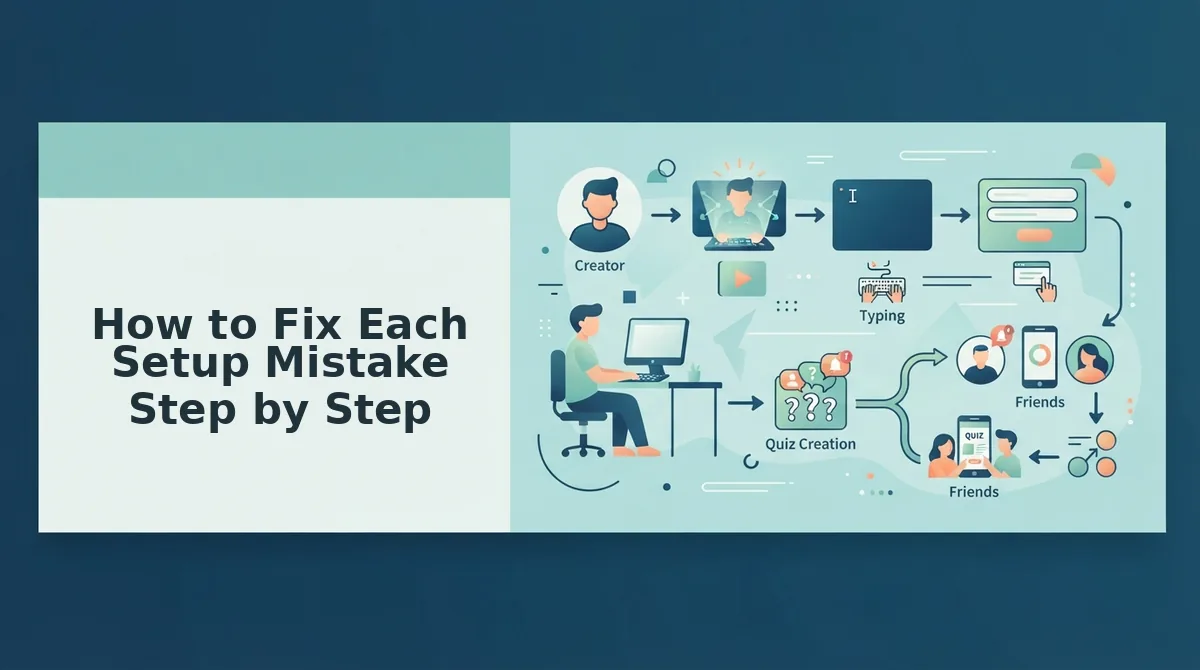
Fix each mistake with a single habit: a recognizable name, a goal-matched format, honest present-tense answers, and a share line that dares friends to play. Before you start, have your phone, a name, and a group chat in mind; no account or app is needed.
- Enter a name friends recognize, not an obscure nickname. Type the name your group actually uses for you. Takes about 5 seconds. Friends should know whose quiz it is the moment they open it. Unsure? See what name to enter.
- Choose the format by goal. Match the quiz to what you want from the chat. Format variety clearly draws interest: The Quizness "Who Is More Likely To..." video has 241,976 views.
For a broader read on a friendship, try the friendship test.Your goal Best format Wake a dead chat Friendship dare quiz Test your closest friend Best friend test Rank the whole group Friend quiz plus Friendboard Quick vibe check BFF test - Answer what's true today, not your aspirational self. If you skipped the gym this month, don't pick "gym rat." Friends score on the real you, and you stop debating.
- Run the guessability check. Ask: could at least one friend reasonably guess this? Harder answers feel clever, but they backfire.
Why do obscure answers ruin a friend quiz? When answers are things only you know, everyone guesses wrong, scores bunch near the bottom, and the Friendboard flattens into a tie nobody can brag about. The leaderboard only creates rivalry when knowing you well actually earns points. Guessable answers spread scores out, so your closest friends rise to the top and the group chat has something to argue about.
Worked Example 2: You answer "my childhood bedroom color," which only you know. Swap it for a visible daily habit, like the drink you always order. Friends who pay attention can now earn the point.
Pro tip: Run the guessability check on every answer, not just the tricky ones.
Every fix keeps you moving because Friend Quiz asks for no account and turns your answers into an instant link. Start your quiz now and apply each step as you go.
- Stop second-guessing and keep moving. Pick your first honest answer and tap ahead. Aim for about 90 seconds across all prompts. You should reach the link screen without backtracking.
- Keep answers banter-safe. Leave out addresses, passwords, and private details. Quirks and dislikes make better jokes than secrets, and your link may travel beyond the original chat.
- Share with a one-line dare in the right chat. This is the costly mistake after the link appears: dropping a bare link. Add a challenge, then post it where your friends are active. Takes about 25 seconds.
Worked Example 3: A bare link posted in a busy chat gets buried under memes. Re-post it with "Bet none of you score above 7. Prove me wrong." Replies and Friendboard scores start arriving.
Next, check whether your setup actually worked.
How Do You Know Your Quiz Setup Worked?
Your quiz setup worked if you finished every stage without stalling, each answer passed the guessability check, the link went out with a context line, and friends finished with a spread of scores on the Friendboard. Each of these signals maps to one stage of the Two-Minute Budget.
The Two-Minute Budget is the time you split across the three creation stages: name, prompts, and sharing. It works like a pre-flight checklist, where each item is quick but a skipped one shows up later.
- Name stage (simple): You typed a name your friends instantly recognize and moved on without second-guessing it.
- Prompts stage (intermediate): You never froze on a single prompt, and every answer passed the guessability check. That means a close friend could reasonably pick it based on what they've seen you do.
- Sharing stage (intermediate): You sent the link with a context line that matches your goal. For phrasing ideas, see what to write in the group chat.
- Results (advanced): Friends finish the quiz and appear on the Friendboard, the real-time leaderboard, with scores spread out.
A spread of scores shows your answers were guessable but not too easy. If everyone scores low, your answers were too obscure. If everyone aces it, nobody earns bragging rights.
Friend Quiz Setup FAQ
These answers cover the setup questions creators ask most once their first link is live.
Should I answer honestly or with what my friends expect?
Answer honestly, using the today-answer rule. Pick what is true for you right now, not what was true years ago or what friends assume. Current answers reward the friends who actually keep up with you and keep the Friendboard fair.
How hard should my quiz answers be?
Your answers should be hard enough that a close friend has to think, but still guessable. Run each one through the guessability check: could someone who knows you well pick it? Balanced answers produce a spread of scores instead of everyone failing.
Why did nobody finish my friend quiz?
Friends usually skip a quiz because it arrived with no context message or landed in the wrong chat. Add a line that dares them to beat your best friend's score. For low-energy chats, send a lighter format like the quick BFF test.
Do my friends need an account or app to take my quiz?
No. Friends open your link and answer directly in their mobile browser, with no app download, account, or email required. This keeps the speed run moving from your group chat to the Friendboard.
Build Your Friend Quiz Without the Slowdowns
The fastest friend quizzes don't come from faster typing. They come from decisions you've already made before you start. That's the payoff behind every slowdown covered here: hesitation, not the tool, eats your two minutes.
Carry one fix into each stage of the Two-Minute Budget:
- Name: Use the name your friends recognize instantly.
- Prompts: Give today's answers, and make sure each one is guessable.
- Sharing: Send the link with a dare, not on its own.
There is no account to create and no app to install, and your link is ready the moment you finish. Create your friend quiz: enter your name and build yours now. Then watch the Friendboard show who really knows you.